
How to enable the withdrawal allowlist on the web?
1. Log in to your Toobit account, hover over your profile icon, and click [Security Settings].
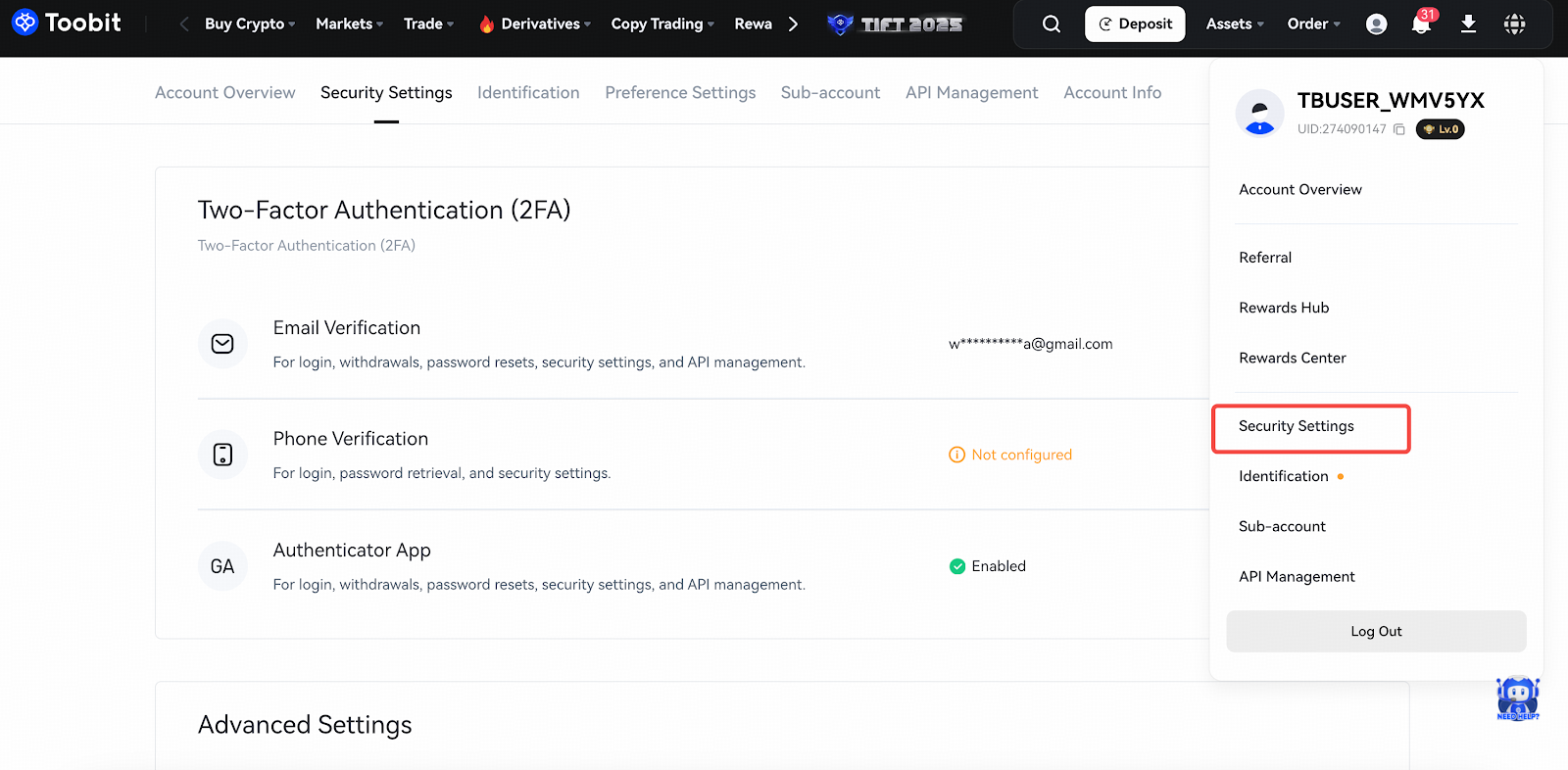
2. Scroll down to the [Withdrawal Settings] section and click the button next to [Withdrawal Address Allowlist].
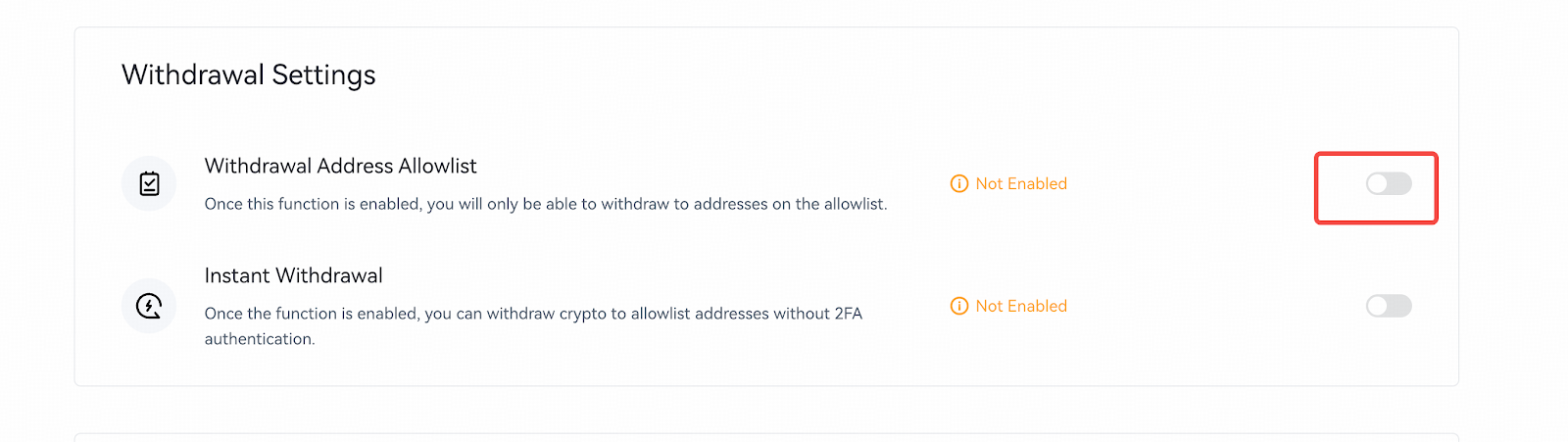
3. Please note that once the withdrawal address allowlist is enabled, you can only withdraw to addresses that are on your allowlist. Click [Enable] to proceed.
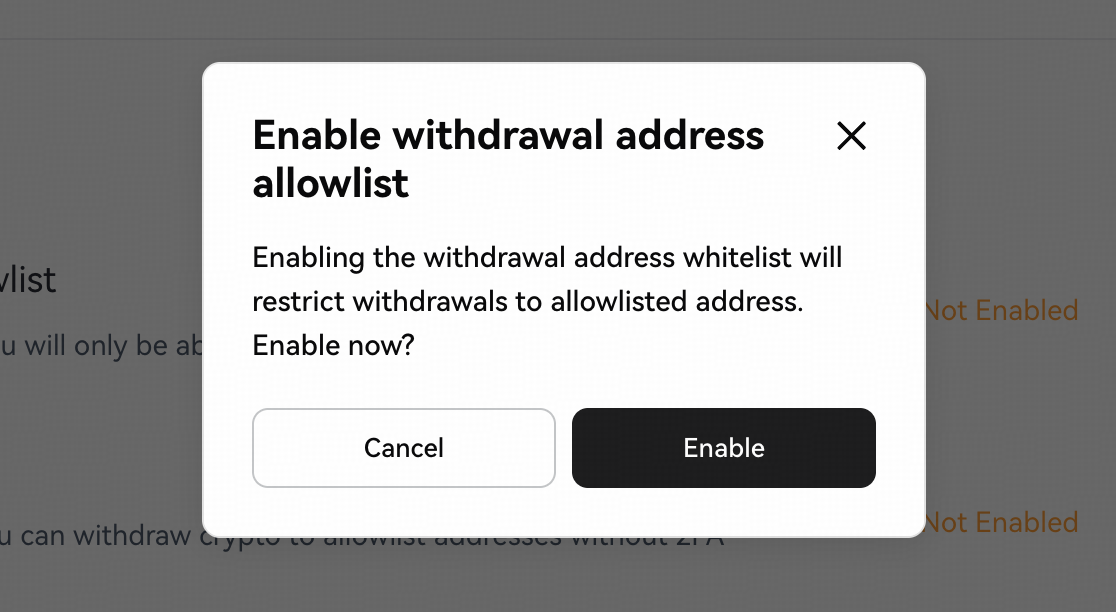
4. Verify the request using your passkey or 2FA. The withdrawal allowlist is now active.

How to disable the withdrawal allowlist on the web?
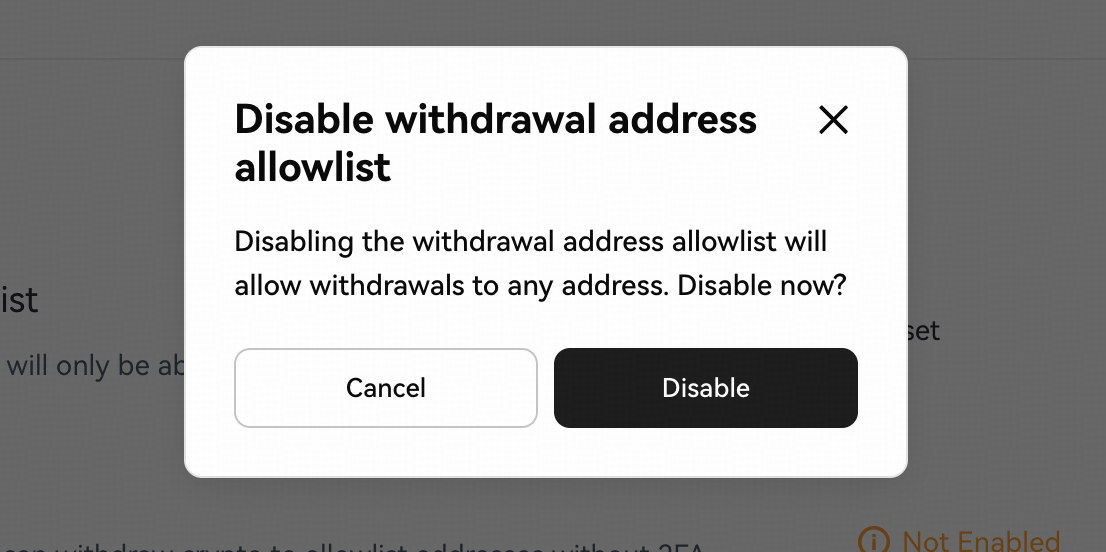
1. Under [Security Settings], locate [Withdrawal Address Allowlist] and click the button.
2. Confirm the request with your passkey or 2FA.
Note: Once the allowlist is disabled, you can withdraw to any address.
How to add a withdrawal address to the allowlist (Web)?
Under [Withdraw], you can manage the withdrawal allowlist for your Toobit account.
1. Go to [Assets] - [Withdraw] and click [View allowlist].
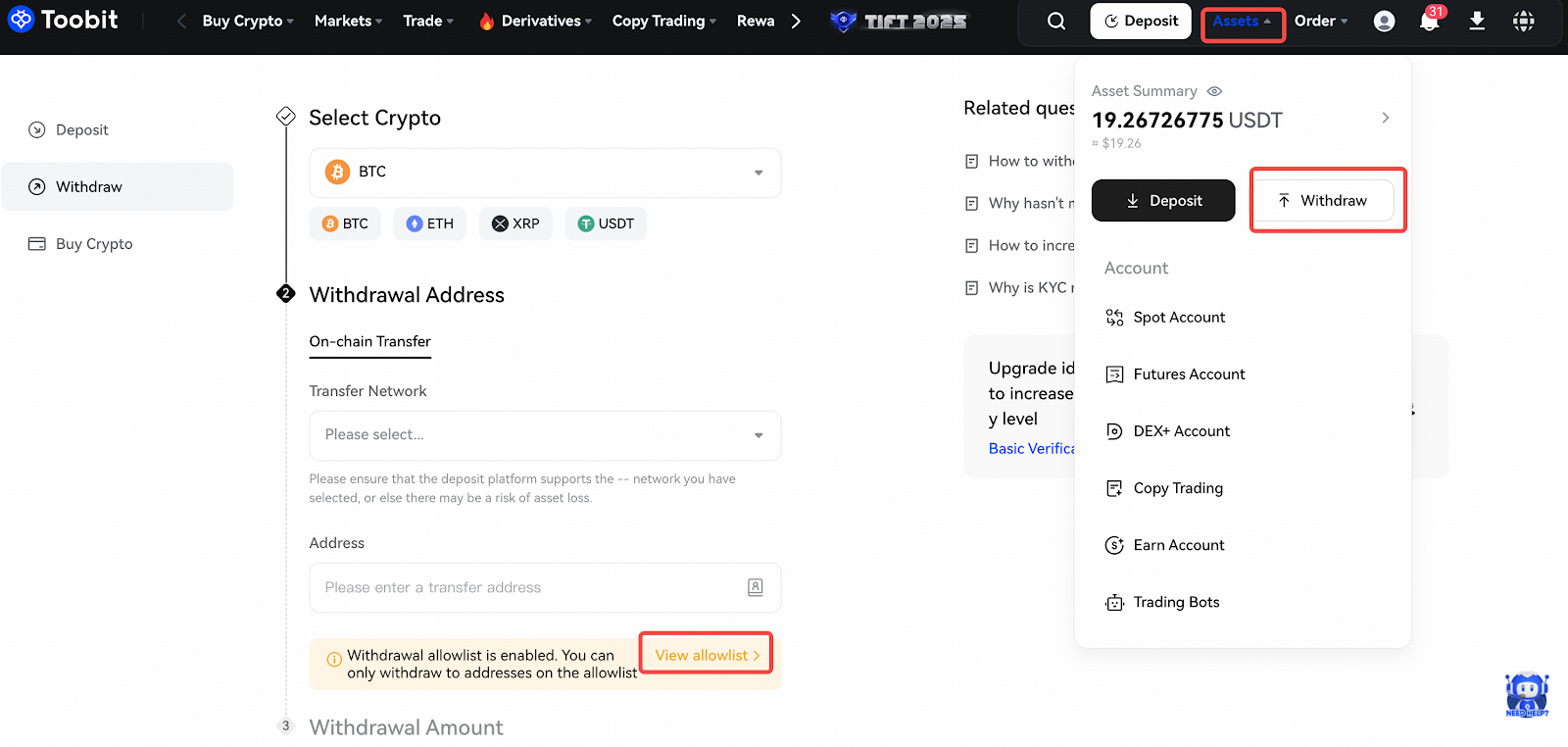
2. Click [Add Address] on the right-hand side.
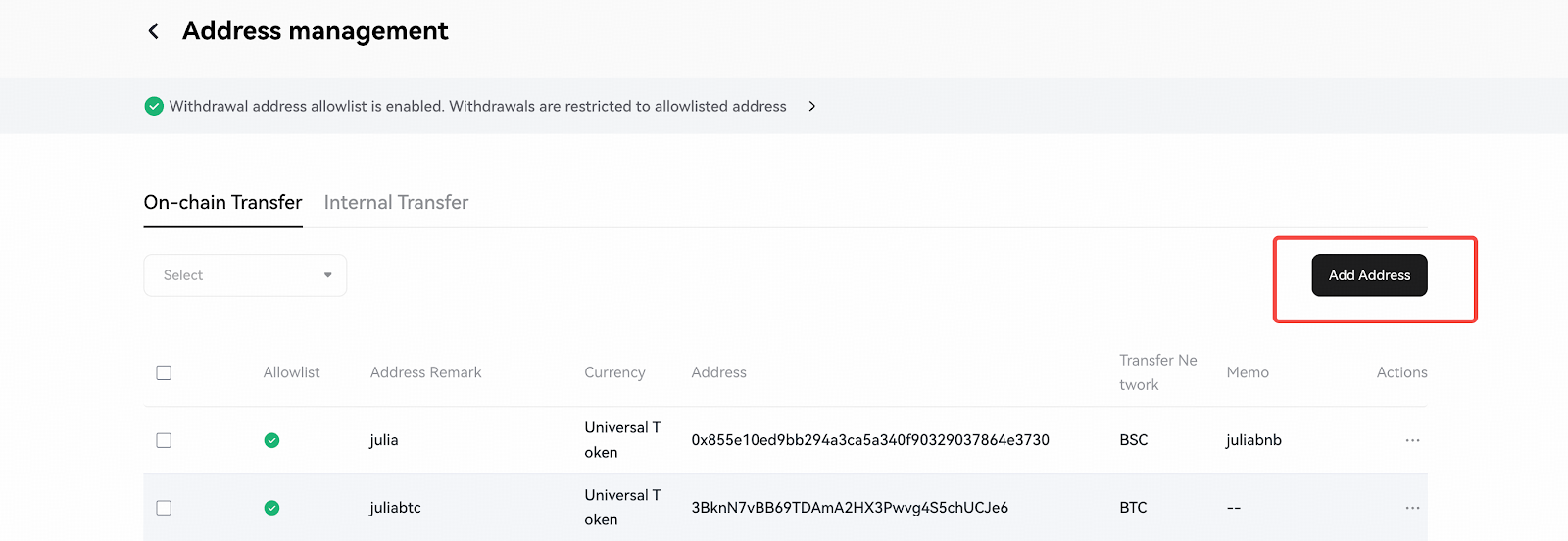
3. Enter a label (a familiar name) for the address. Then, either select a crypto for this address or set it as a universal address. Click [Save] to continue.
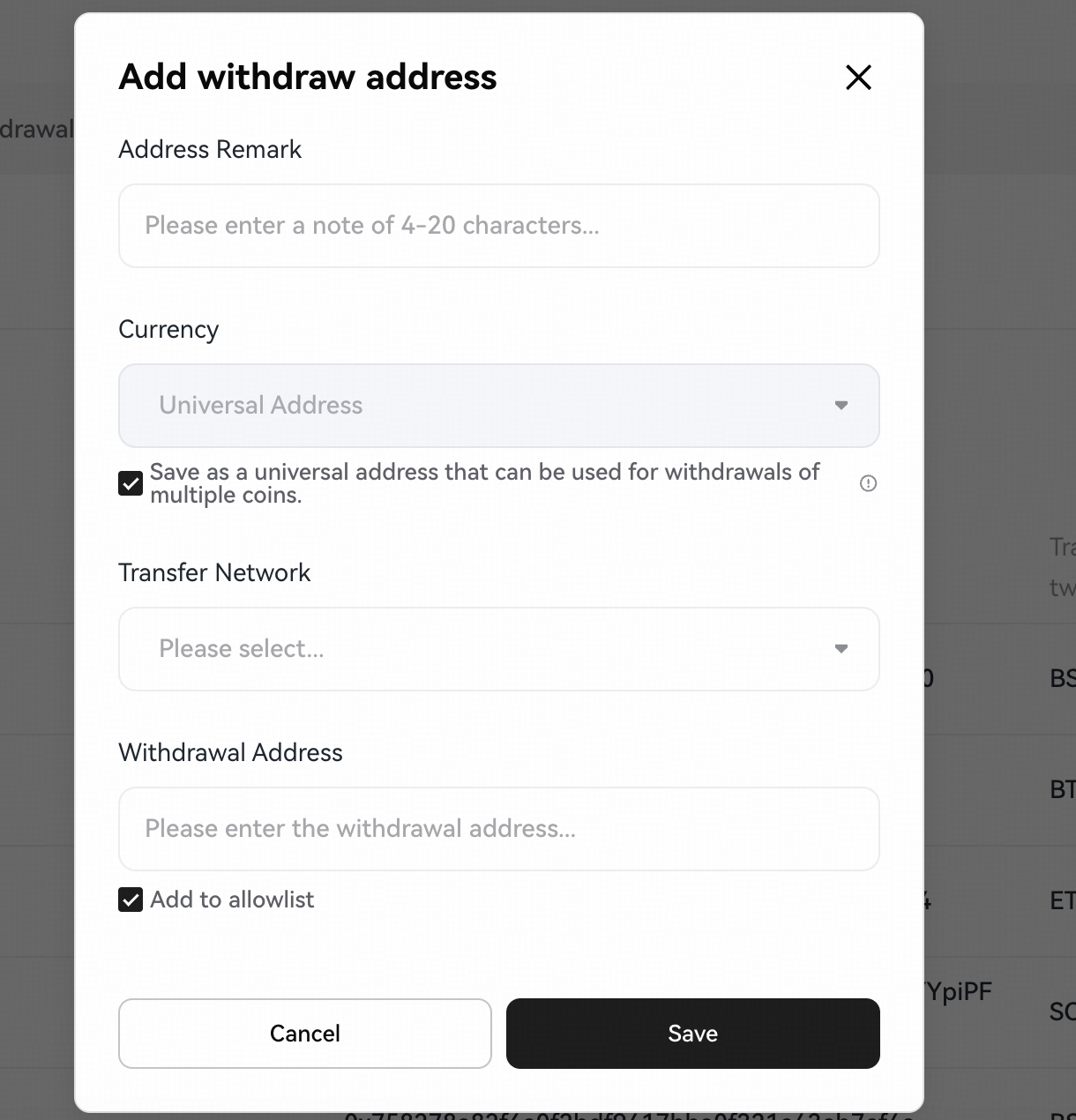
4. Complete 2FA to verify the request. Once verified, the address will be added to your allowlist.
Address Management
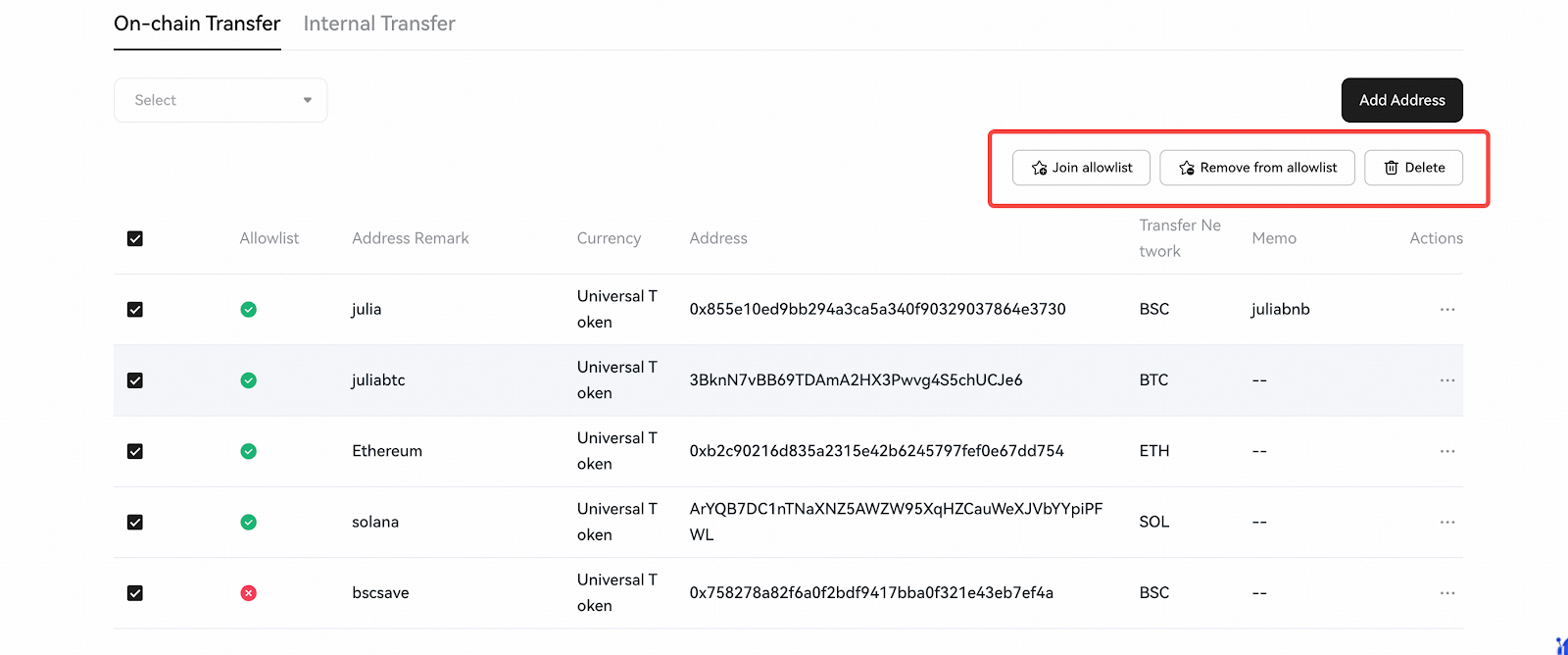
On the allowlist management page, you can:
- Batch manage: Add or remove multiple addresses in one action.
- Delete addresses: Permanently remove an address from the allowlist.
How to enable the withdrawal allowlist on the App?
1. From the homepage, tap the profile icon (top left) and go to [Security Settings].
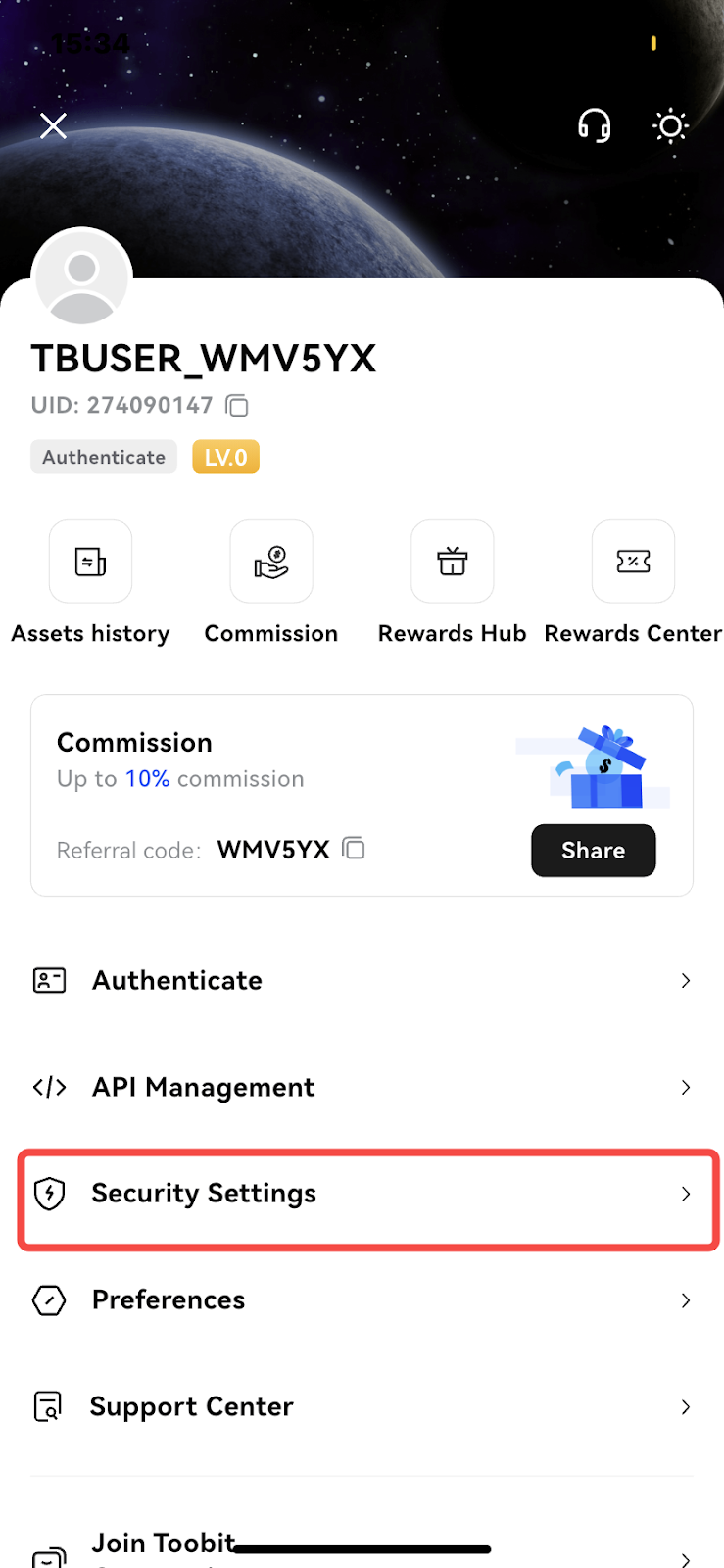
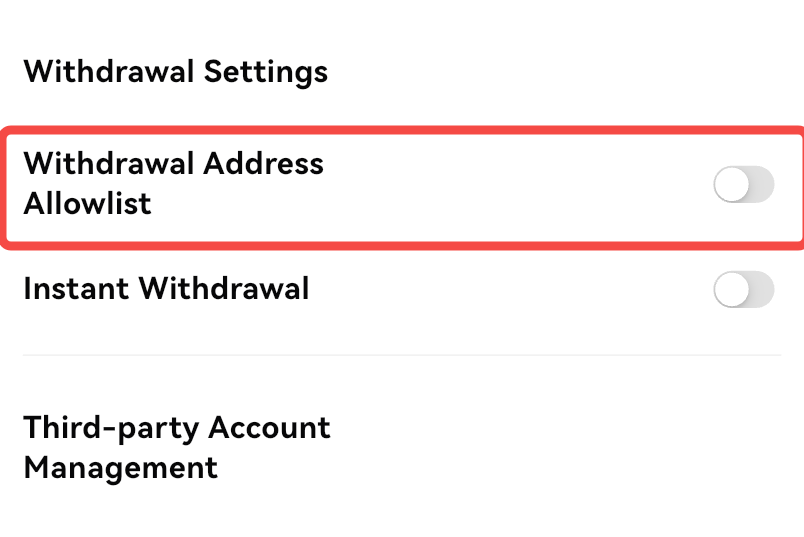
2. Under [Security Settings], find [Withdrawal Address Allowlist] and tap the button to enable it.
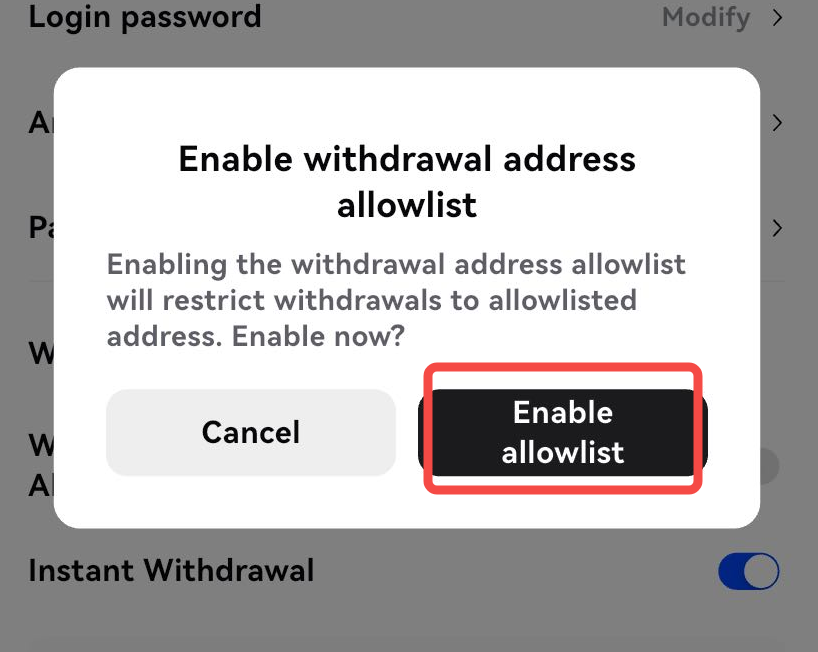
3. Once enabled, withdrawals can only be made to allowlisted addresses. Tap [Enable Allowlist] to proceed.
4. Verify the request using your passkey or 2FA. The withdrawal allowlist is now active.
How to disable the withdrawal allowlist on the App?
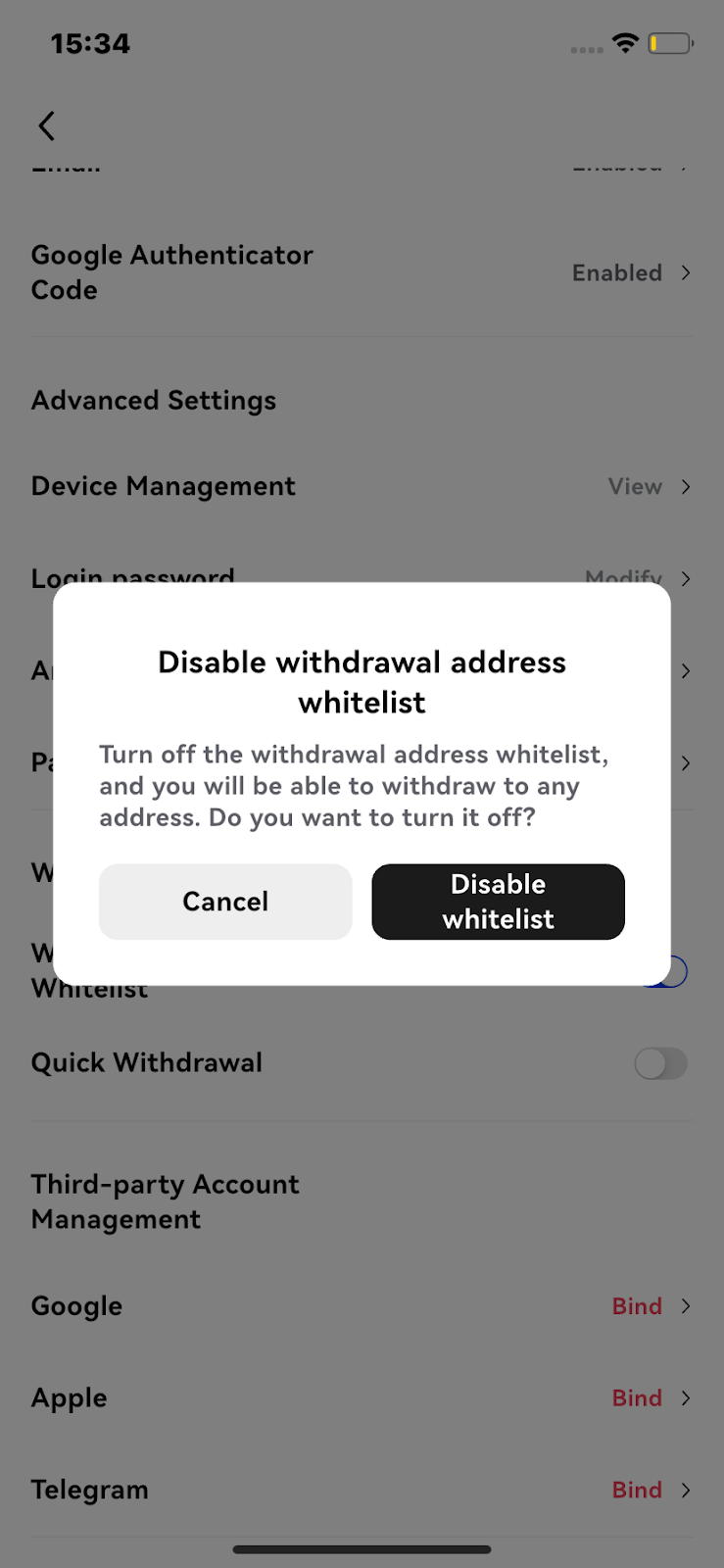
1. Under [Security Settings], locate [Withdrawal Address Allowlist] and tap the button to disable it.
2. Confirm with your passkey or 2FA.
Note: Once disabled, withdrawals to any address will be allowed.
How to add a withdrawal address to the allowlist (App)?
Once the withdrawal allowlist is enabled, you can add withdrawal addresses directly in the app.
1. Go to [Assets] - [Withdraw], select a token (e.g., USDT), then tap [View allowlist].
2. Tap the [+] icon in the top right to add a new address.
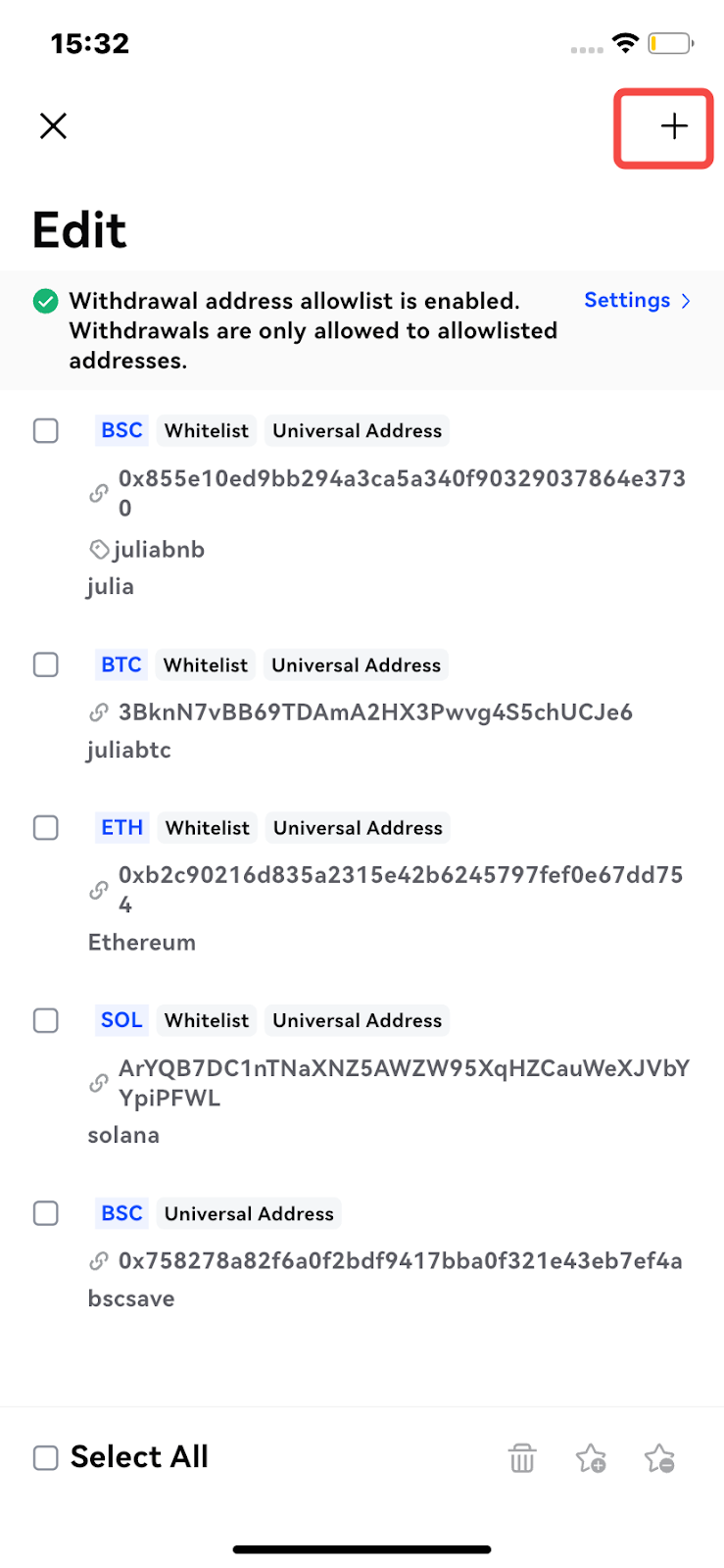
3. Enter a label (a familiar name) for the address. Then, either select a crypto for this address or set it as a universal address. Tap [Save].
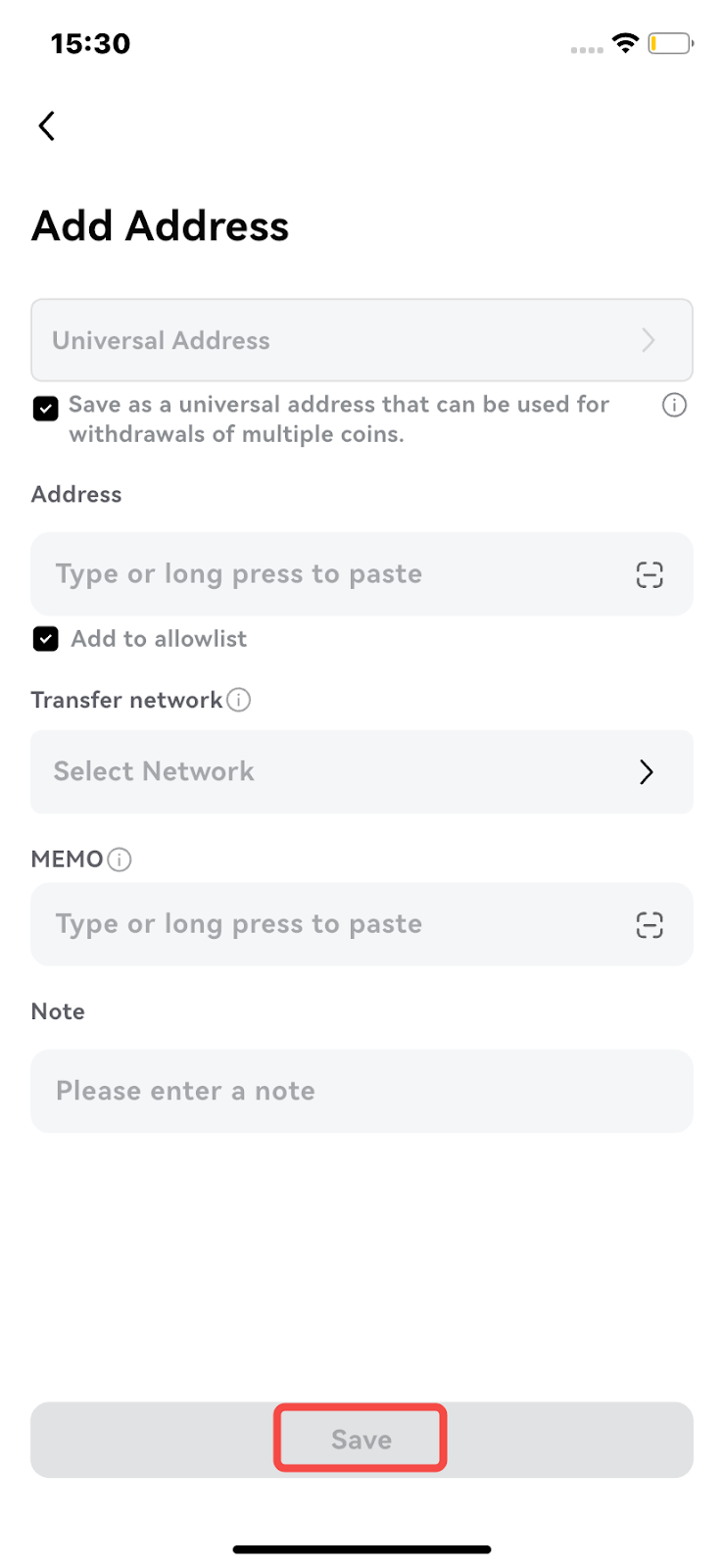
4. Complete 2FA to verify the request. Once verified, the address will be added to your allowlist.
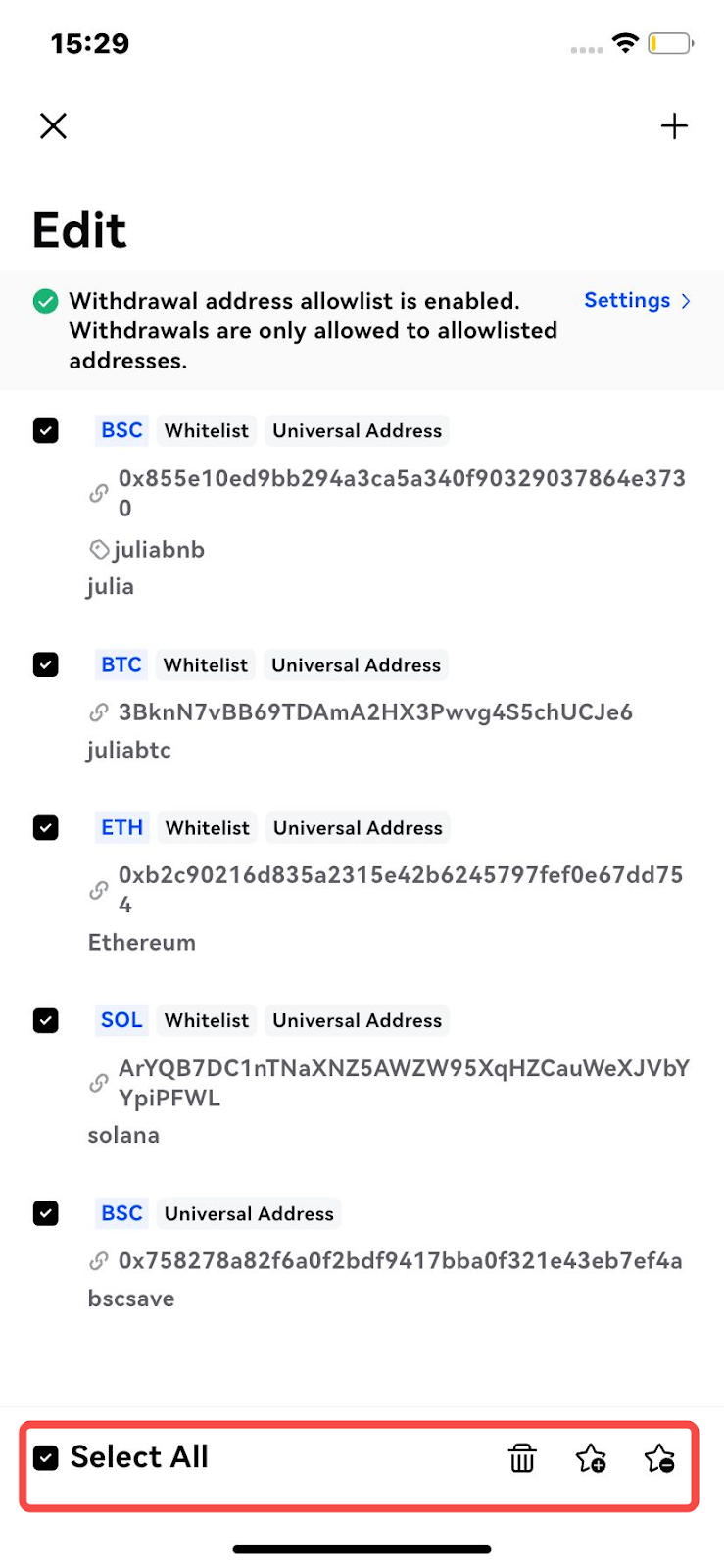
Address Management
On the allowlist management page, you can:
- Batch manage: Add or remove multiple addresses in one action.
- Delete addresses: Permanently remove an address from the allowlist.
Disclaimer
Toobit reserves the right to take appropriate action against any accounts found engaging in malicious or unauthorized activity, including but not limited to the misuse of the instant withdrawal function, withdrawal allowlist, or withdrawal limits. Toobit also retains the right of final interpretation for all terms, conditions, and policies related to the withdrawal allowlist. Users are responsible for safeguarding their accounts and adhering to platform rules when using this feature.


