
Note
— The creation of API keys is available via the PC/website version of Toobit; this function is not supported on the Toobit mobile app.
Step-by-Step to Create Your API Key
To create your API key on Toobit, visit the API management page: [https://www.toobit.com/user/sub-api]
Step 1: Access the API Management Page
-
Click the link above to navigate to your account’s API settings page. If prompted, log in to your Toobit account with your credentials.
-
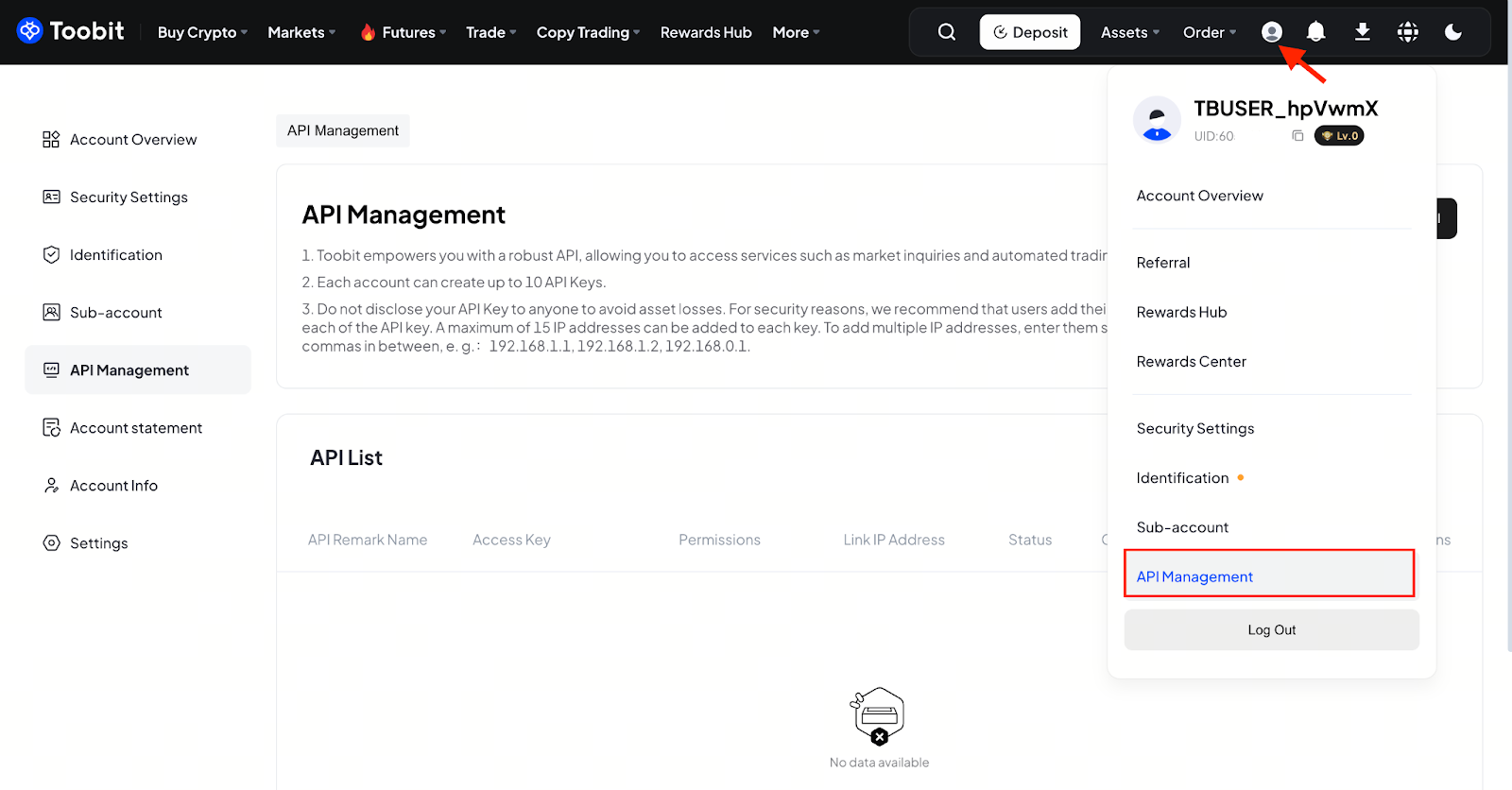
Alternative access method:
On the Toobit trading page, click the user icon in the top right corner of the interface, then select [API Management] from the dropdown menu.
Step 2: Initiate API Key Creation
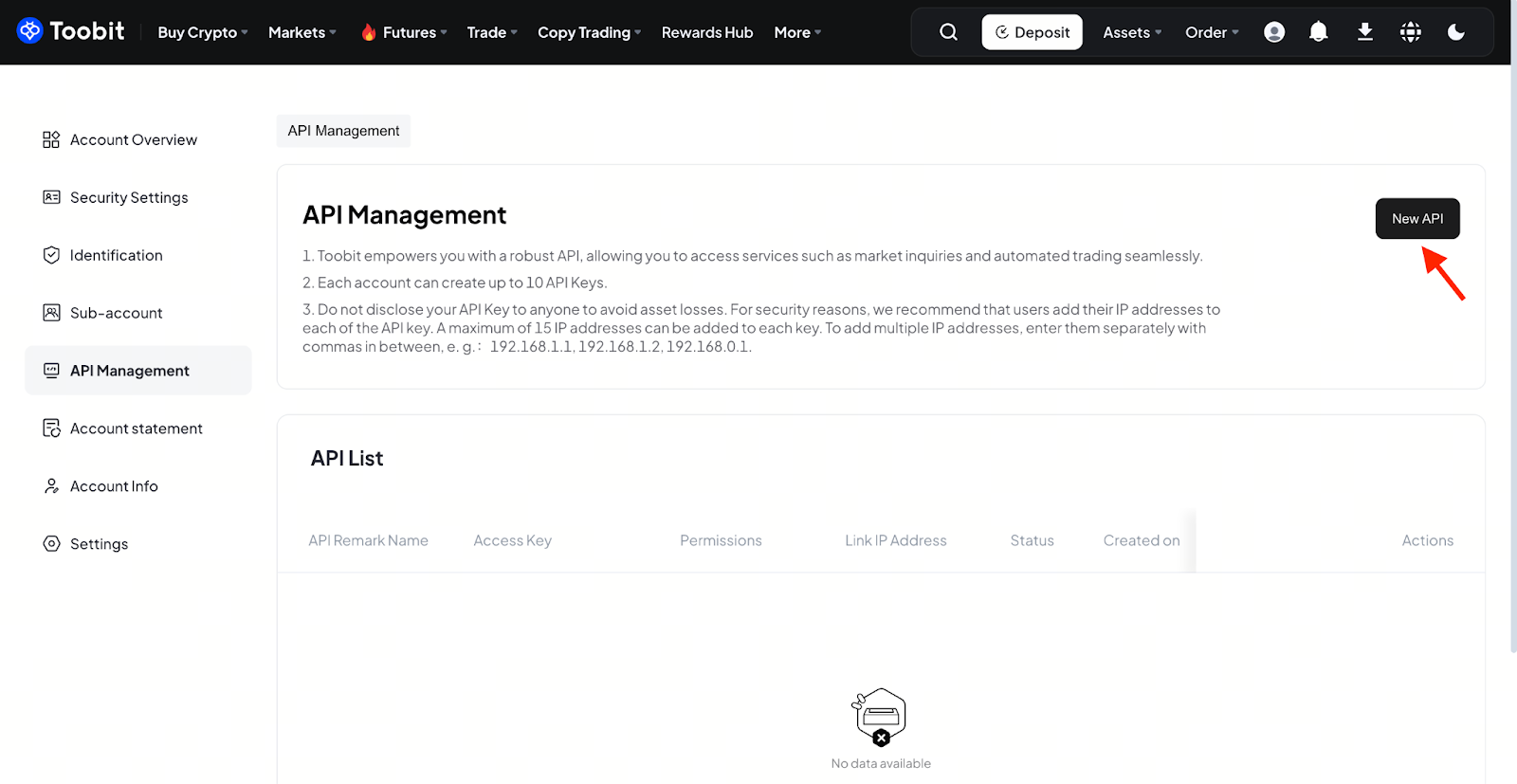
On the [API Management] page, locate and click the [New API] button to start the API key setup process.
Step 3: Configure and Verify the API Key
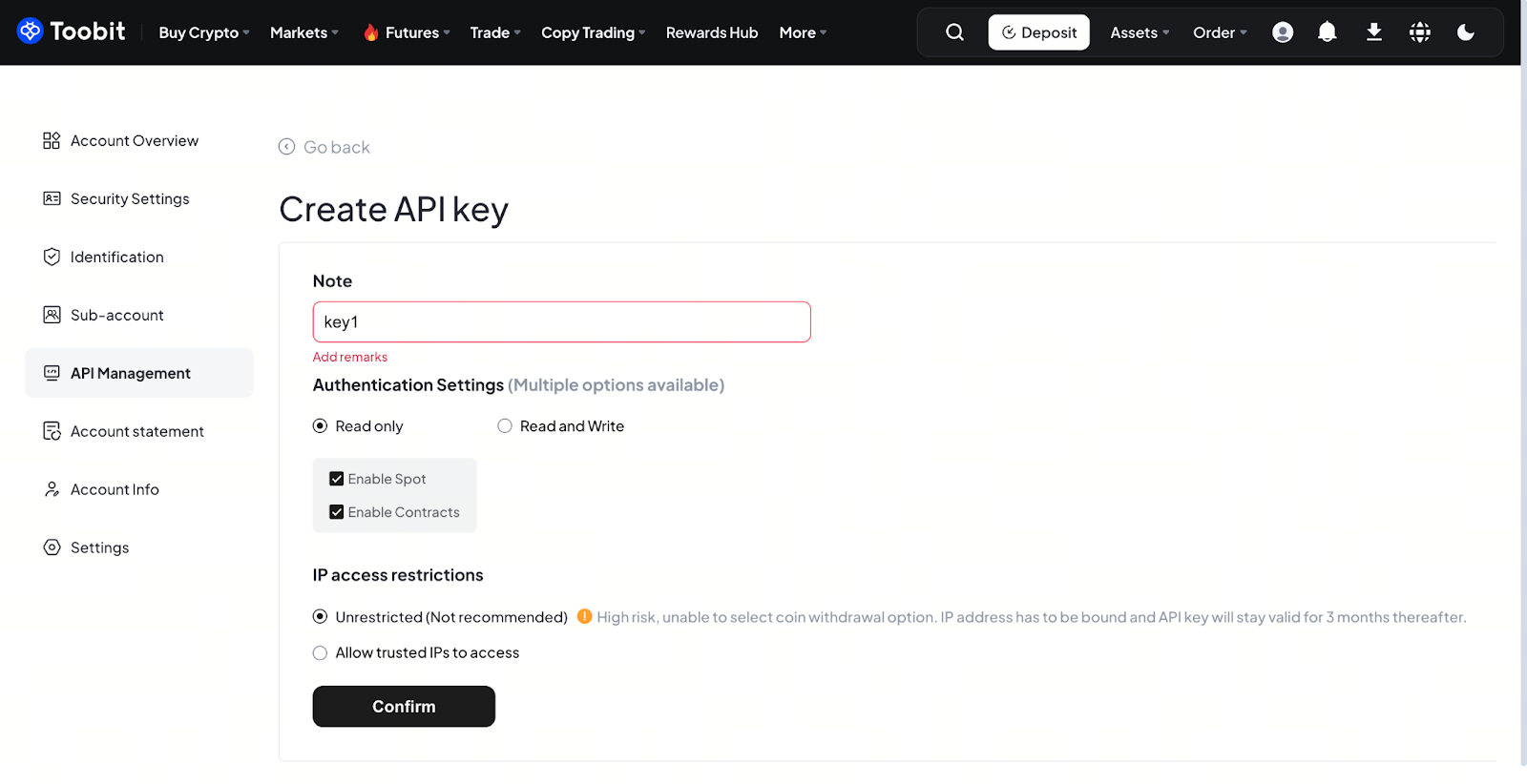
1. The configuration window will appear. Customize your API key settings according to your actual trading requirements (e.g., permission scope, naming conventions, and IP whitelisting) and press the [Confirm] button when you finish.
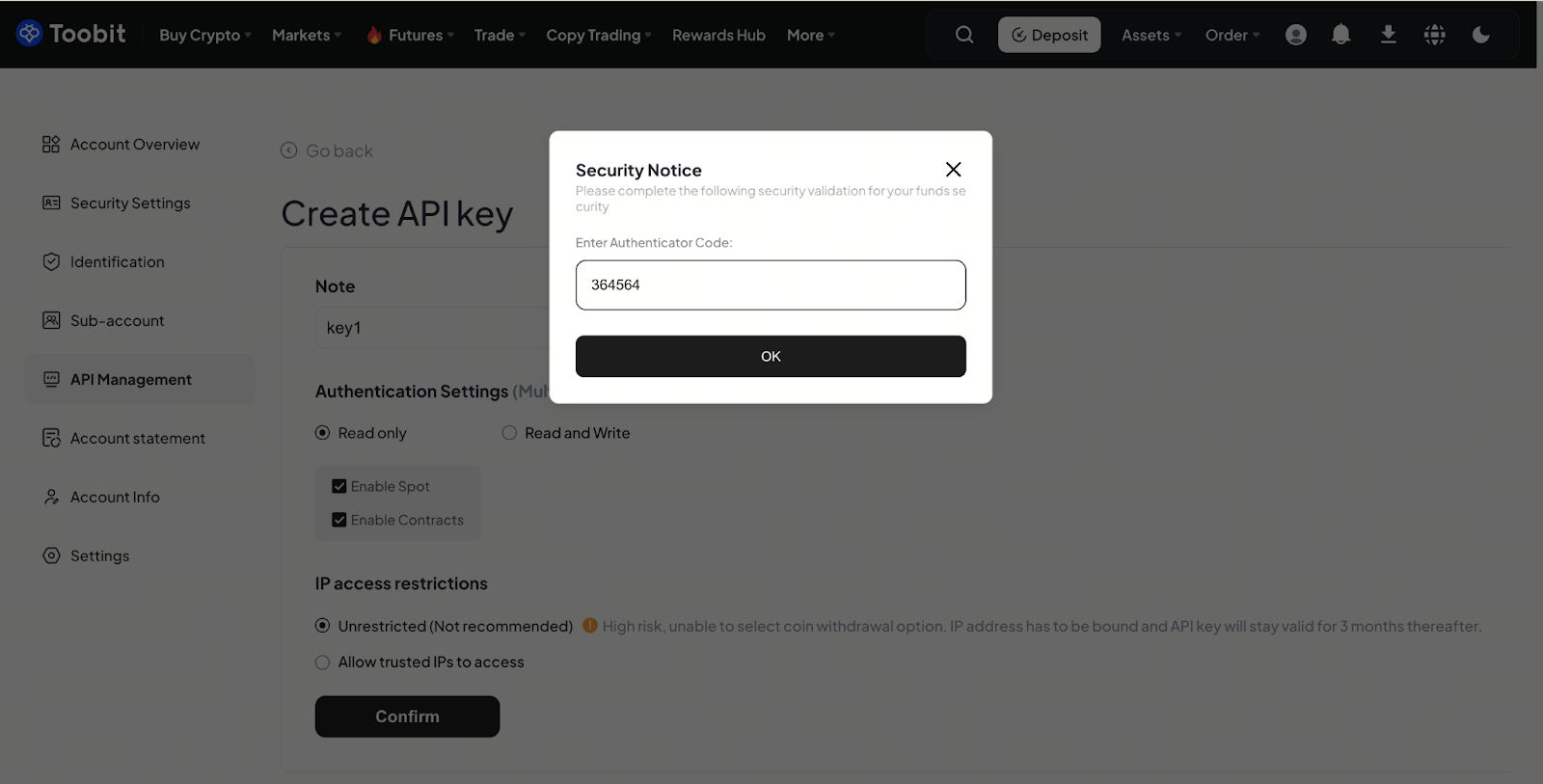
2. Enter your Google Authenticator 2FA code in the designated field to complete the security verification, then click the [OK] button.
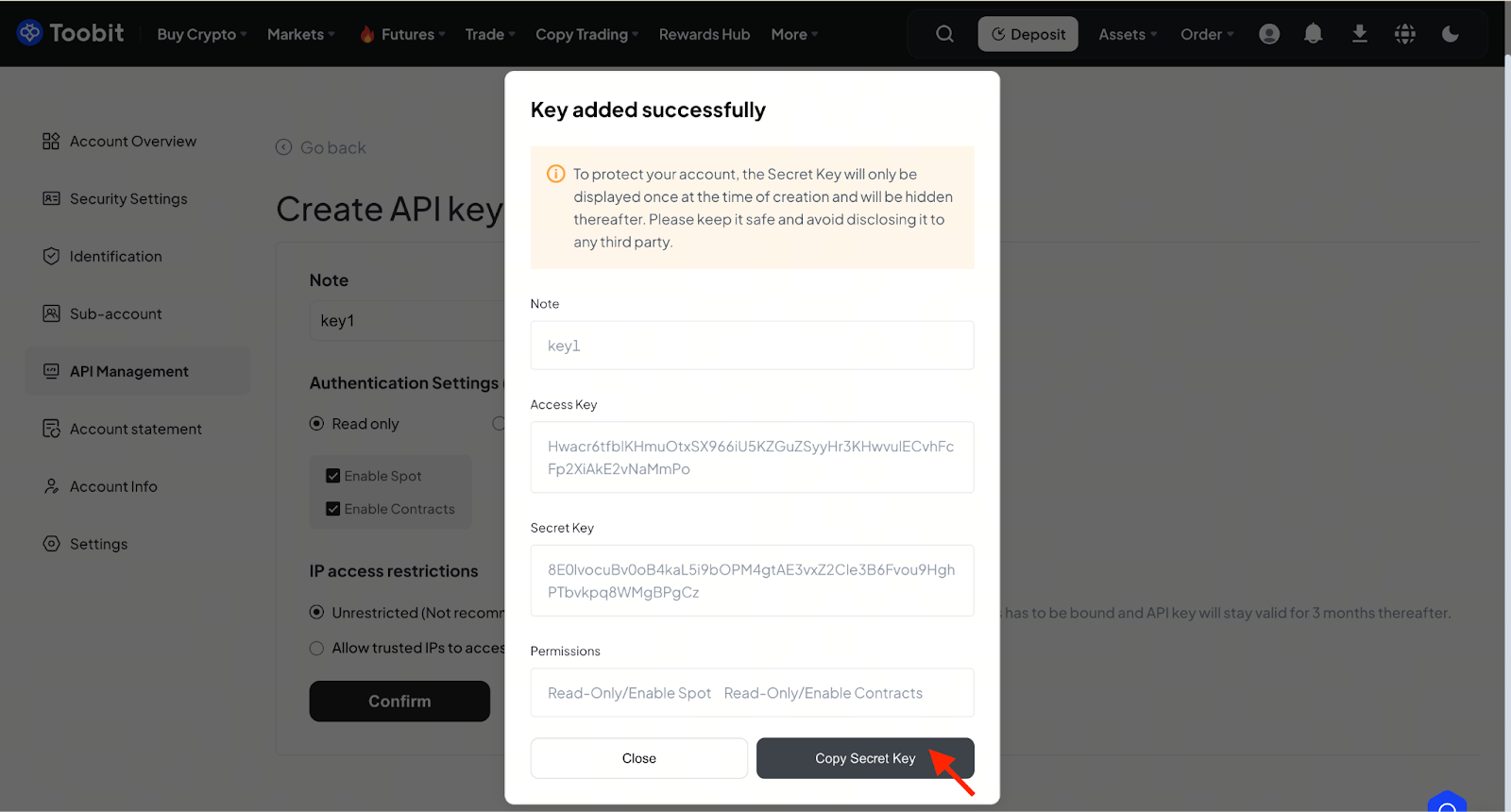
Once the above steps are completed, you will have successfully created your API key. Copy and store the Secret Key in a secure location.
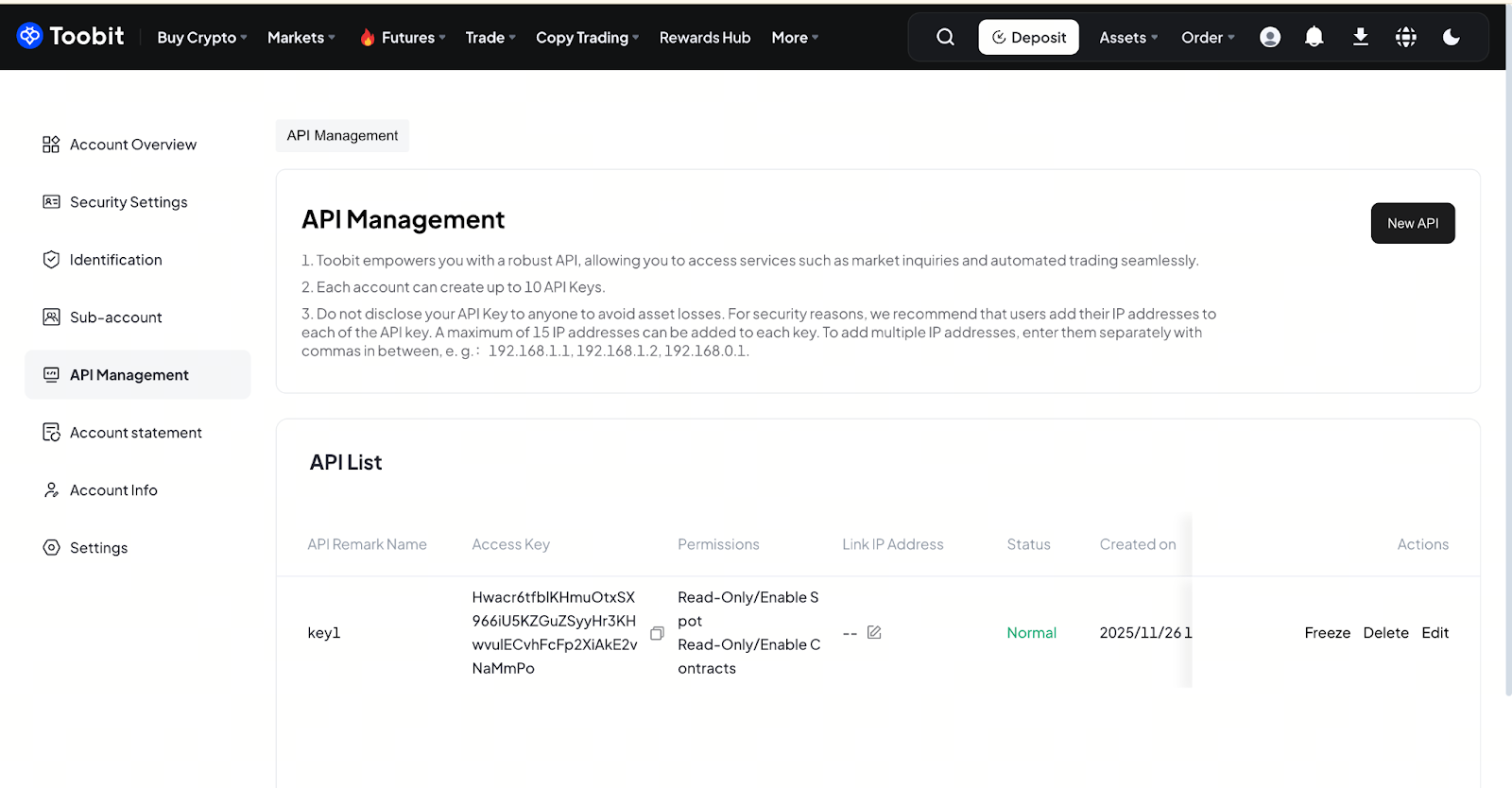
You can manage your created API Keys directly via the API List section.
-
Check Status: View real-time status of all API Keys (e.g., Normal,Frozen).
-
Manage Permissions: Perform operations including:
-
Freeze: Temporarily suspend key usage to prevent unauthorized access.
-
Delete: Permanently remove keys.
-
Edit Access Permissions: Adjust the access scope granted to a key (e.g., enable/disable trade-related permissions) to match your current needs.
Important Notice
-
To safeguard the security of your Toobit account, the Secret Key will only be displayed once at the time of API key creation and will be hidden permanently afterward. Please:
-
Immediately copy and store the Secret Key in a secure location.
-
Never disclose your API Key or Secret Key to any third party, as this may lead to unauthorized access to your account and potential asset loss.
-
Each Toobit account is limited to creating a maximum of 10 API Keys.
Each API Key expires after 90 days (from the date of creation). Please renew or recreate keys in advance to avoid service disruption.


