
What is spot trading?
Spot trading means buying one cryptocurrency with another. For example, in the ETH/USDT pair, ETH is the base currency and USDT is the quote currency — in other words, you're using USDT to buy ETH.
Step 1: Navigate to the spot trading section
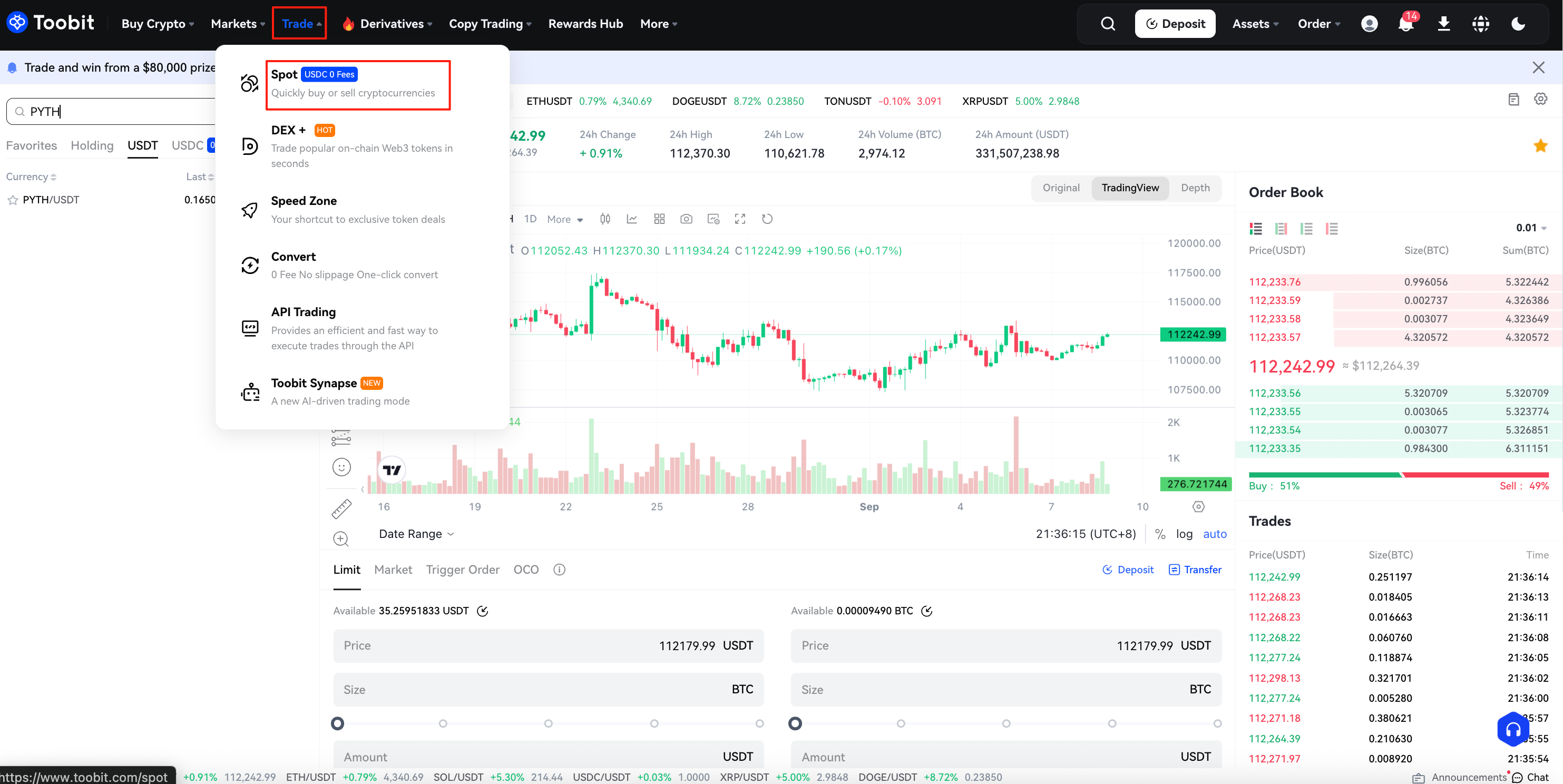
Step 1: Log into your account. Click [Spot] under [Trade] on the top navigation bar.
Step 2: Choose a trading pair
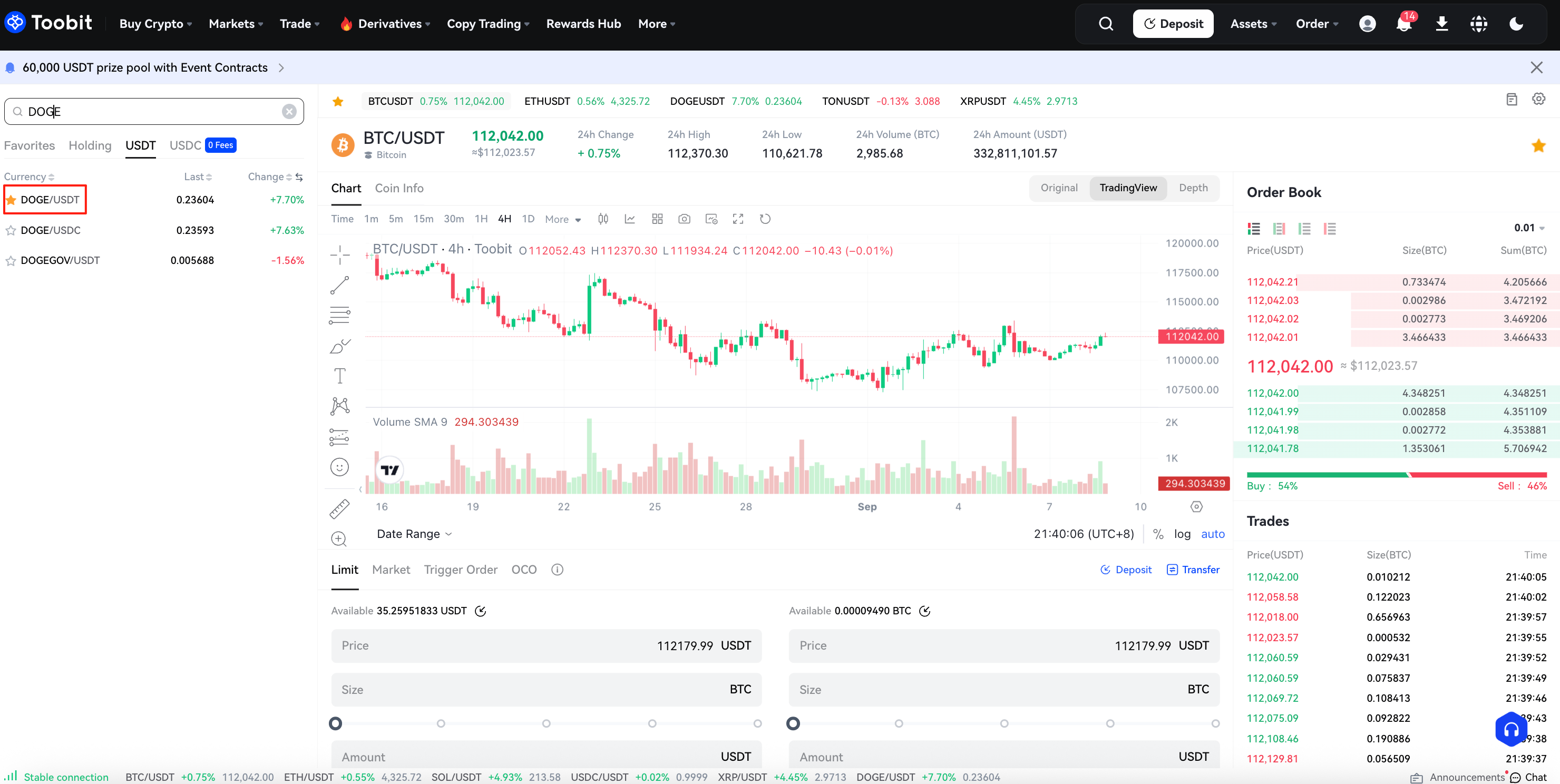
Choose a trading pair from the market list on the left (e.g., DOGE/USDT) to start trading.
Step 3: Placing an order
At the bottom of the trading interface, you'll find panels to buy or sell. There are six order types you can choose from. These are limit orders, market orders, Trigger order and one-cancels-the-other (OCO) orders. Here are some examples of how to place each order type and how they work:
i. Limit Order: A limit order lets you buy or sell a cryptocurrency at a specified price or better.
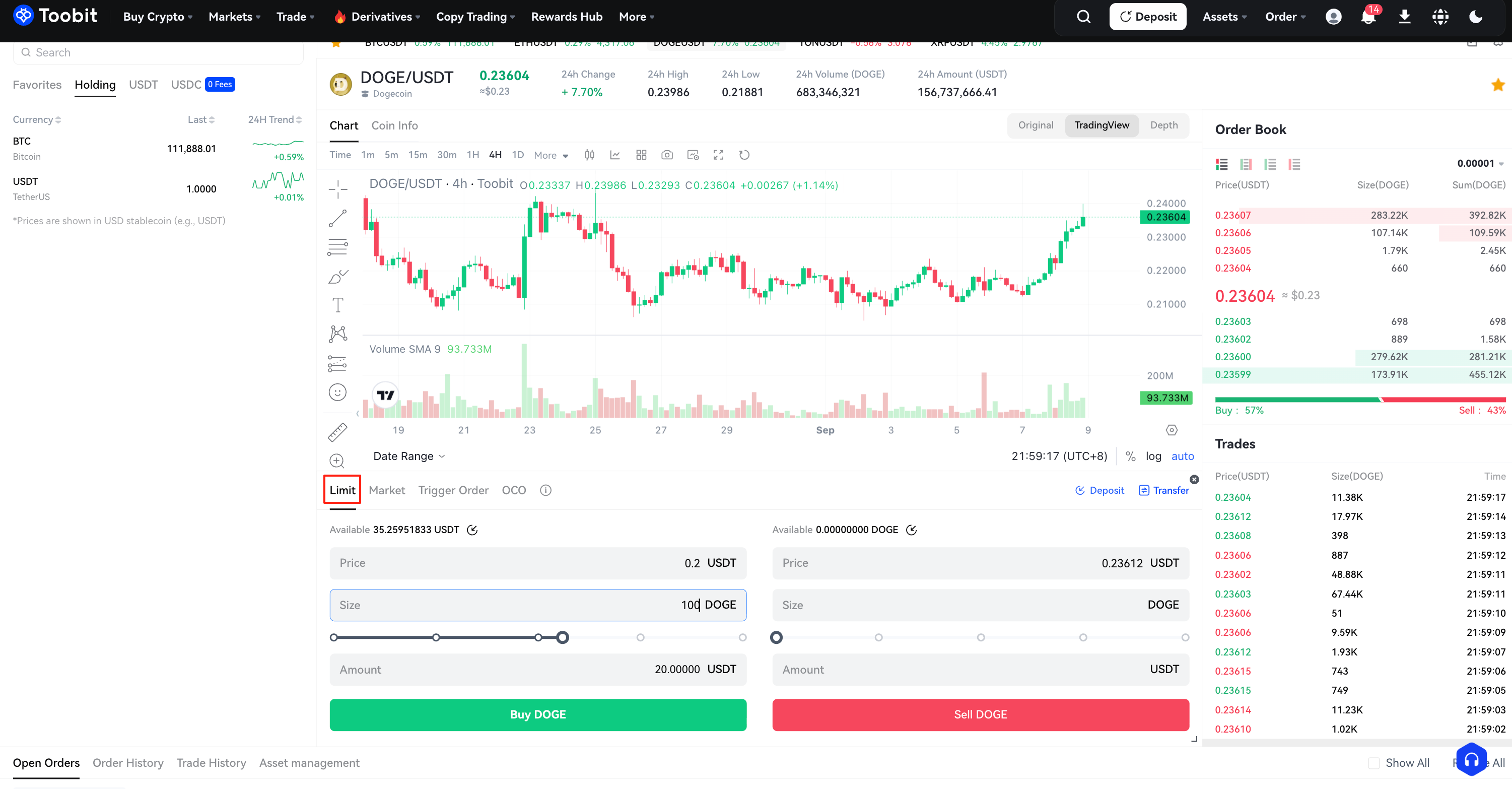
For example, suppose the current price of DOGE in the DOGE/USDT pair is 0.23662 USDT. You want to buy 100 DOGE at 0.2 USDT each. To do this, place a limit order for 100 DOGE at 0.2 USDT.
First, you select Limit, enter 0.2 USDT for the price, 100 DOGE for the amount, and hit Buy DOGE to confirm your order.
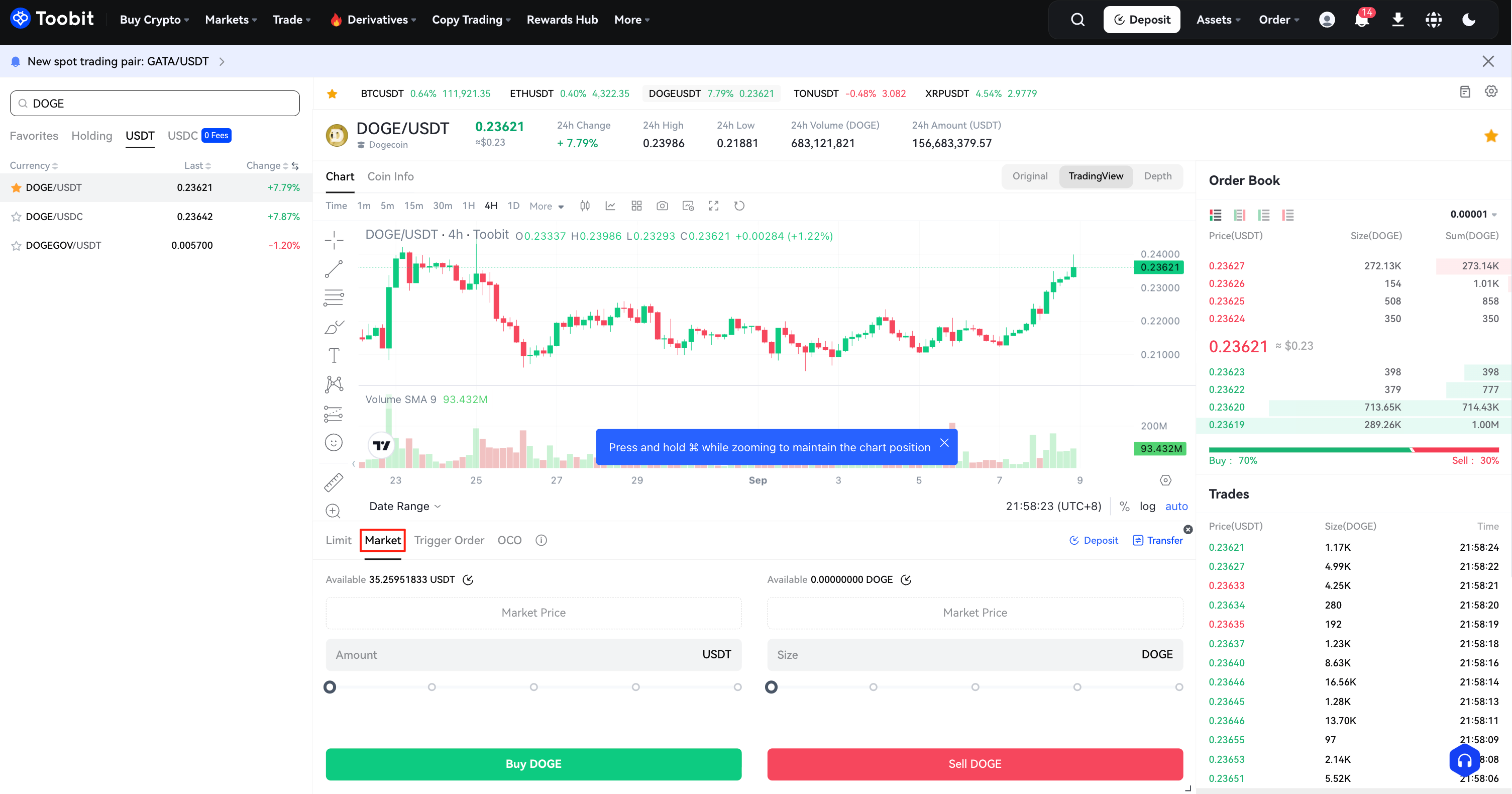
ii. Market Order: A market order executes a buy or sell immediately, at the current best available price on the market. Take the DOGE/USDT trading pair for example. Assuming the current price of DOGE reaches 0.23621 USDT, and you decide to sell 100 DOGE quickly. To do this, issue a market order. The system matches your sell order with the existing buy orders on the market, ensuring swift execution. Market orders the best way to quickly buy or sell assets.
For the above scenario, you would select Market, enter 100 DOGE for the amount, and click Sell DOGE to confirm the order.
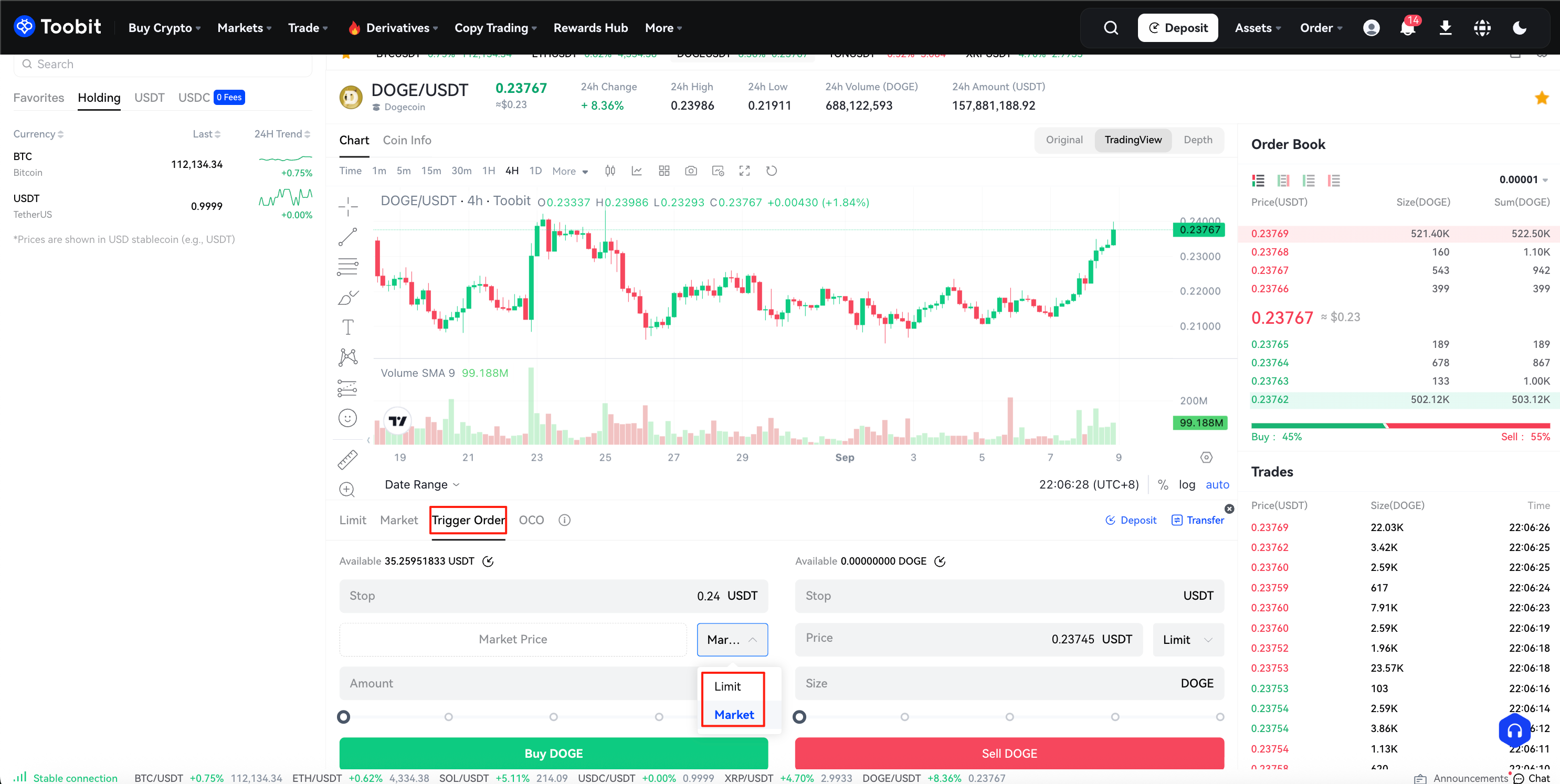
iii. A trigger order allows you to set a specific price condition for buying or selling, which will be automatically executed once the market reaches the specified condition. You can choose to execute the order at either the market price or limit price.
For example, with the DOGE/USDT trading pair, let's say you set a trigger order to buy 100 DOGE when the price reaches 0.24000 USDT. If you choose a market order, the system will execute the buy order at the best available price in the market once the price reaches 0.24000 USDT. If you choose a limit order, the system will execute the order at the specified price of 0.24000 USDT or better.
Select "Trigger Order," enter 100 DOGE, set the trigger price (0.24000 USDT), choose Market or Limit execution, then click Buy DOGE to confirm.
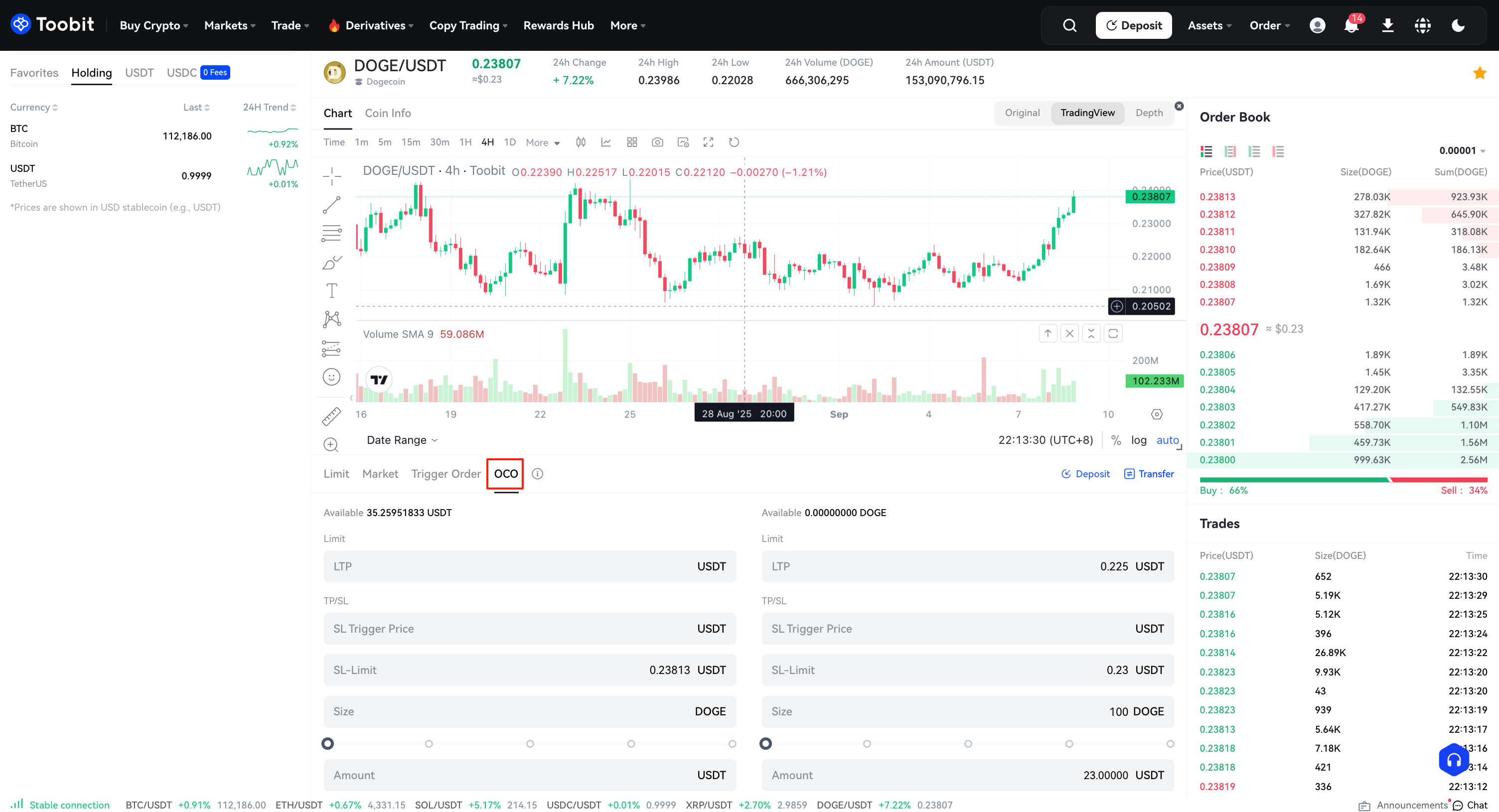
iv. (OCO) Order: This order allows you to place two orders at the same time: a limit order and a stop limit order. Based on how the market moves, one order cancels the other once one of them is executed.
Take the DOGE/USDT trading pair for example, and assume the price of DOGE is 0.23621 USDT. You believe the final price of DOGE will eventually decline, either after rising to 0.25 USDT and then falling, or by falling directly from where it is now. As such, you intend to sell at least at 0.23000 USDT, just before the price drops below the support level of 0.22500 USDT.
To do this, select OCO, set your price to 0.25 USDT, stop to 0.22500 USDT (triggering a limit order should the price reach 0.22500 USDT), limit to 0.23000 USDT, quantity to 100, and then click "Sell DOGE."
OCO orders exclusively support limit orders; market orders are currently unsupported. In extreme market volatility or low liquidity, the limit orders in an OCO may not execute.
Step 4: Check your order history
After placing an order, you can track its status and view past transactions:
-
Go to [Open Orders] to view active or pending orders.
-
Go to [Order History] to review completed or canceled trades.
Tips for spot trading on Toobit:
-
Market order: Market orders are ideal for quick executions. The system will fill your order at the best available market price. However, due to market fluctuations, the execution price may differ slightly from your expectations.
-
Limit order: Limit orders are perfect for setting strategic entry and exit points, allowing you to set a specific entry or exit price, so you don't have to watch the market constantly.
-
Risk management: Always ensure that your trading capital is within your risk tolerance. Only trade with amounts that you are comfortable losing to protect your overall portfolio.
-
Monitor market trends: Stay updated on market trends and news to make more informed trading decisions.
Disclaimer & risk warning
The trading tutorials provided by Toobit are for educational purposes only and should not be considered as financial advice. Cryptocurrency trading carries high risk and may result in financial loss. Past performance does not guarantee future results. Please ensure you fully understand the risks and conduct independent research before trading. Toobit is not responsible for any trading decisions or outcomes made by users.


