
In Toobit app version 1.7.3 and above, users can set up a passkey for enhanced security. Passkeys provide a convenient, secure way to access your account using device-based authentication methods such as Face ID, fingerprint recognition, or system passwords. Below is a step-by-step guide on how to create a passkey and answers to common questions.
Steps to Create a Passkey:
-
Update the App:
Ensure that your Toobit app is updated to version 1.7.3 or later. -
Navigate to Security Settings:
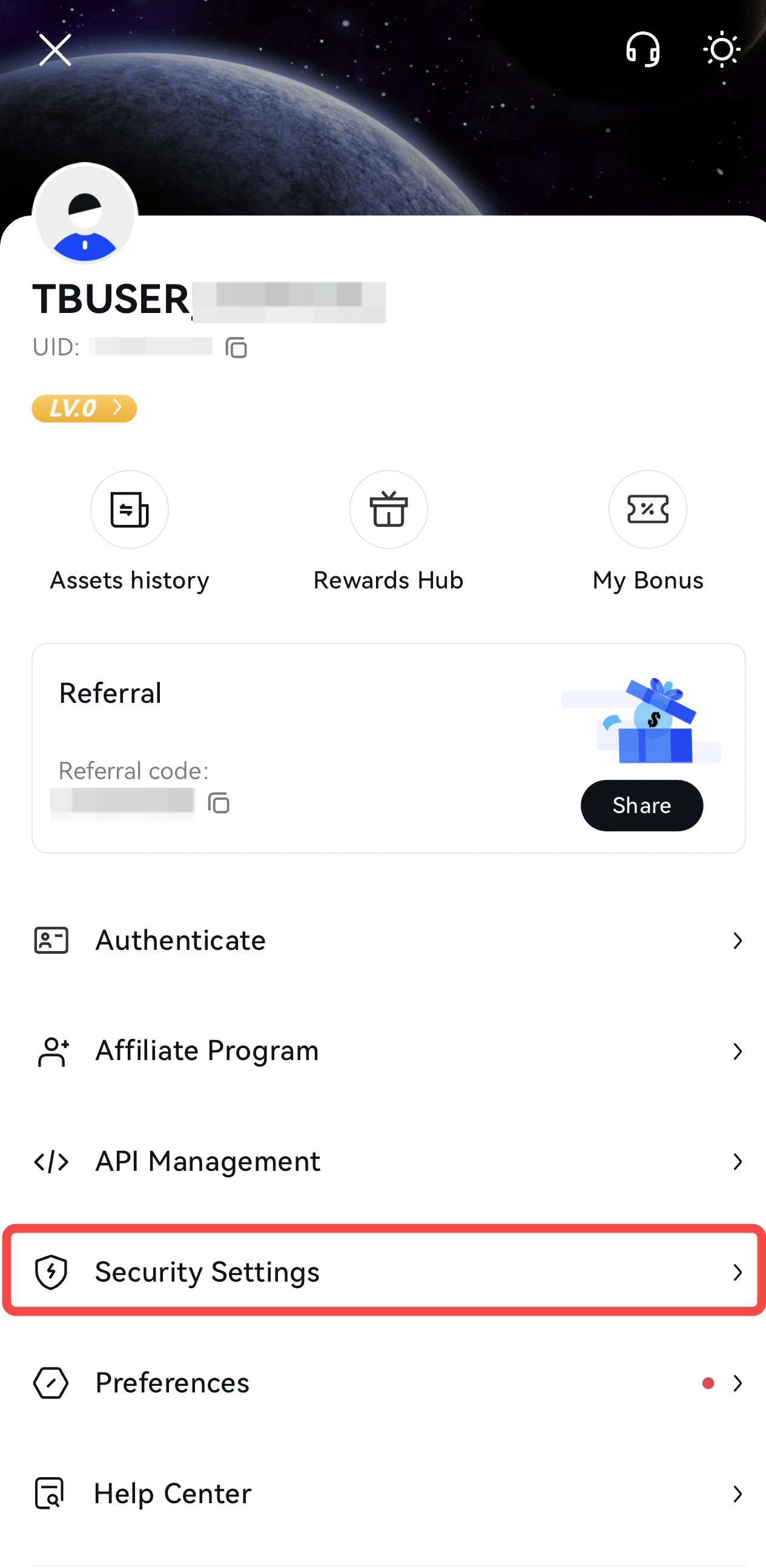
- Open the Toobit app and tap your profile icon in the top-left corner to enter the Personal Center.
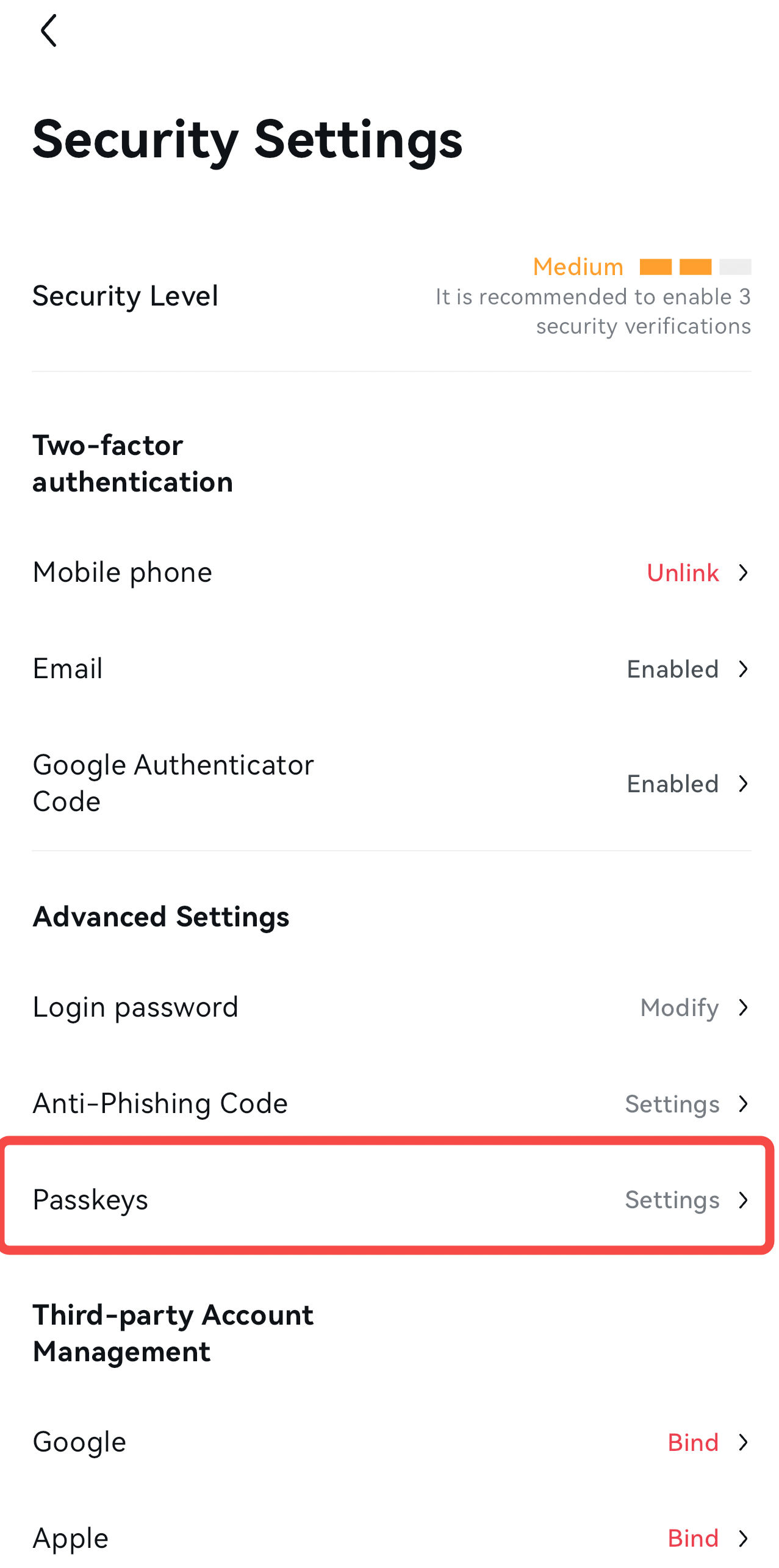
- Go to Security Settings → Advanced Settings → Passkeys.
-
Start Adding a Passkey:
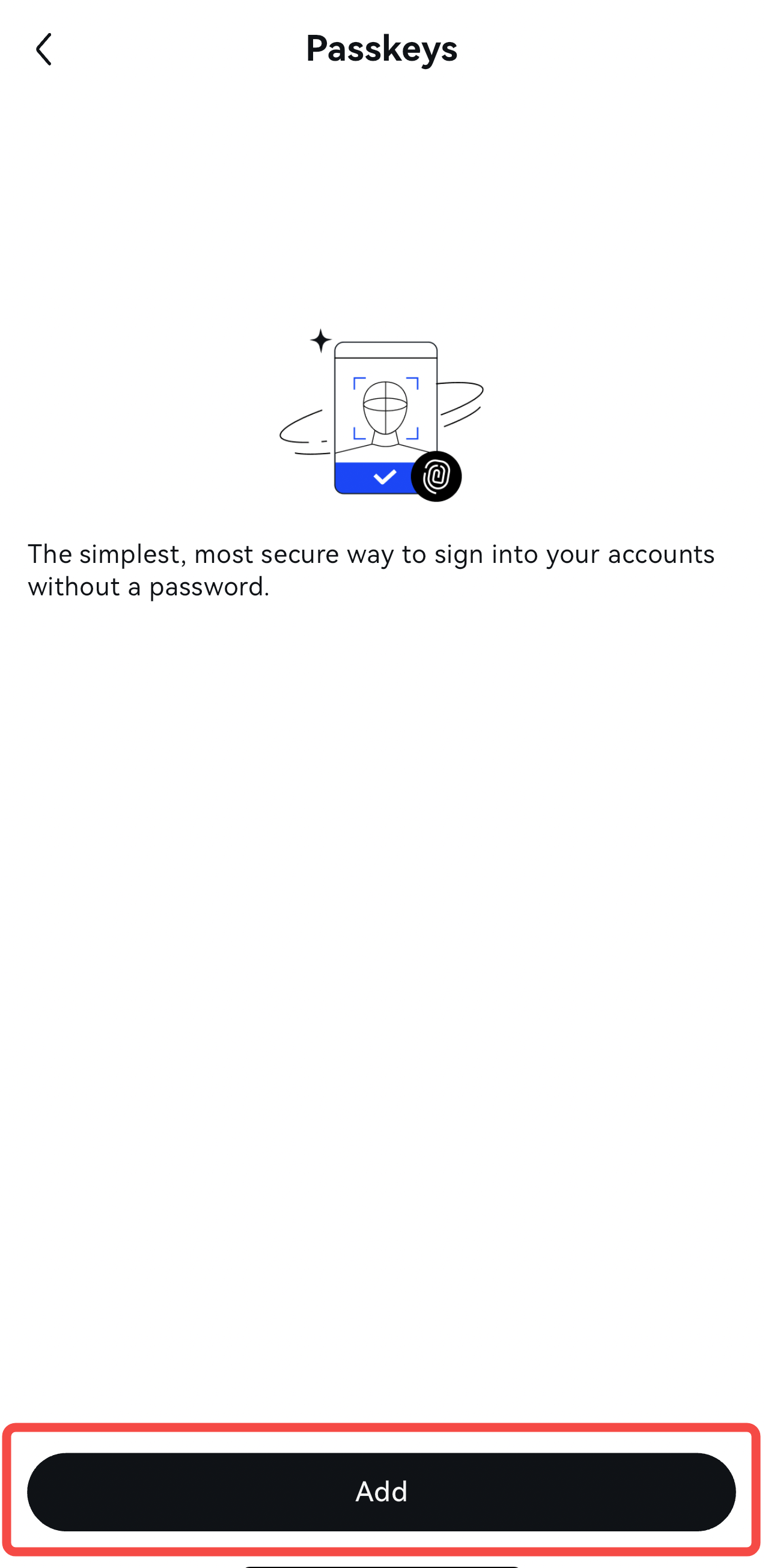
- Tap Add to begin the process.
- Complete the security verification using 2FA (Two-Factor Authentication). If 2FA is not yet enabled, you must first bind it to your account before adding a passkey.

-
System-Specific Instructions:
- For iOS Devices:
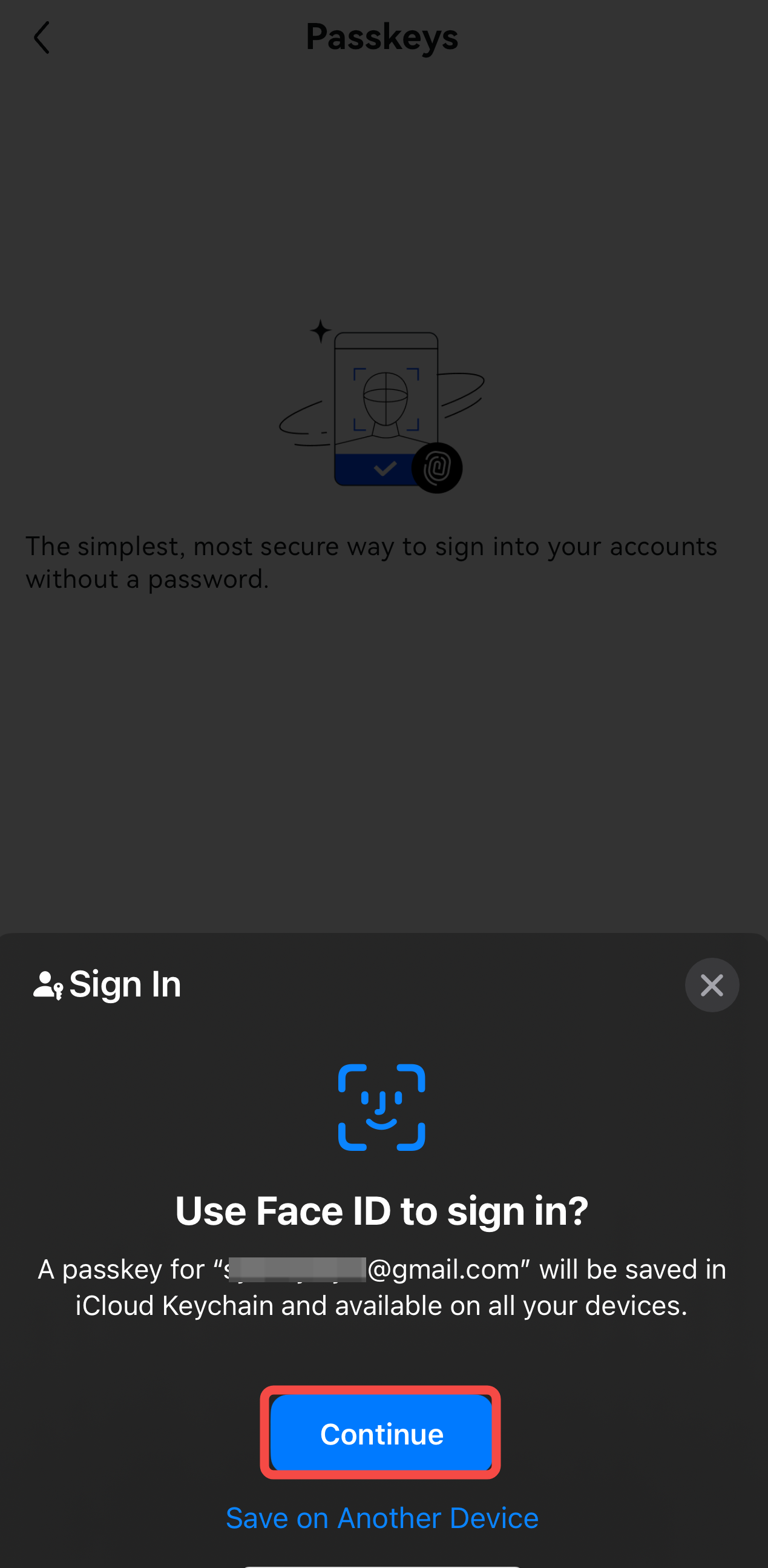
- Ensure that iCloud Keychain and password are enabled on your device.
- After verifying your identity, the system will prompt you to store the passkey using iCloud. You can complete the setup with Face ID (or a password if Face ID isn’t configured). Once added, the passkey will appear in the list.
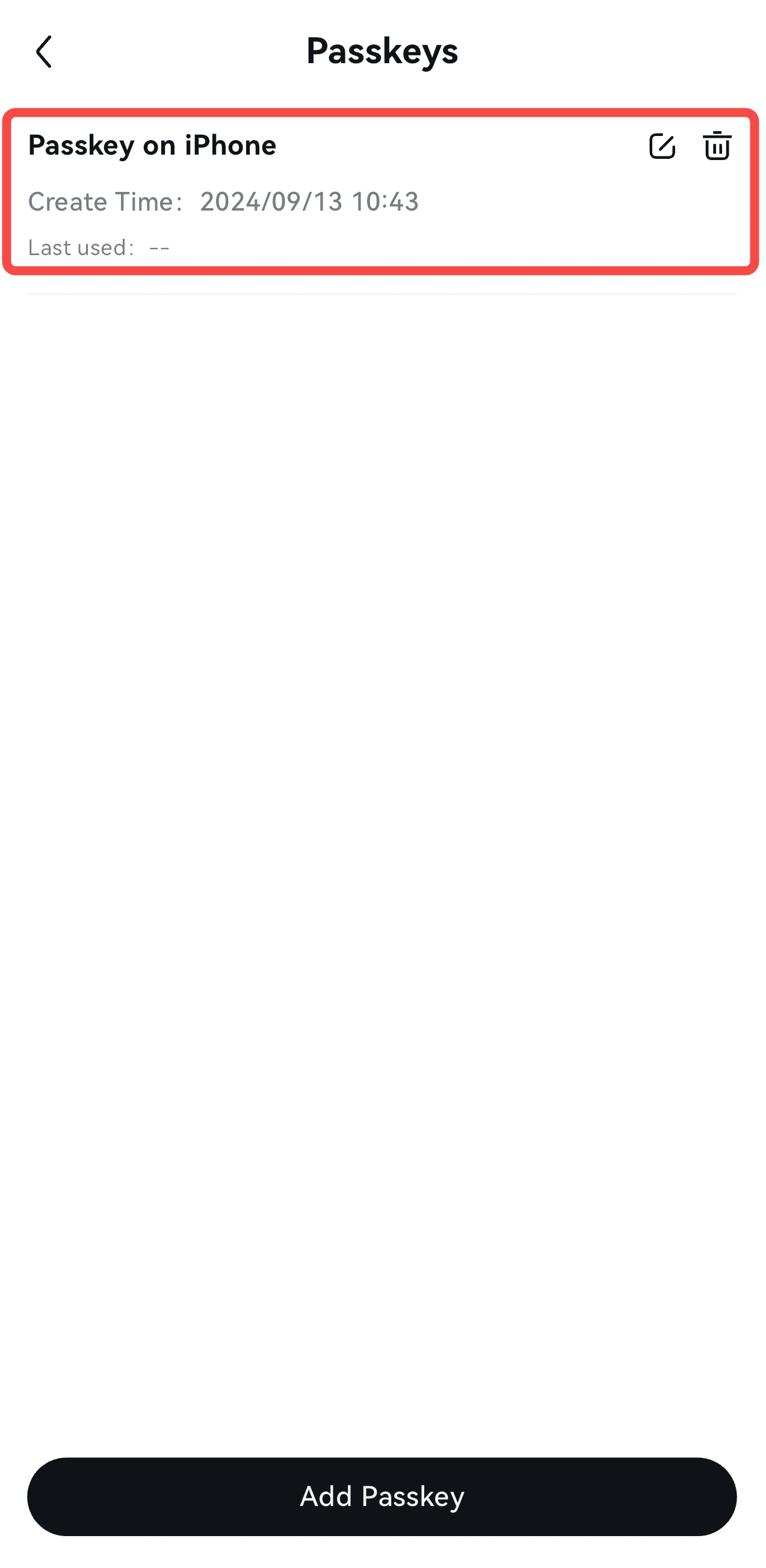
- For Android Devices:
- The system will use your device password or fingerprint recognition. If fingerprint recognition is not configured, the system will request your gesture password. Once verified, the passkey will be added and listed.
- For iOS Devices:
Benefits of Using a Passkey:
-
Simplified Login: When logging into your Toobit account, you won’t need to enter your password or go through other security verification steps.
-
Streamlined Withdrawals: You can withdraw your assets without needing to verify additional security measures, making the process faster and more convenient.
Using a passkey not only enhances your account security but also improves your overall user experience by reducing the steps required for access and transactions.
Frequently Asked Questions (FAQ)
1. What is a passkey?
A passkey is a device-based authentication method that enhances the security of your account. It allows you to use biometric data (like Face ID or fingerprint) or system-level passwords for secure login.
2. What should I do if I can’t use the passkey?
If you're having trouble setting up or using the passkey, try the following steps:
- Sync your device’s system time to ensure it is accurate.
- Switch your network (4G/5G/WiFi) to troubleshoot connectivity issues.
- Reinstall the Toobit app if the issue persists.
- Ensure you have the latest version of the Toobit app installed. (Note: If you're using an Android device, deleting the app will require you to reset your passkey after reinstalling).
3. Can I add multiple passkeys on one device?
No, only one passkey can be added per device. If you attempt to add another, the system will prompt you that a passkey is already set.
4. How do I reset the passkey if I change devices?
If you switch devices or delete the Toobit app, you will need to re-add the passkey on the new or reinstalled app following the same setup process outlined above.
5. What happens if the passkey verification fails?
If verification takes too long (over one minute) or fails, you will receive a prompt to restart the setup process.
6. How many passkeys can I add to my account?
You can add up to 10 passkeys for different devices. If you attempt to add more than 10, the system will display a notification that you’ve reached the maximum limit.
7. What if I delete my Toobit app?
For Android users, deleting the Toobit app will remove the passkey, and you will need to re-add the passkey upon reinstalling the app.


