
-
What is Toobit's Proof of Reserves ratio?
Proof of Reserves (PoR) enables exchanges to demonstrate that they hold sufficient assets and do not have undisclosed liabilities, ensuring transparency and accountability.
On centralized exchanges, user assets are recorded in internal ledgers. Toobit uses a Merkle Tree structure, where each user's account balance is hashed and stored as a leaf node. A qualified third-party auditor verifies the total asset holdings, allowing users to confirm whether their balances are included in the Merkle Tree.
Reserve Ratio = Total Assets in Toobit Wallets / Total User Account Balances
A reserve ratio ≥ 100% indicates that the platform maintains sufficient reserves. A verified ratio ≥ 100% confirms that user assets are fully backed on a 1:1 basis.
-
How is the Merkle Tree constructed?
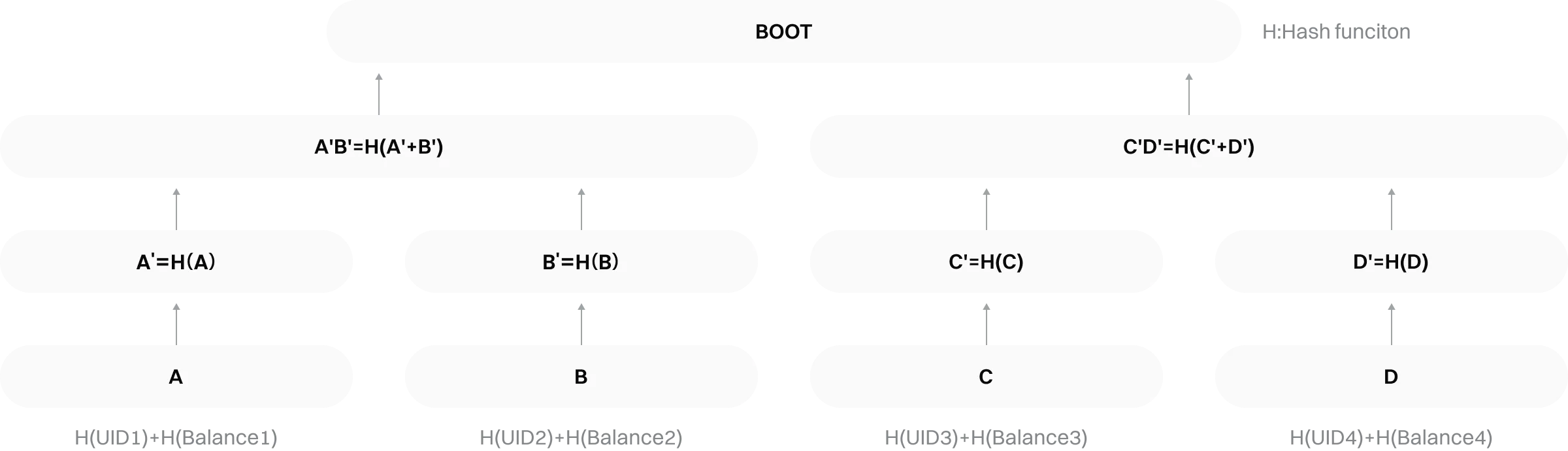
First, the hashed user IDs (UIDs) and corresponding balances are exported from Toobit's database.
Each hashed UID and balance pair is combined and hashed into a data block.
Each data block is hashed to form a leaf node.
Leaf nodes are paired and hashed to generate parent nodes.
This process continues until a single hash is produced, known as the Merkle Root.
As shown in the diagram below, once the Merkle Tree is constructed, the leaf nodes are exported as a text file and published together with the Merkle Root hash by the auditor.
What is a Merkle Tree?
A Merkle Tree (hash tree) is a cryptographic data structure where:
-
Each leaf node represents the hash of a data block.
-
Each non-leaf node is derived from the hash of its child nodes.
It enables efficient and secure verification of large-scale data integrity.
-
How to verify the Proof of Reserves?
Method 1:
-
Log in to the Toobit website and go to [More] → [Proof of Reserves].
-
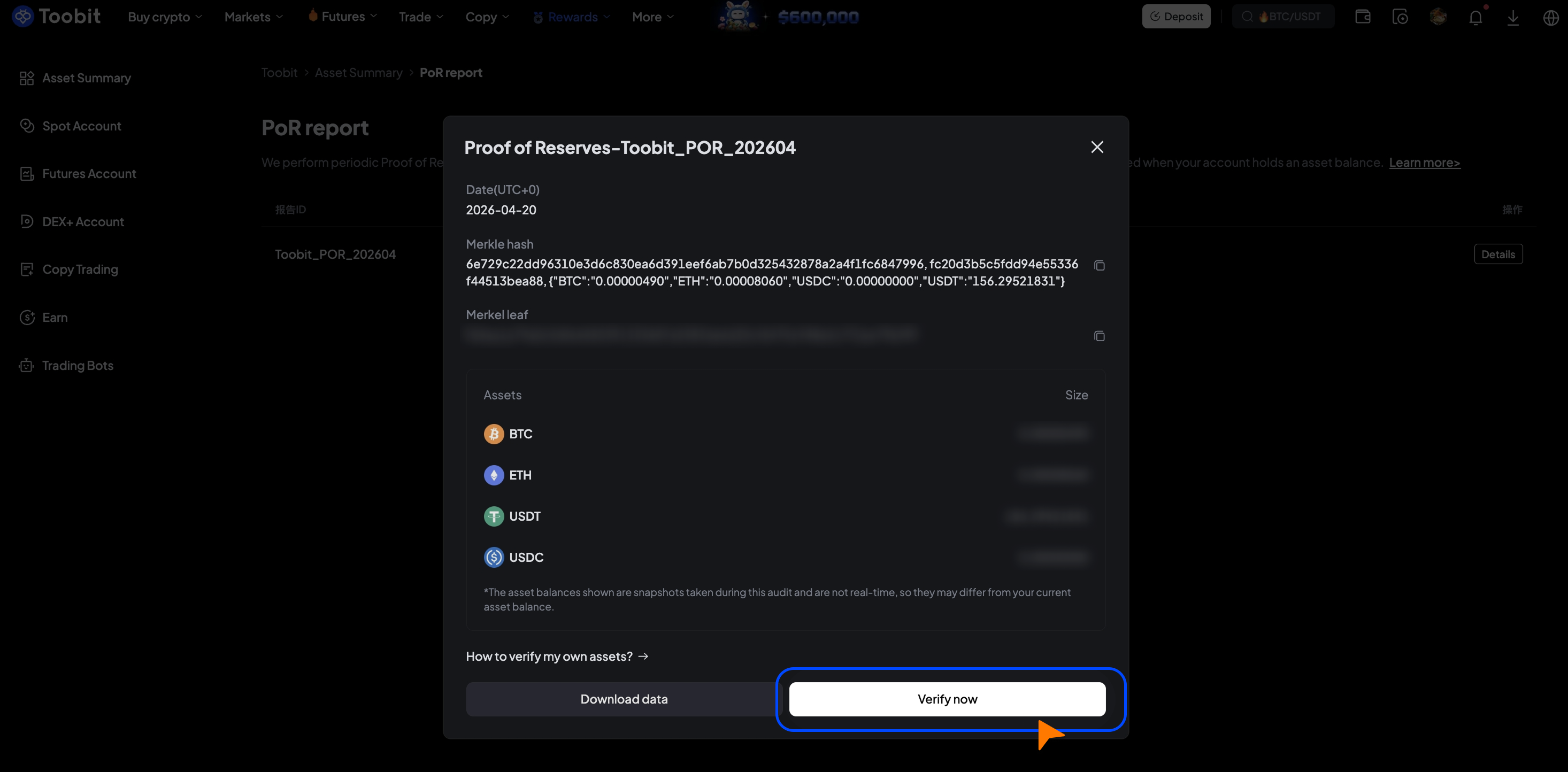
Navigate to [View my reports], select the relevant report, and click [Details] → [Verify now].
-
The system will automatically display your Merkle path and verification results.
Method 2:
-
Log in to the Toobit website and go to [More] → [Proof of Reserves].
-
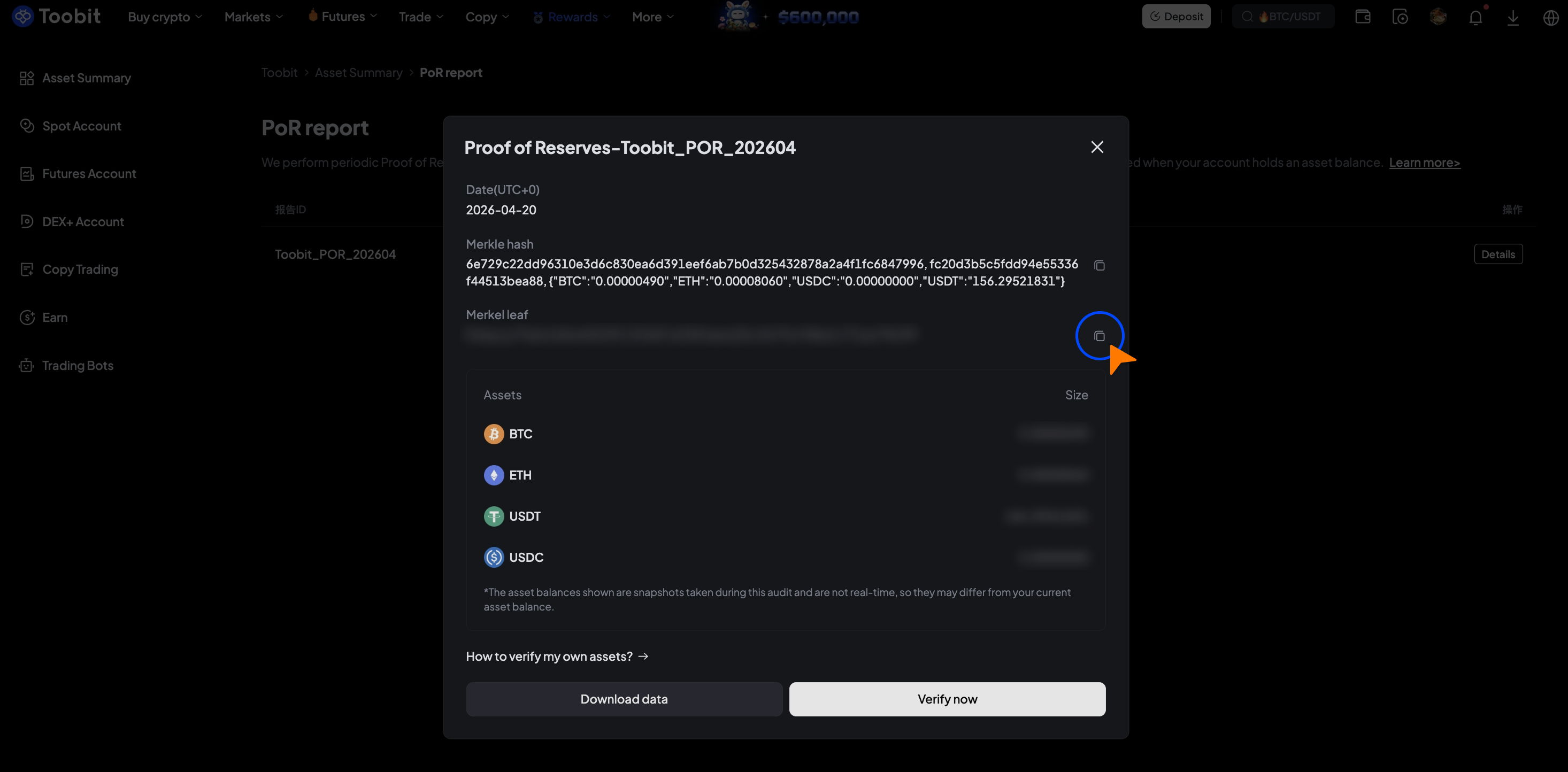
Navigate to [View my reports] and copy your Merkle leaf node.
-
Go to [Verify my assets] and click [Verify now].
-
Paste your Merkle leaf node.
-
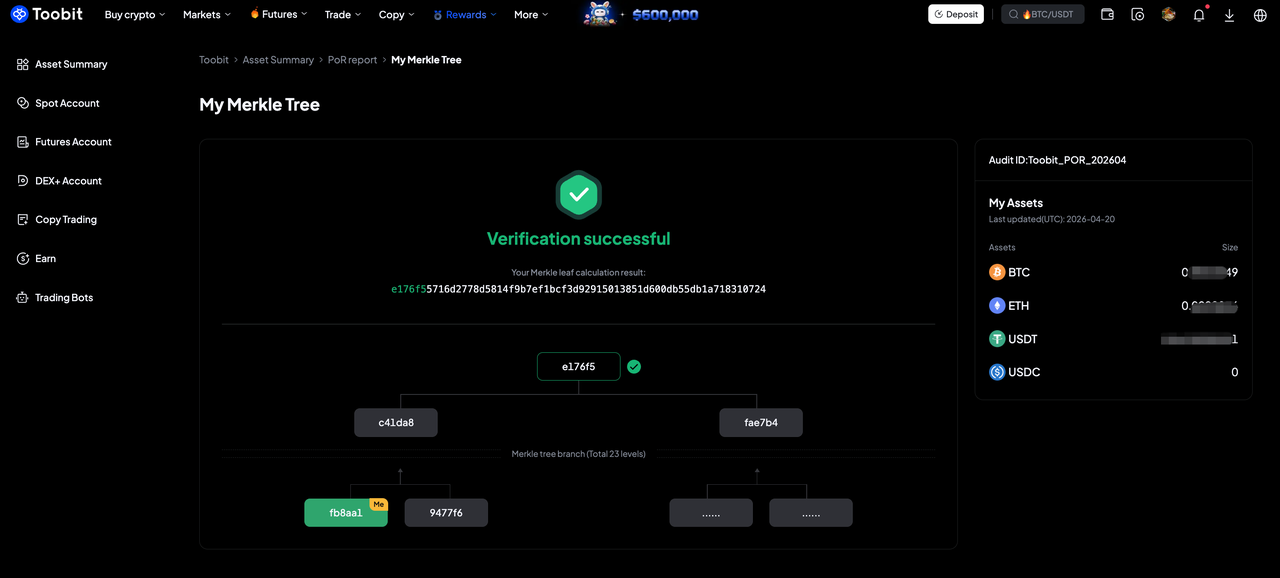
Submit for verification to view your Merkle path and verification results.
Method 3:
-
Log in to the Toobit website and go to the [Proof of Reserves] page. Select the relevant audit report and click [Download data] to get a file named, for example, "proof of reserve Toobit POR 202604.json".
-
Copy your Merkle leaf node from [View my reports] for verification.
-
Visit the GitHub repository:
toobit-docs/por-verifier. Download or clone the verification tool and extract it locally. -
Place the downloaded JSON file into the tool directory (overwrite if prompted).
-
Run the verification tool based on your system:
-
Mac / Linux: run
sh start.sh -
Windows: double-click
start.bat
-
Paste your Merkle leaf as prompted and submit for verification.
-
The system will return a result such as:
Consistent with the Merkle tree root hash. The verification succeeds
Note: Toobit conducts regular Proof of Reserves (PoR) audits to ensure sufficient asset backing. If your account was created after the audit snapshot, or if you did not hold the assets covered in this audit, your account may not appear in the corresponding audit records. If you have any questions, please contact Customer Support.


