
Step into a more reliable verification experience with minimal delays and hassle.
You can now choose to have codes delivered directly to your WhatsApp account in addition to SMS, making sign-in, withdrawals, and security updates seamless and secure.
Step 1: Install
Download WhatsApp from the App Store or Google Play.
Step 2: Register or sign in
Open WhatsApp and sign in with the same mobile number linked to your Toobit account.
Step 3: Select WhatsApp
When a verification code is required, click the switch icon to change from SMS to WhatsApp.
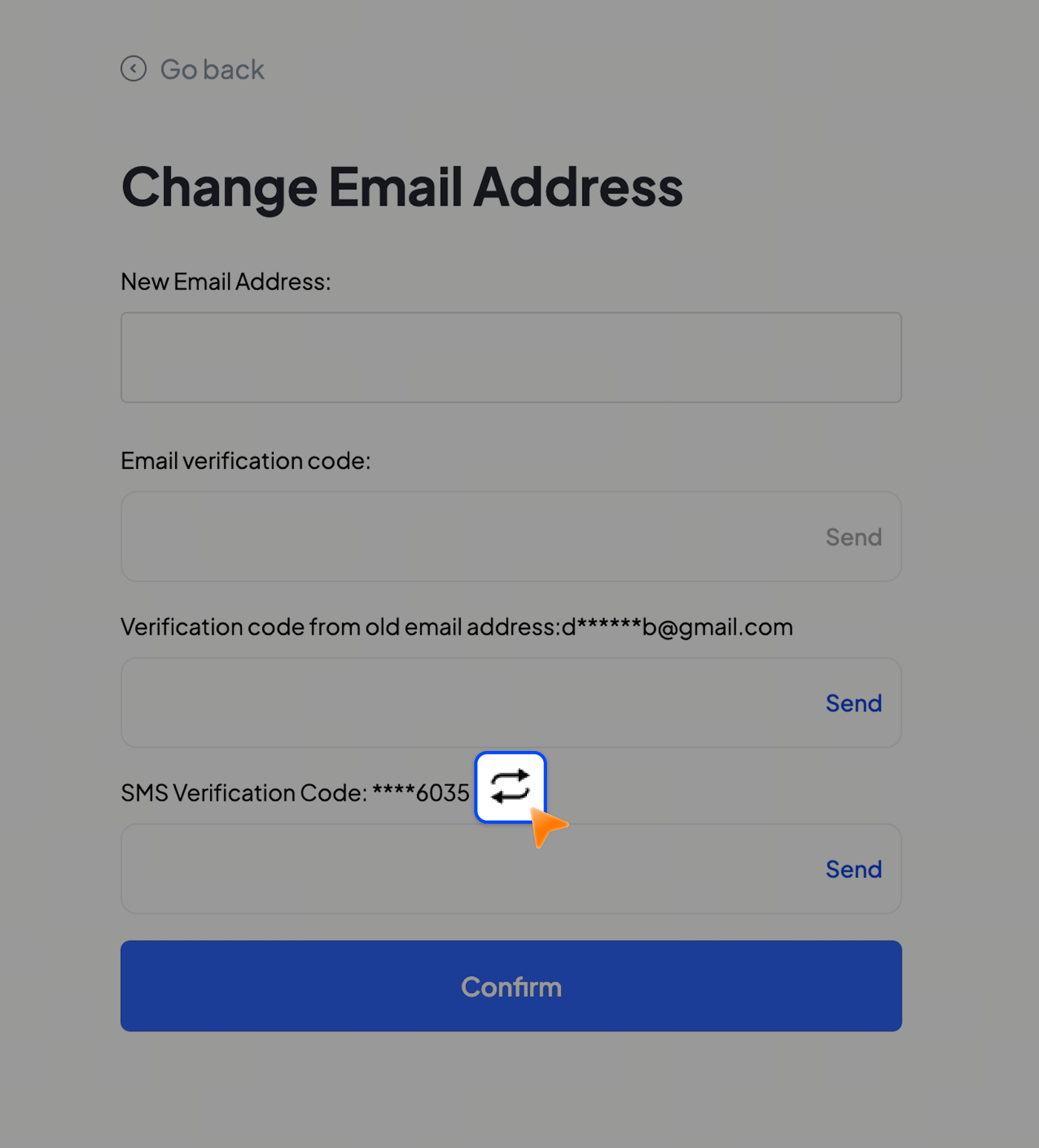
Step 4: View your code
Open WhatsApp to find the verification code. If it does not appear, check that:
• You are logged in with the correct number.
• Your internet connection is stable.
• The message is not filtered into unknown or spam chats.
Step 5: Complete verification
Enter the code on Toobit to complete the verification process.
Note: This feature is currently available in select regions and may not be accessible in all locations.
If you have any questions, please reach out to us via live chat or submit a ticket through the Support Center on our official website or app.
Toobit Team
2026-04-09


