
This guide helps you quickly understand how to locate, use, and manage your Toobit Futures Bonus, enabling a smoother and more efficient live futures trading experience.
1. Locating your Futures Bonus
(1) Access via account menu
You can find your Futures Bonus through the following paths:
-
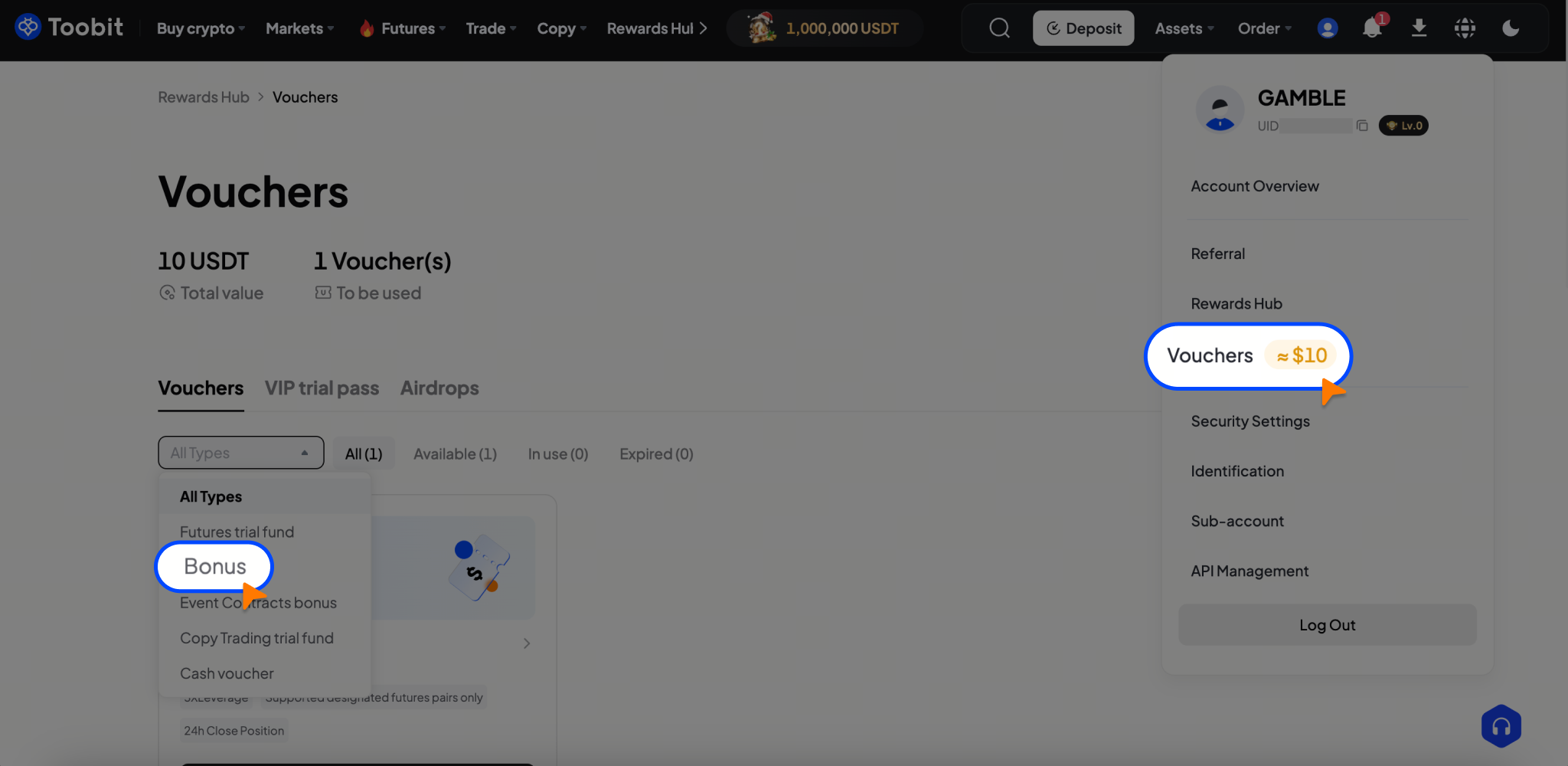
Web: Home → Click the profile avatar (top-right) → Vouchers → Futures Bonus
-
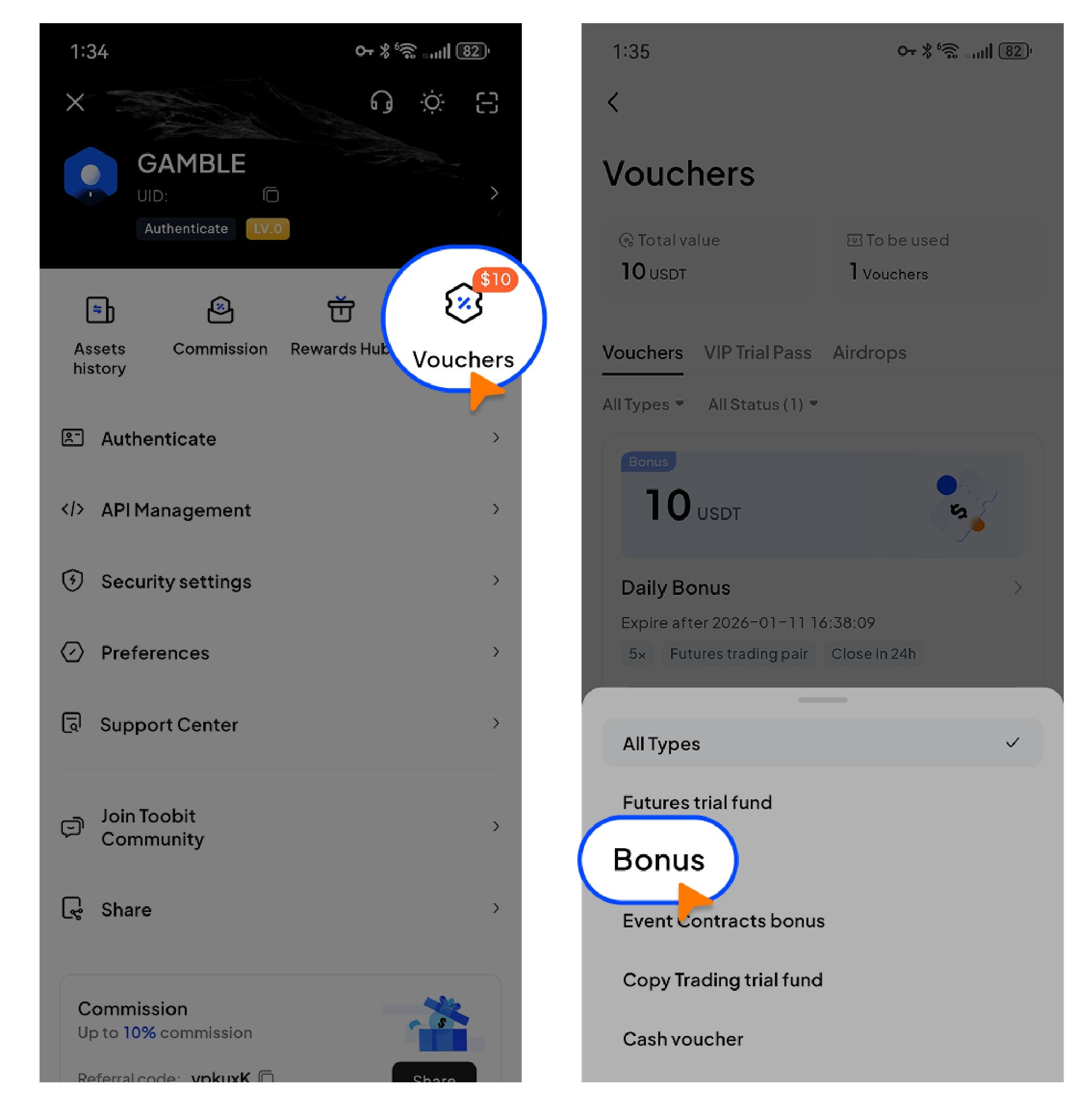
App: Home → Tap the profile avatar (top-left) → Vouchers → Futures Bonus
(2) Access via Rewards Hub
-
Rewards Hub → Vouchers → View voucher list → Locate the Futures Bonus
(3) Access from the trading page
Users can also click [Bonus order] in the top-right corner of the futures trading page to view available Futures Bonuses.
2. How to trade using a Futures Bonus
2.1 Web
Method 1: Use via Vouchers
-
Log in to the Toobit website → Go to [Account Center] → [Vouchers].
-
Select an available Futures Bonus and click [Use].
-
The system will automatically redirect you to the [Bonus order] page to open a position.
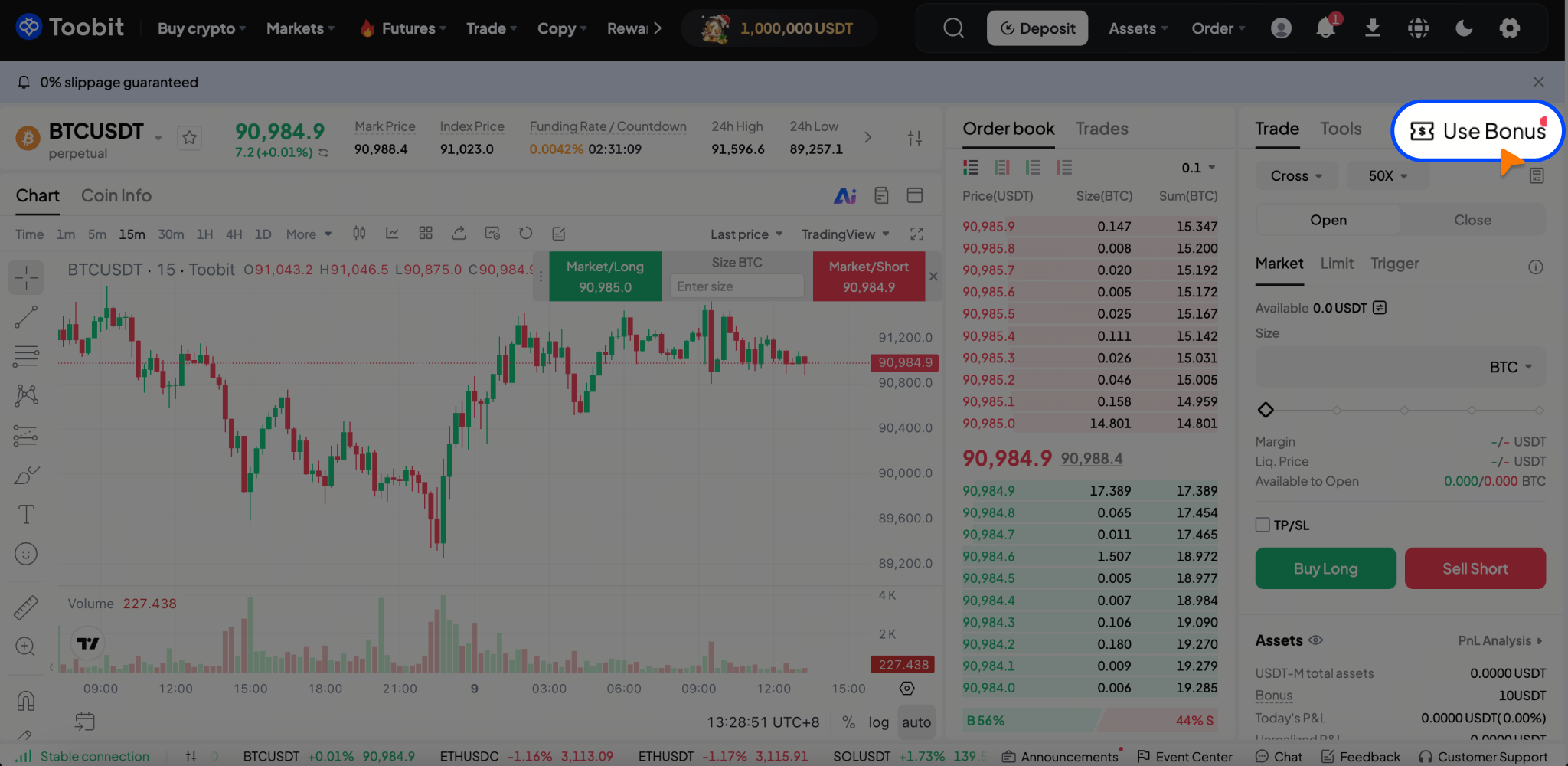
Method 2: Use via the futures trading page
-
Enter the futures trading page → Click [Bonus order] in the top-right corner.
-
Select an eligible Futures Bonus and open a position directly.
2.2 App
Method 1: Use via [Vouchers]
-
Go to [Vouchers] → [Futures Bonus].
-
Select an available Futures Bonus and tap [Use].
-
You will be redirected to the futures trading page to open a position.
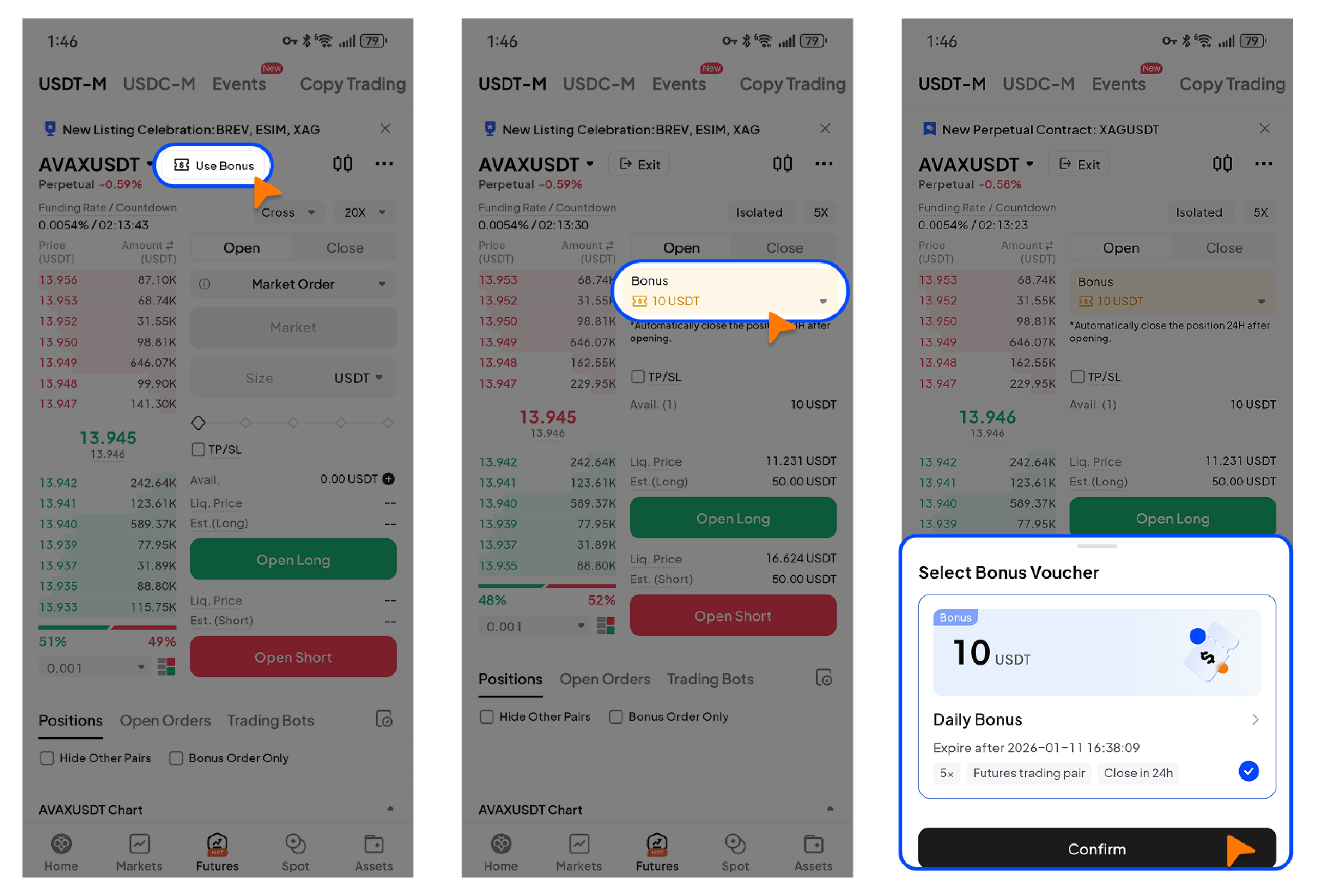
Method 2: Use via the futures trading page
-
Enter the futures trading page → Tap [Bonus order] in the top-right corner.
-
Select a Futures Bonus according to the usage rules to open a position.
After closing a position, you can view Futures Bonus trading records in [Order history], [Position history], or [Trade history]. You may also enable [Bonus orders only] to quickly locate related transactions.
3. Viewing Futures Bonus usage history
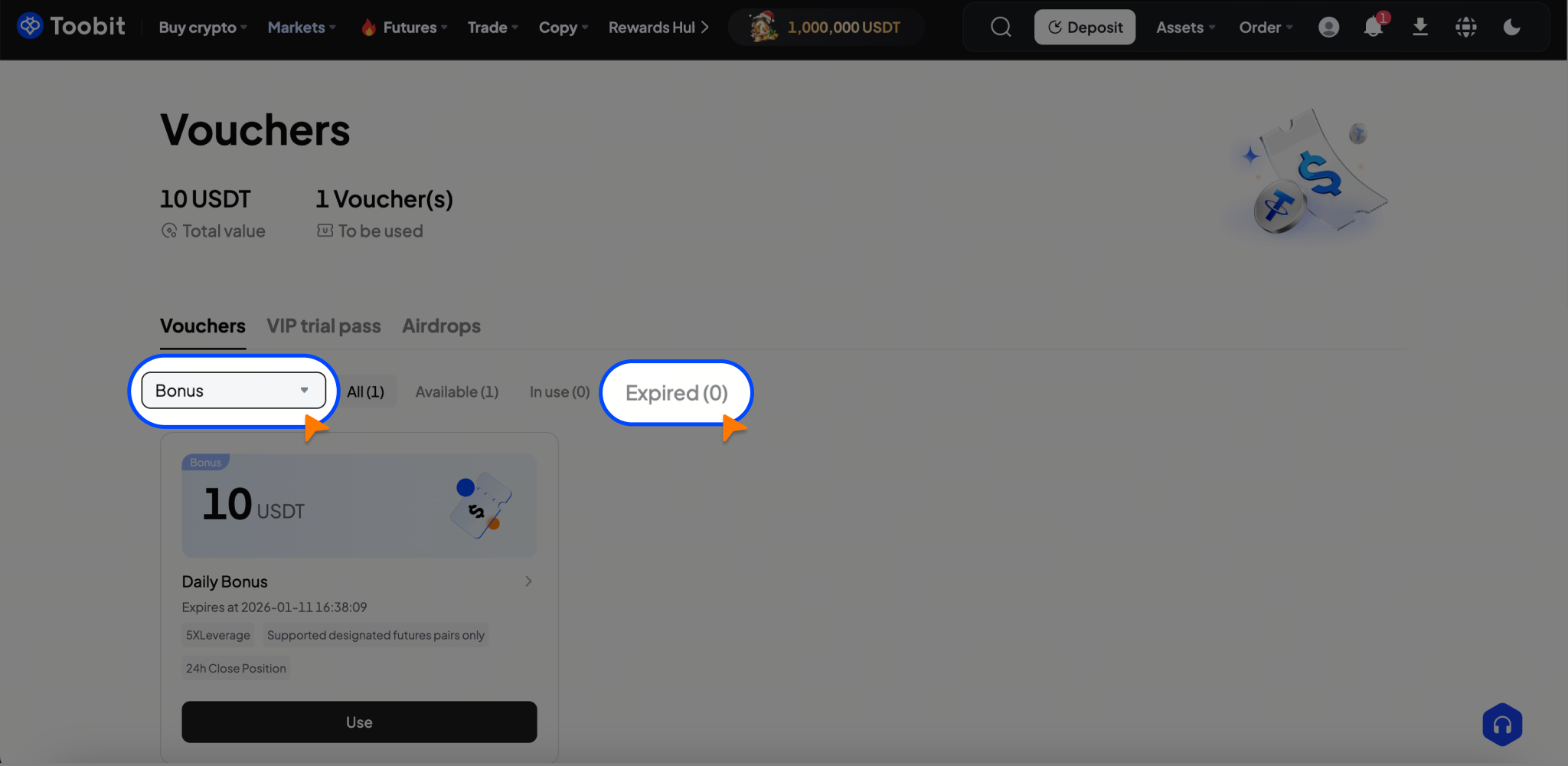
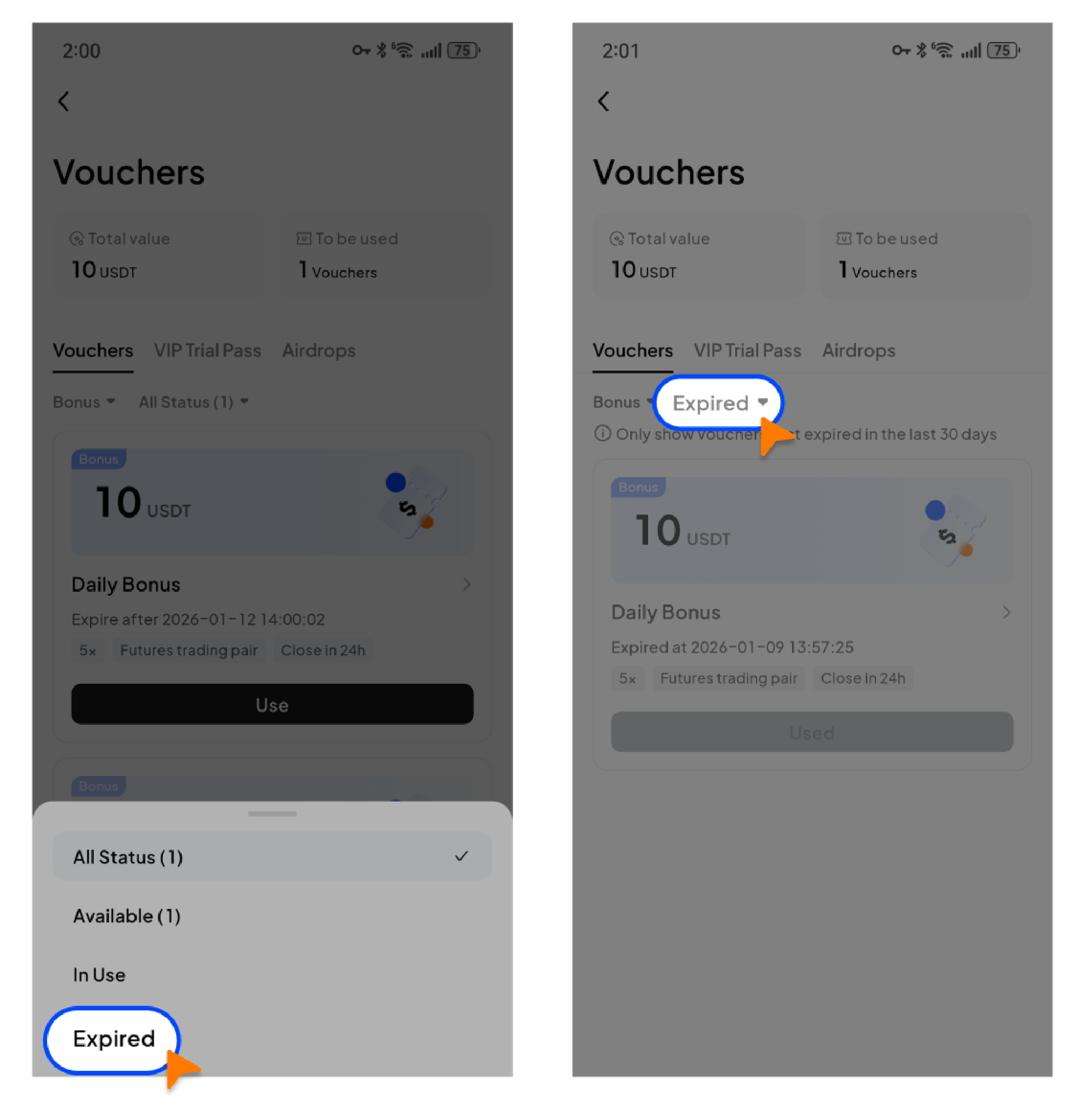
Futures Bonus statuses include [Available], [In use], and [Expired]. The expired status covers bonuses that have been used or expired.
-
Web: Go to [Vouchers] → [Futures Bonus] → Switch to [Expired] to view used or expired bonuses.
-
App: Home → Tap the profile avatar → [Vouchers] → View used or expired bonuses under [Expired].
Important notes:
-
For full details, see What is the Toobit Futures Bonus?
-
If the bonus amount does not meet the minimum order size for the selected contract, the position may fail to open. Please refer to the on-page prompts in the [Bonus order] interface.
-
Users must comply with all Futures Bonus usage rules, including but not limited to bonus type restrictions, validity periods, supported trading pairs, position duration, and leverage limits, as specified in the bonus details at the time of issuance.
-
If users are found to engage in abnormal trading, malicious farming, or abuse of Futures Bonuses, Toobit reserves the right to take actions including, but not limited to, reclaiming losses, restricting features, suspending, or permanently banning accounts.


