
If the app isn’t available on Google Play, you can install it manually using the official APK.
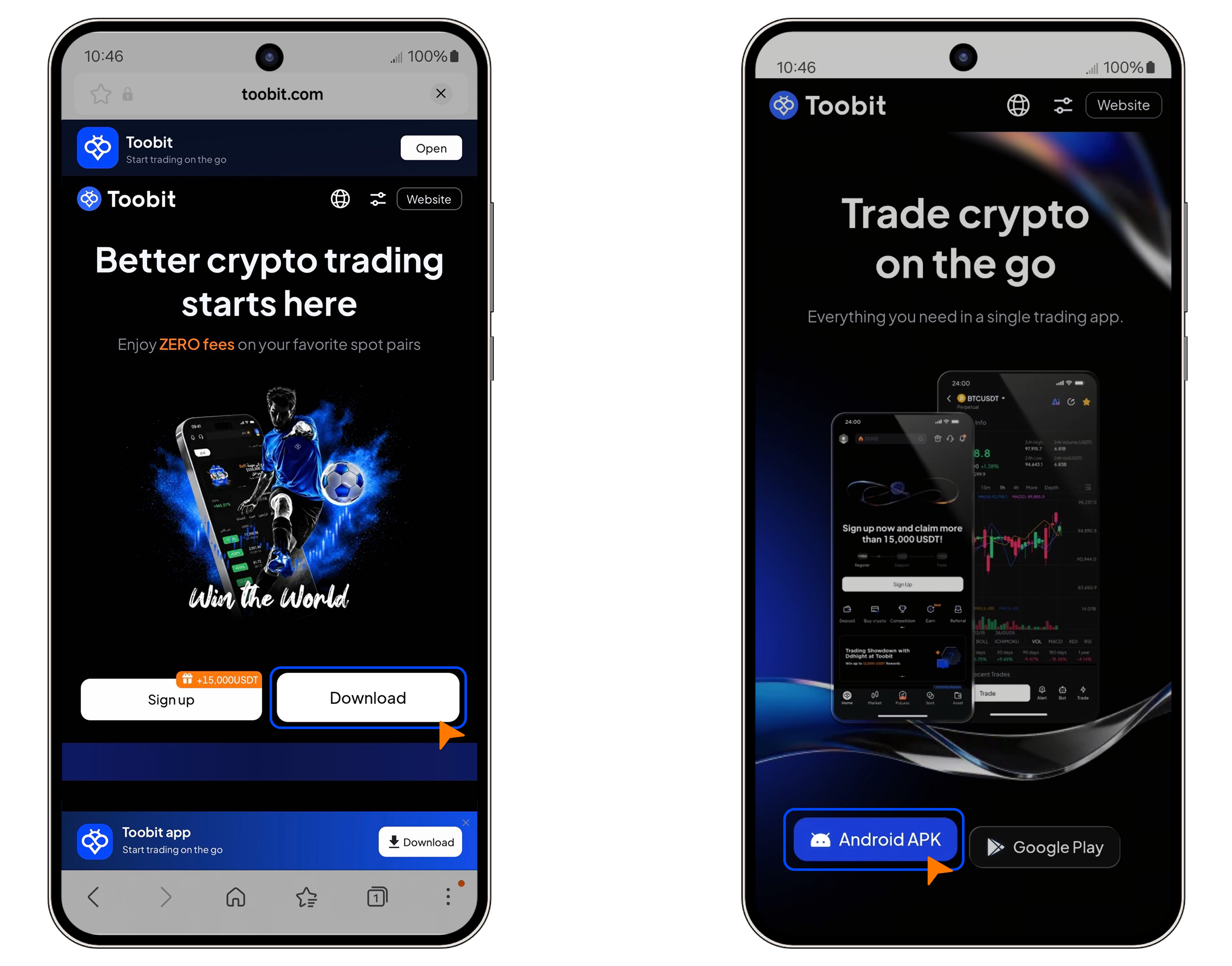
Step 1: Visit the official download page
1. Open your mobile browser.
2. Go to the official Toobit website.
3. Navigate to the Download page.
4. Under the Android section, tap Android APK.
Step 2: Download the APK file
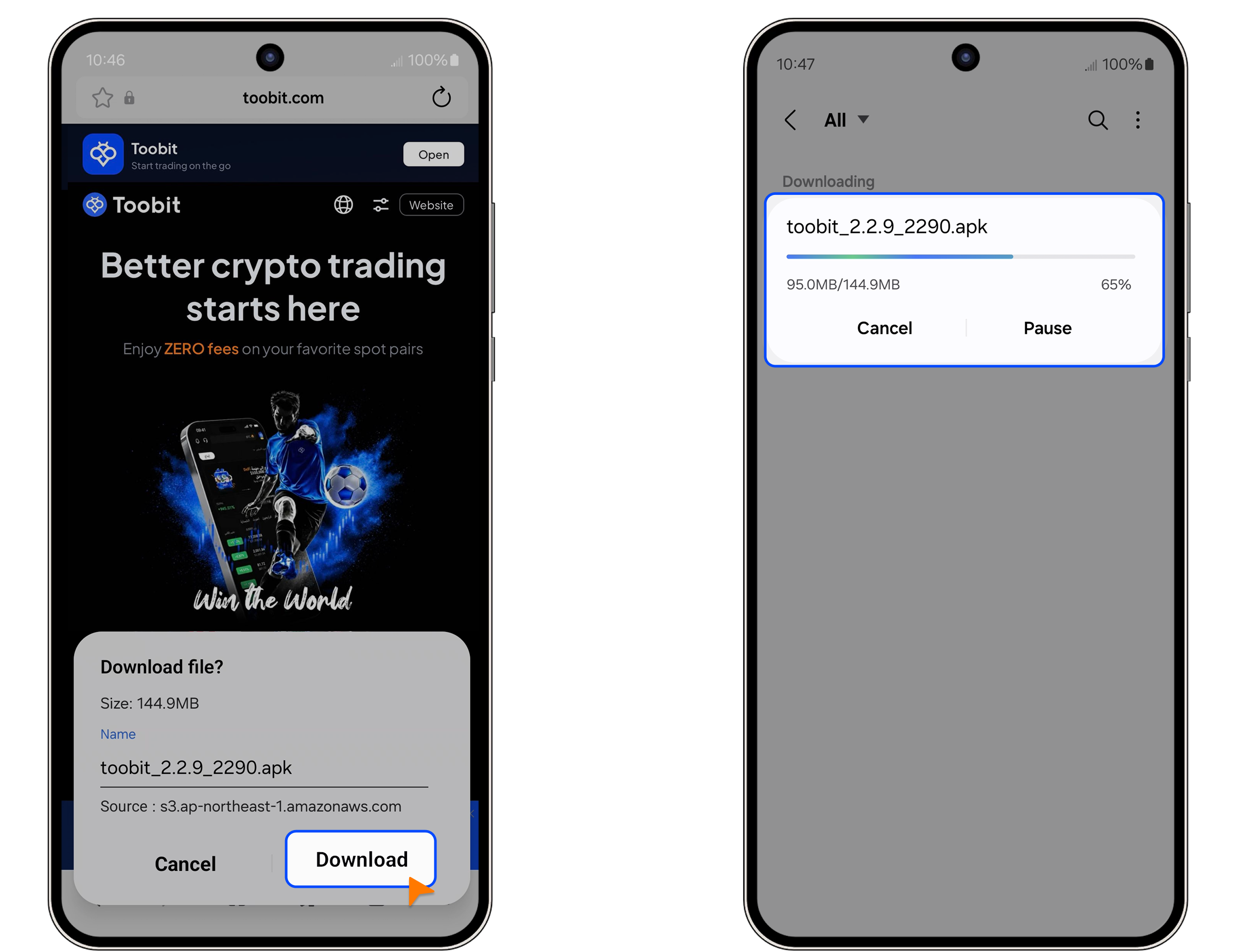
1. Tap Download.
2. Wait for the file to finish downloading.
Step 3: Install the app
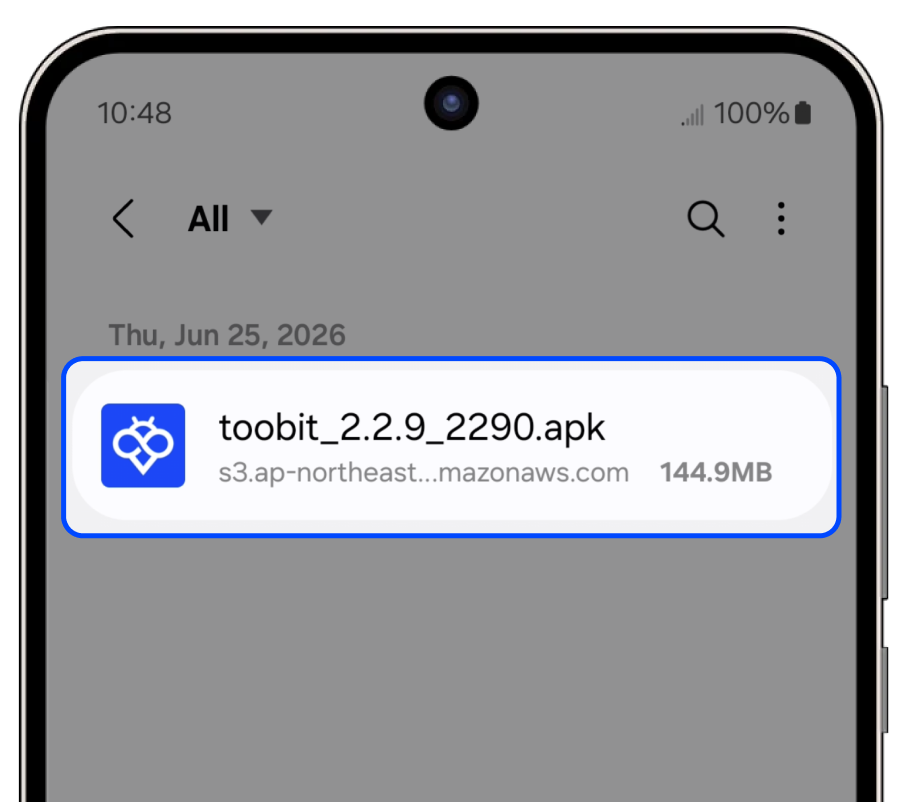
1. Open Downloads or your File Manager.
2. Tap the downloaded APK file.
3. Select Install.
4. Wait for the installation to complete.
Step 4: Launch Toobit
Once installed, tap Open to launch the app.
You can now log in or create a new account to start trading.
Step 5: Update your app (Recommended)
For the best performance and security:
1. Open the Toobit app.
2. Go to User Center.
3. Tap Settings > About Us.
4. Check for updates and install the latest version if available.
Troubleshooting
If you encounter issues installing the APK, try the following:
1. Enable installation from unknown sources
Go to Settings > Security > More Security Settings and enable Install apps from external sources.
2. Disable installation protection
Some devices may block APK installs by default:
Go to Settings > System & Updates > Pure Mode / Enhanced Protection, then temporarily disable it and try again.
3. Still can’t install?
Turn on Airplane Mode, reapply the permissions above, then retry the installation.
Notes
• Always download the APK only from official Toobit channels.
• Ensure use complies with your local laws and regulations.
• Refer to the Terms of Use for full details.
If you have any questions, please reach out to us via live chat or submit a ticket through the Support Center on our official website or app.


