
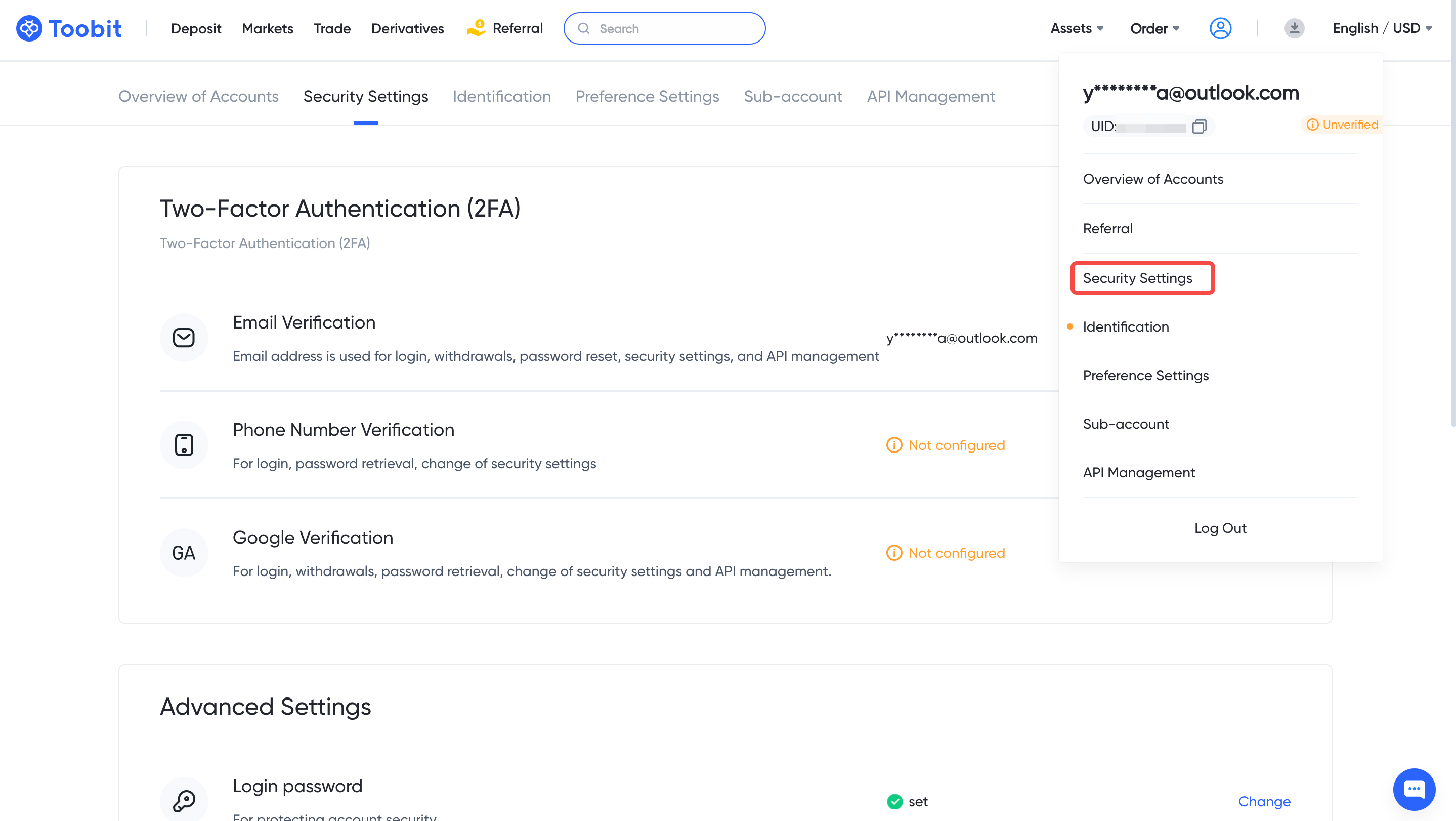
1. Log into your Toobit account and click [Profile] - [Security Settings].
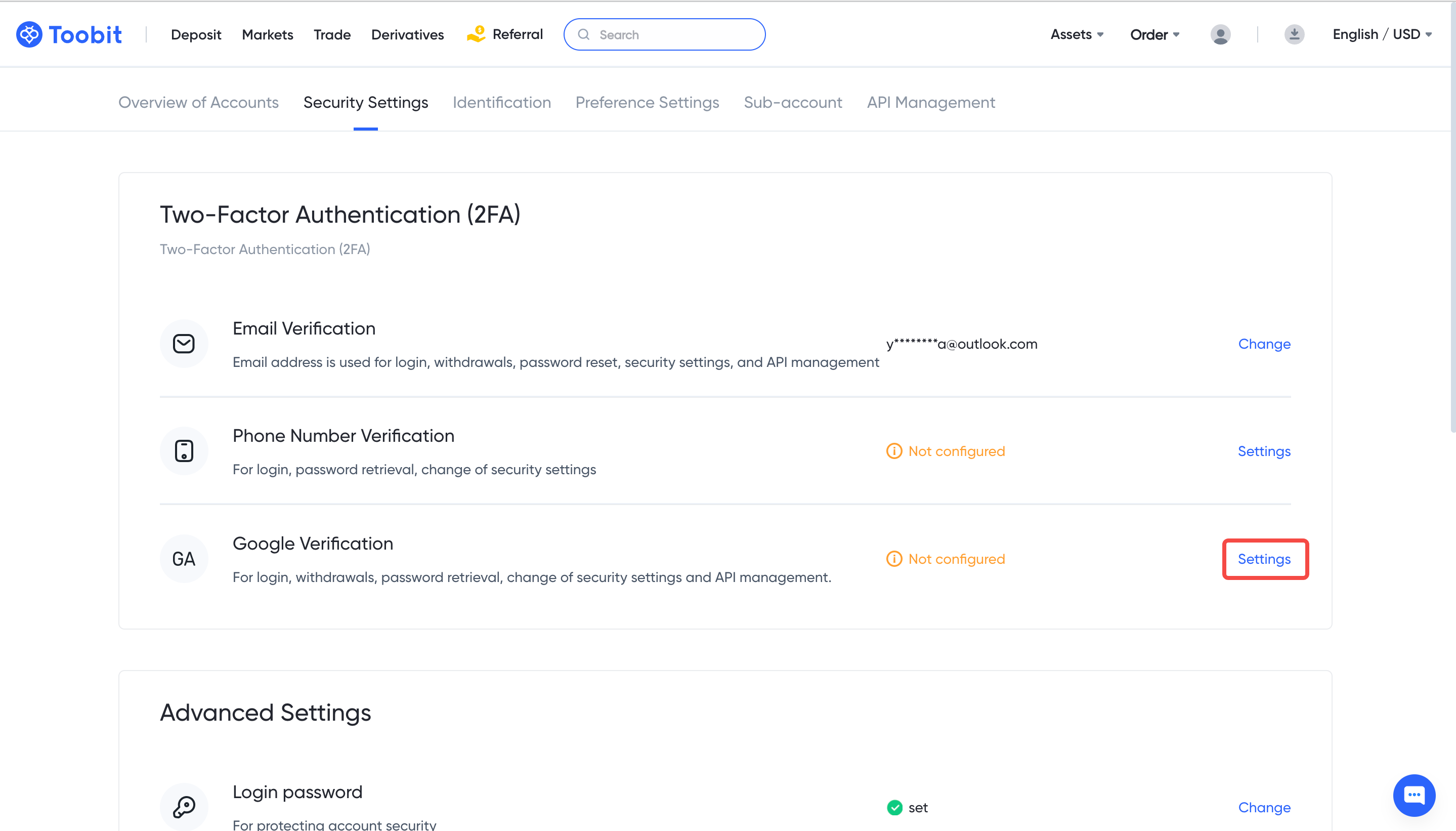
2. Click [Settings] next to [Google Verification].
3. You will be redirected to another page. Follow the step-by-step instructions to enable Google Authenticator.
3.1. Download and install the Google Authenticator App on your mobile device.
3.2. You will now see a QR code on your screen.
Open the Google Authenticator App and tap on the [+] button on the bottom right of your screen to scan the QR code. Then click [Next].
If you are unable to scan it, you can manually enter the setup key.
3.3. Verify your Google Authenticator with your other 2FA devices.


3.4. You have successfully enabled Google Authenticator to protect your account after entering the verification codes.


