
In daily trading, your account may contain small asset balances. Assets with a total value of less than 10 USDT are considered small balances. You can convert these assets into USDT by following the steps below:
Web:
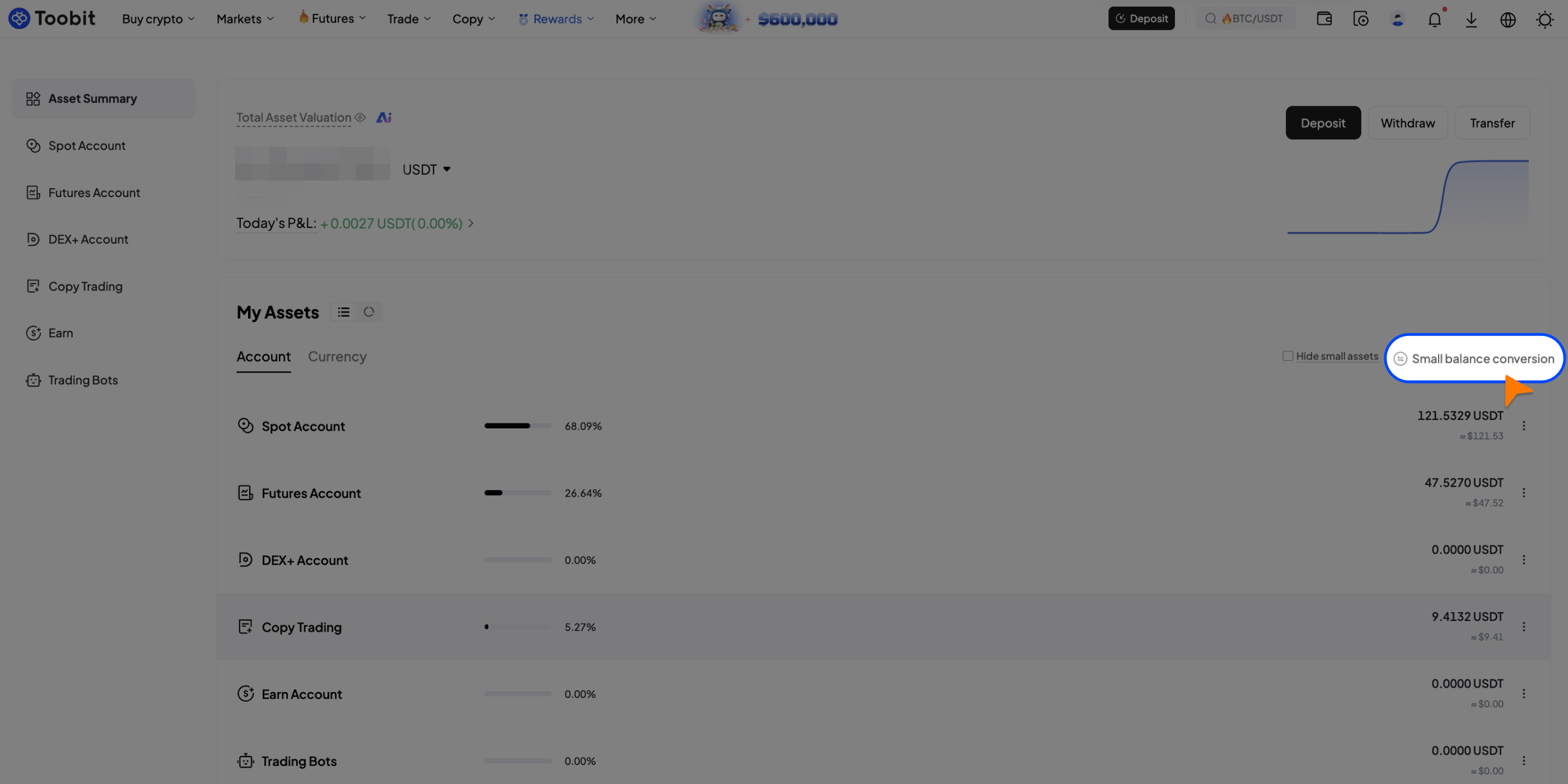
Step 1: Log in to your Toobit account, go to [Assets] > [Spot Account], and click [Small balance conversion].
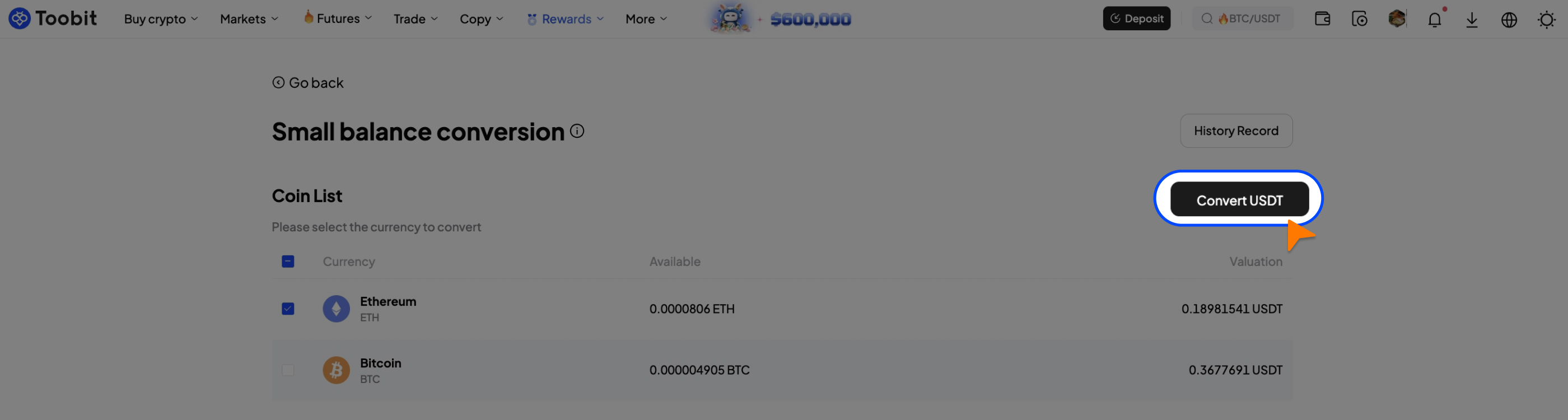
Step 2: Select the asset you want to convert, then click [Convert USDT ]. Review the estimated amount in the pop-up window and click [Convert] to complete the process.
App:
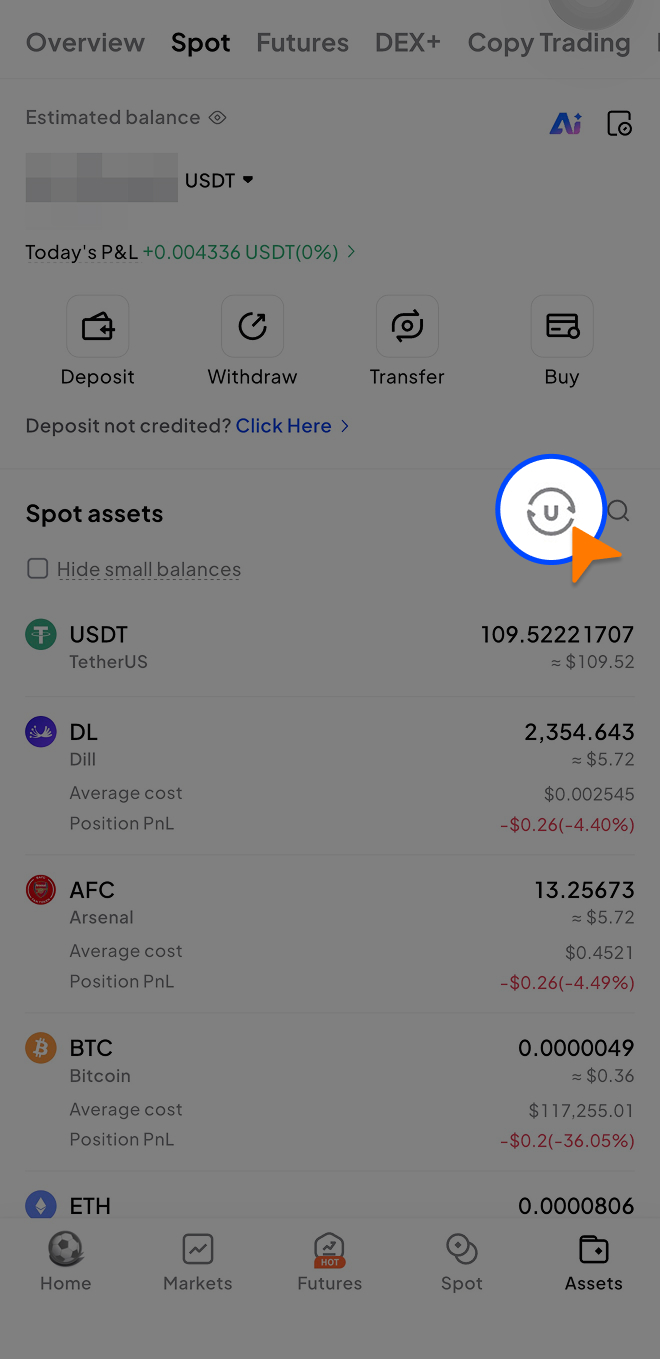
Step 1: Open the Toobit App and go to [Assets] > [Spot Account]. Make sure [Hide small assets] is not enabled. Select the [Small balance conversion] icon on the right. On the conversion page, select the asset you want to convert.
Step 2: After selecting the asset, tap [Convert], review the estimated amount, and tap [Confirm] to complete the conversion.
Step 3: After the conversion is completed, the funds will be automatically credited to your Spot Account (USDT). You can view the details in your [Transaction history].
Notes:
1. Multiple small assets can be converted in a single transaction. The total value per conversion must be less than 200 USDT.
2. Suspended or delisted tokens cannot be converted. Please refer to the page for specific details.
3. Due to price fluctuations, the estimated conversion value is for reference only. The final amount is calculated based on the market price at the time of confirmation.
4. Only assets valued below 10 USDT are eligible for small balance conversion. Some assets are not supported for one-click conversion at this time.
If you encounter any issues or have any questions during the conversion process, please contact Customer Support. Toobit will continue to enhance your asset management experience and make trading simpler and more efficient. Please note that conversions are executed at real-time market prices, and the final amount may differ from the estimated value due to market fluctuations. Please refer to the final executed amount.


