
-
How to customize parameters based on the system’s AI strategy?
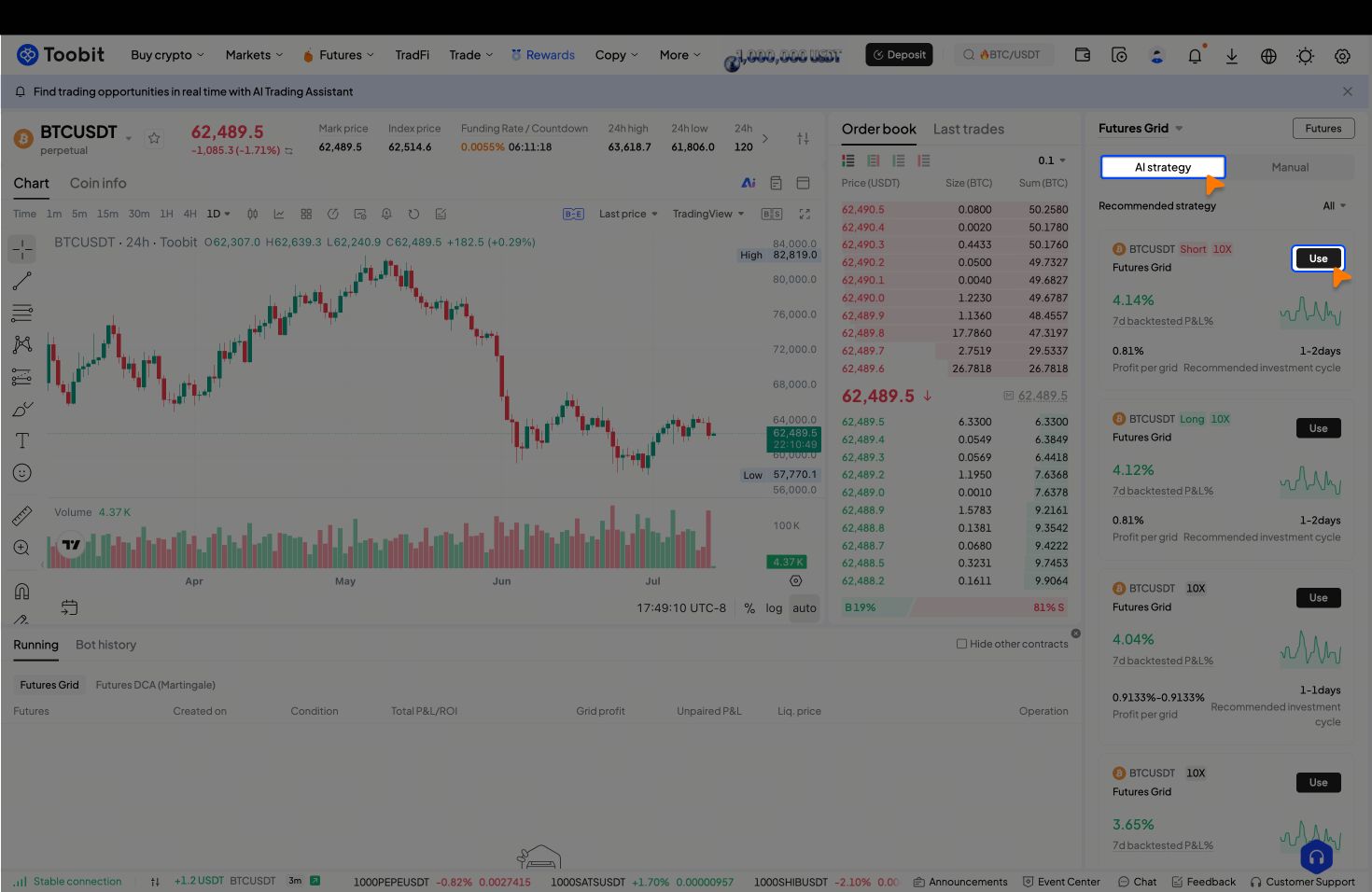
Step 1 – Access an AI strategy
Switch to [AI strategy] mode, then select a recommended strategy from the list and click [Use] to apply it to your bot.
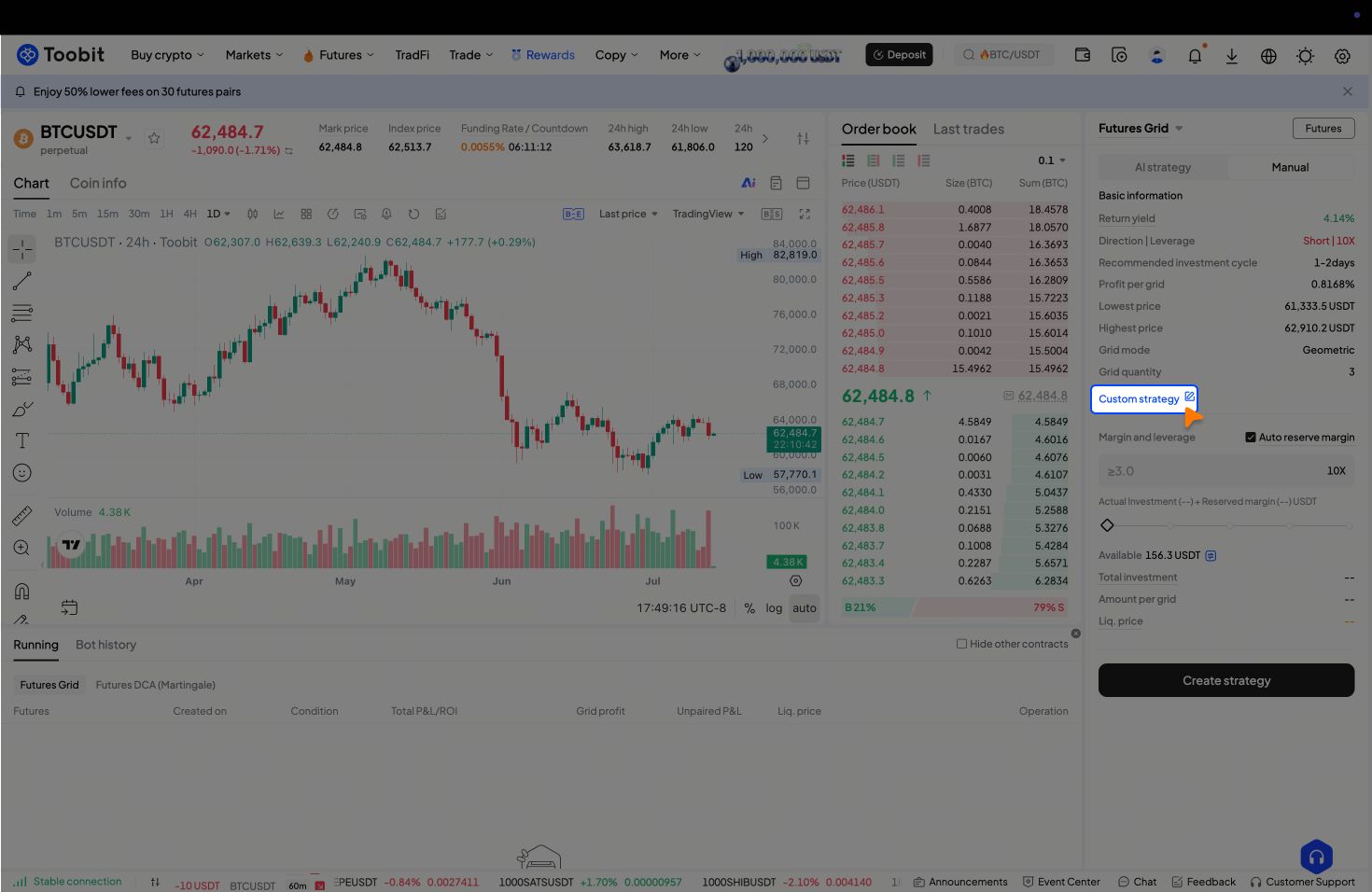
Step 2 – Customize the strategy
-
Click [Customize strategy] and the system will switch to Manual mode automatically.
-
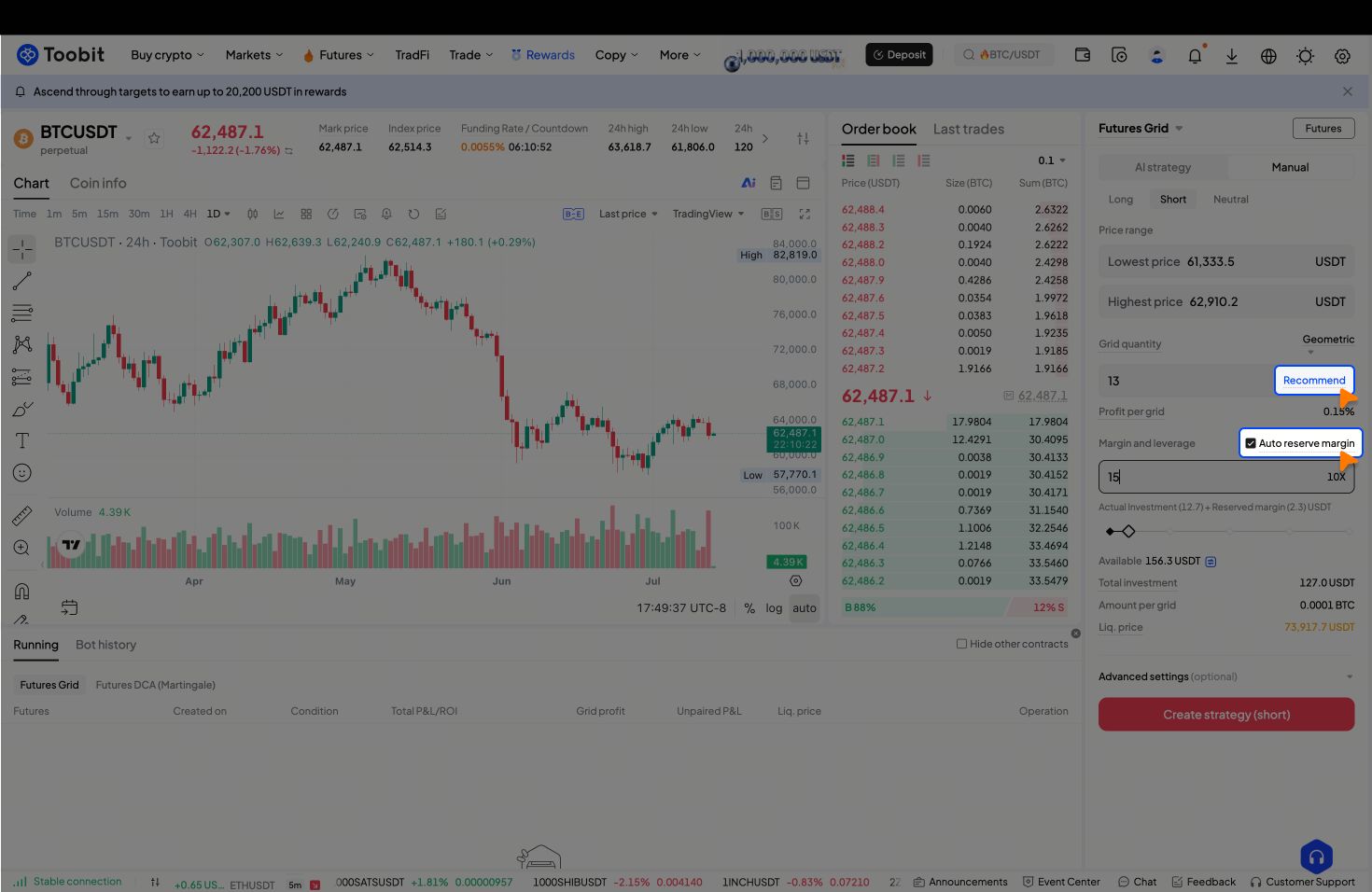
You can adjust key parameters such as price range, grid levels, and leverage multiples.
Tips:
-
For optimized results, click [Recommend] to let the system generate AI‑suggested optimal grid levels.
-
You can also check [Auto reserve margin] to set aside funds that protect your positions.
-
Once all parameters are set, click [Create strategy] to finalize your bot.
2. How to share my bot for copy‑trading and earn?
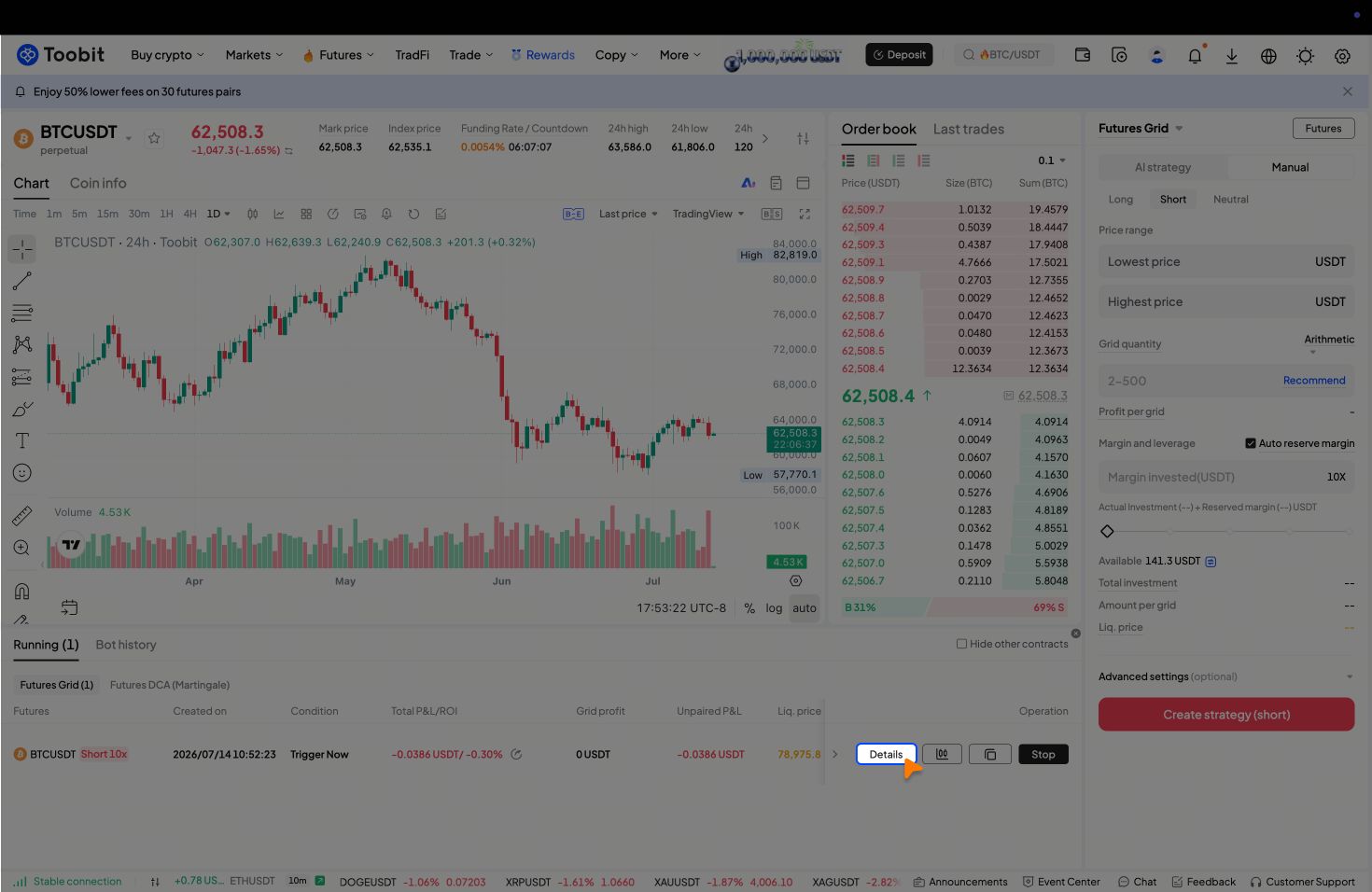
Step 1 – Open the bot details page
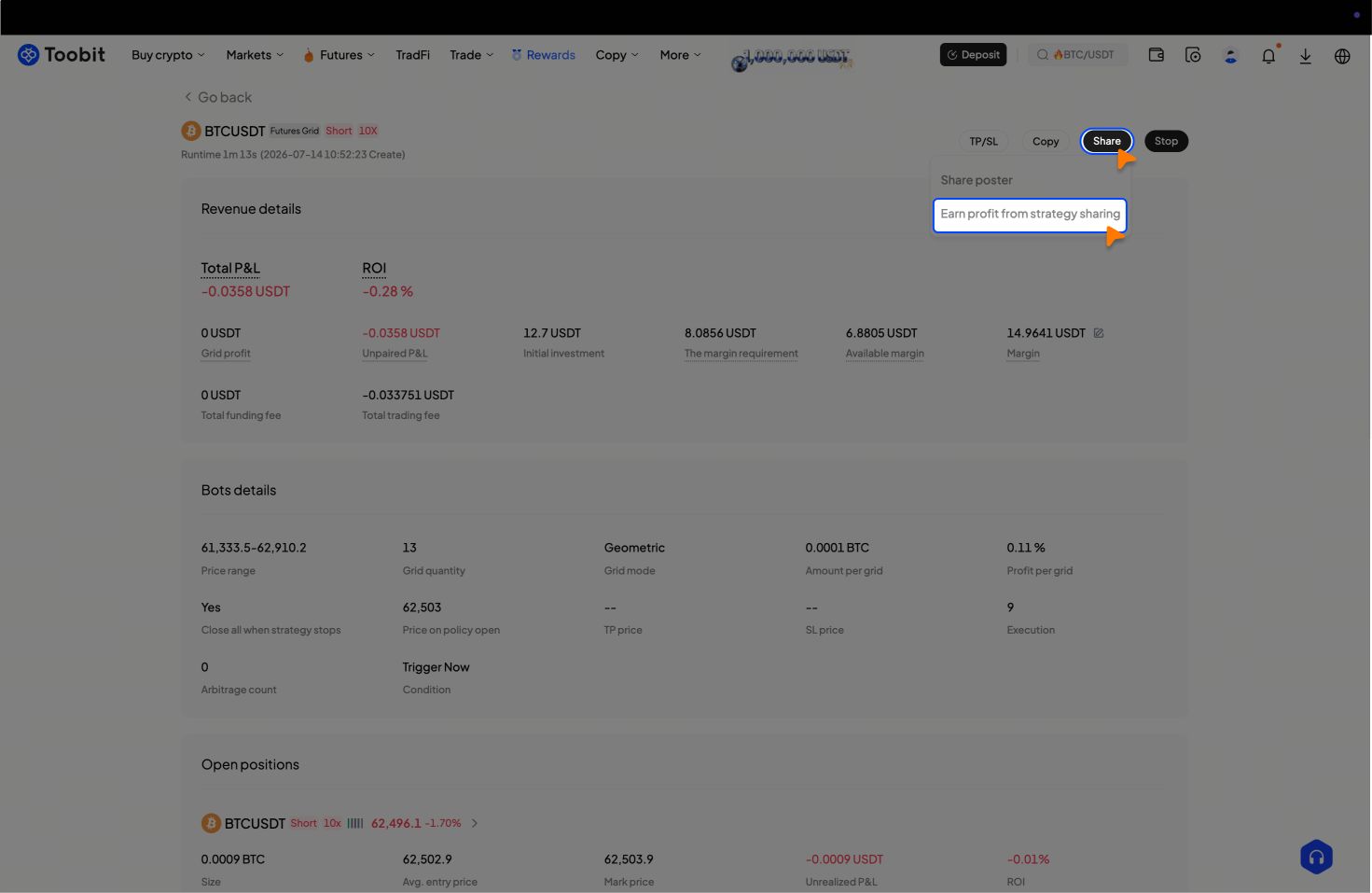
Go to the running bot you want to share, and click [Details] on its record bar to enter the details page.
Step 2 – Share and earn
-
From the [Share] menu, select [Earn profit from strategy sharing].
-
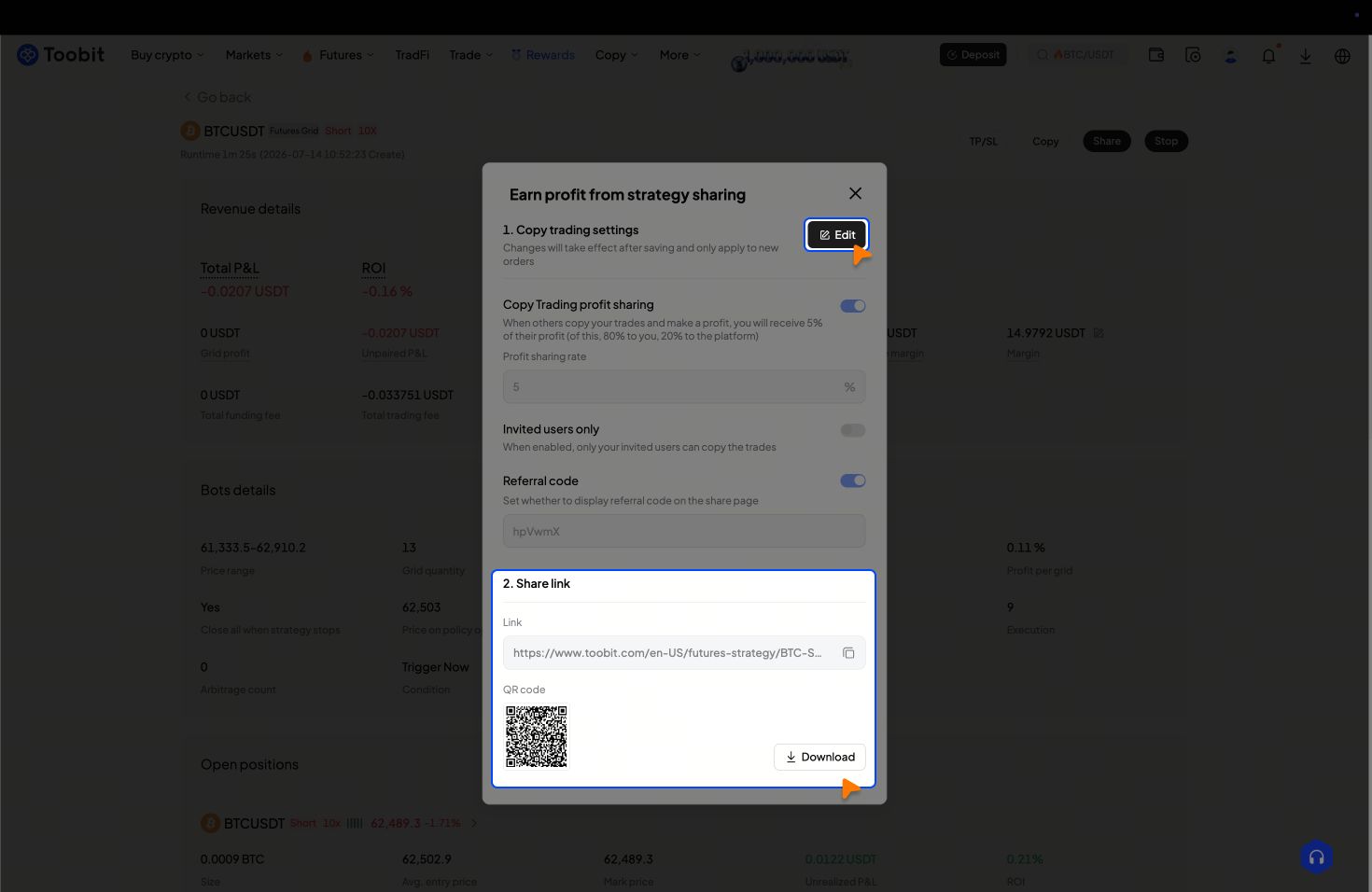
You can then copy the share link or download the QR code to distribute your bot to others.
Tips:
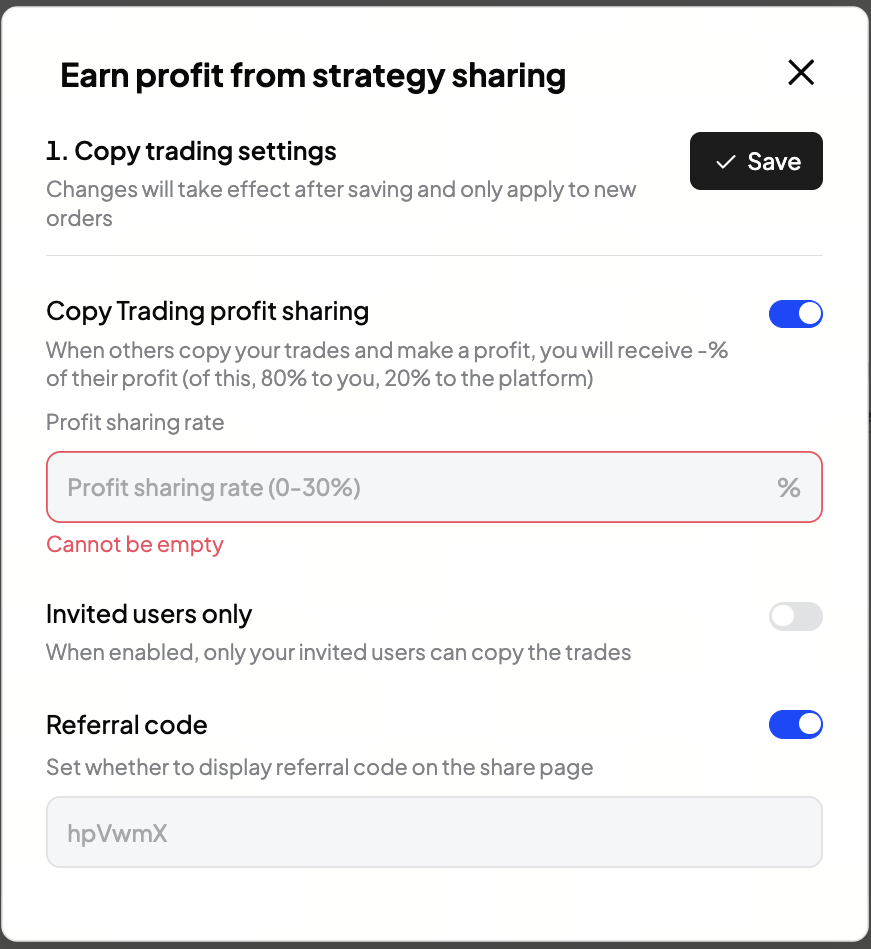
You can adjust your copy‑trading settings by clicking [Edit], where you’ll be able to modify the profit‑sharing rate and decide whether to make your bot invite‑only.
3. What types of bots can be shared for copy-trading purposes?
Sharing is available only for bots authored by the user, which also includes bots derived from system AI strategies via parameter customization. Upon sharing, the strategy becomes available for followers to mirror in real time. Creators are compensated with a predetermined percentage of the profits realized by their followers, and this percentage is specified by the creator during the bot publication process.
4. How does the auto reserved margin work?
When enabled, a portion of the invested margin will be reserved as extra margin, extending the estimated liquidation price away from the market price and reducing liquidation risk. After creating the bot, you can also add or withdraw margin at any time.


