
Buying crypto is often the first step into the world of digital assets. To help new users quickly and securely convert fiat into cryptocurrency, Toobit offers the Quick Buy feature: a simple and efficient way to purchase crypto using a credit or debit card with just a few steps.
This guide walks you through how to use your bank card on Toobit to get started on your crypto investment journey.
Why use quick buy?
-
Fast settlement: Fully automated process, with crypto usually arriving within minutes after payment.
-
Beginner-friendly: Easy-to-use interface that requires no prior crypto experience.
-
Supports multiple fiat and crypto options: Covers a wide range of global currencies and popular coins like BTC or ETH.
-
No third-party redirects: Complete the entire process directly within the platform.
Before you begin
To use the Quick Buy feature, please ensure the following:
-
You've registered a Toobit account and completed Advanced Verification (KYC).
-
You have a credit or debit card that supports international online payments.
-
Your internet connection is stable, and you're using a compatible browser (Chrome recommended).
How to use Quick Buy
Step 1: Go to the "Buy Crypto" page
-
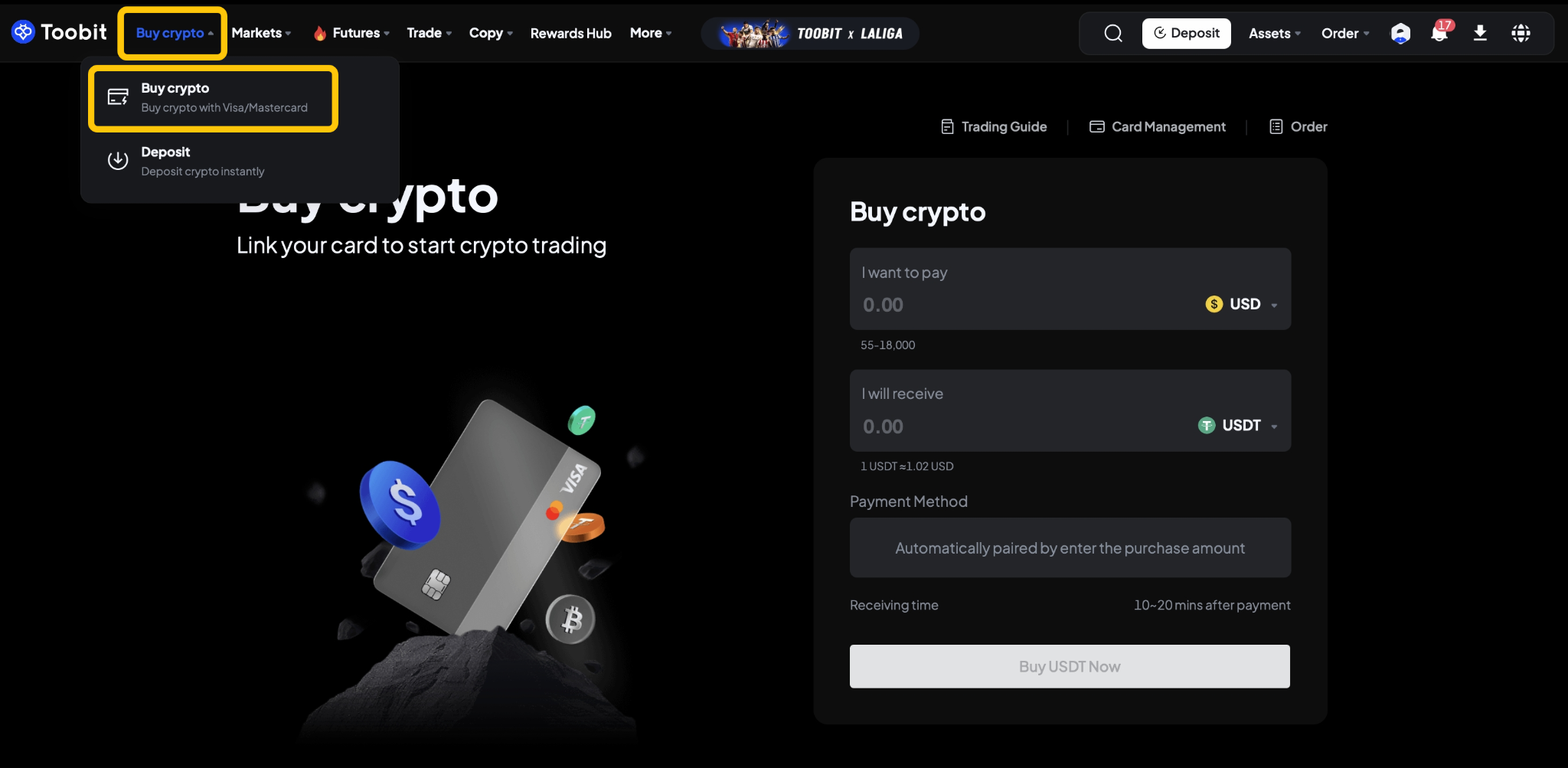
Visit toobit.com, log in to your account, and click "Buy crypto" from the top navigation bar.
-
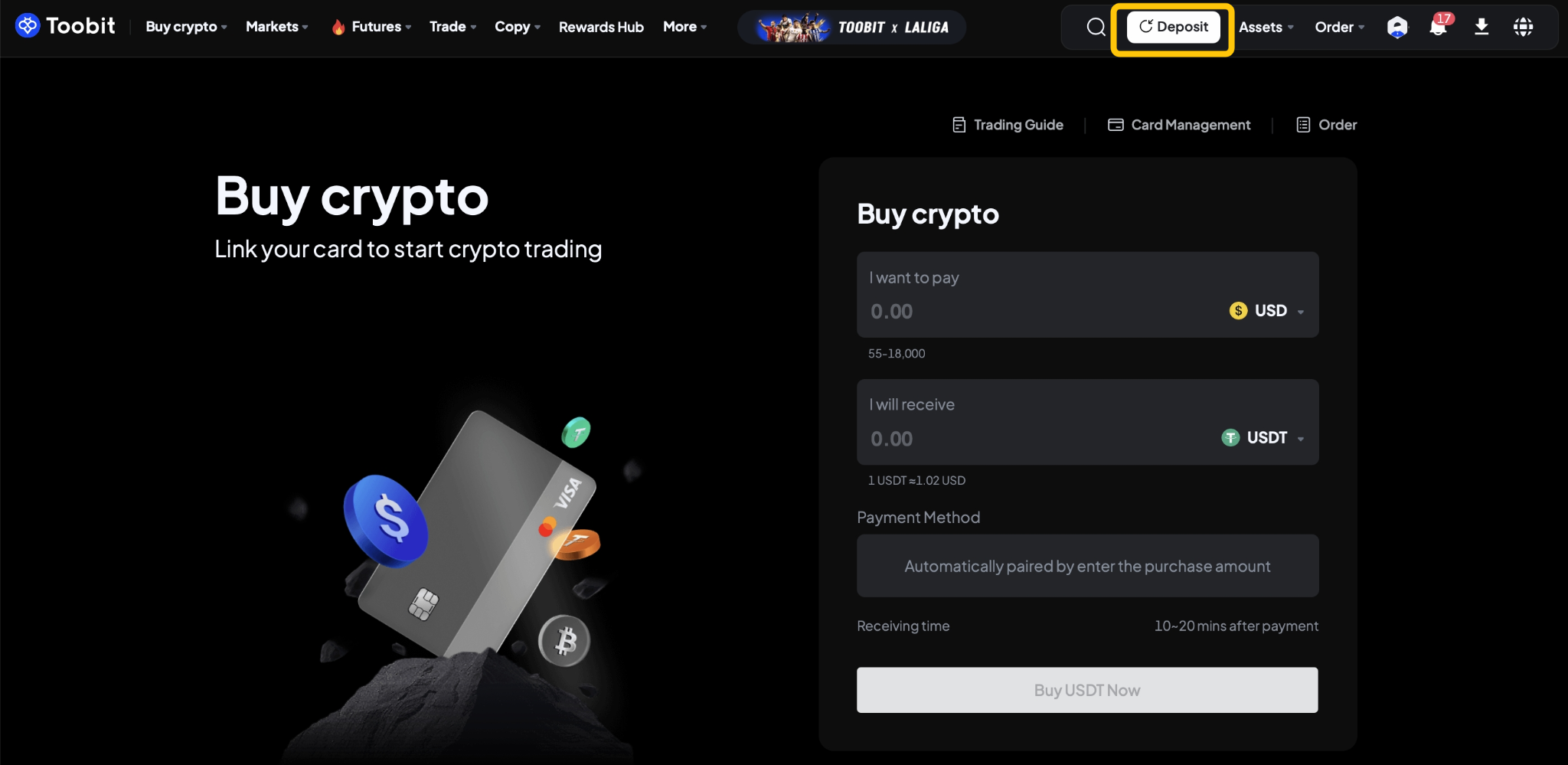
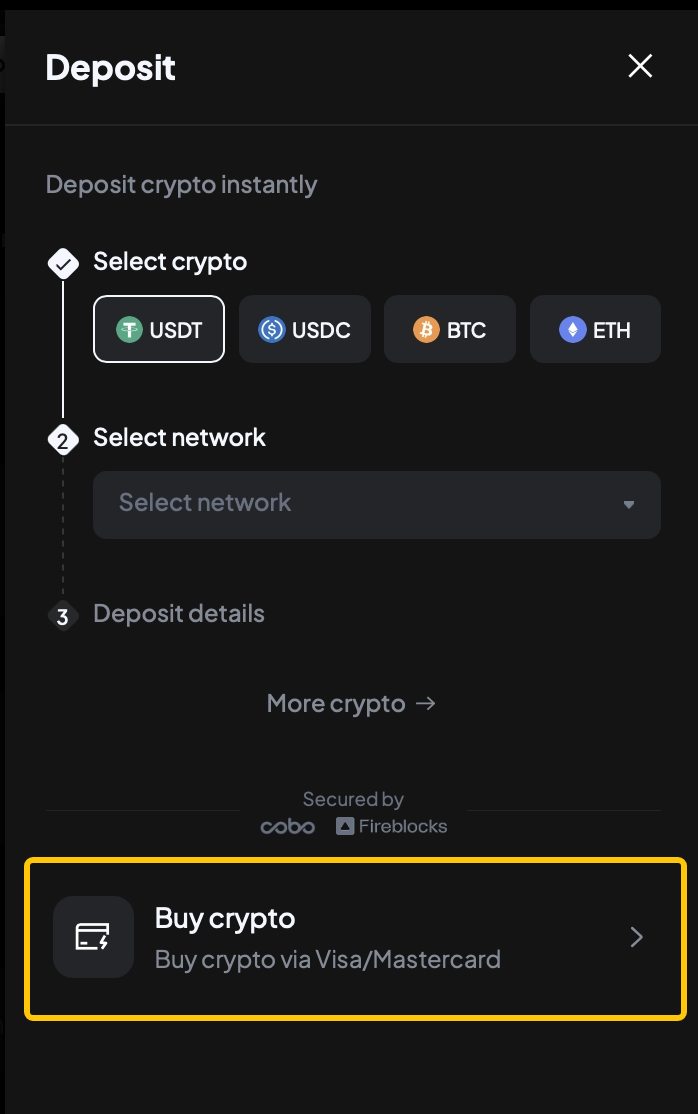
Alternatively, click "Deposit" in the rightmenu and select "Buy crypto" as your payment method.
You'll be redirected to the payment interface to begin setting up your purchase.
Step 2: Enter the purchase amount
-
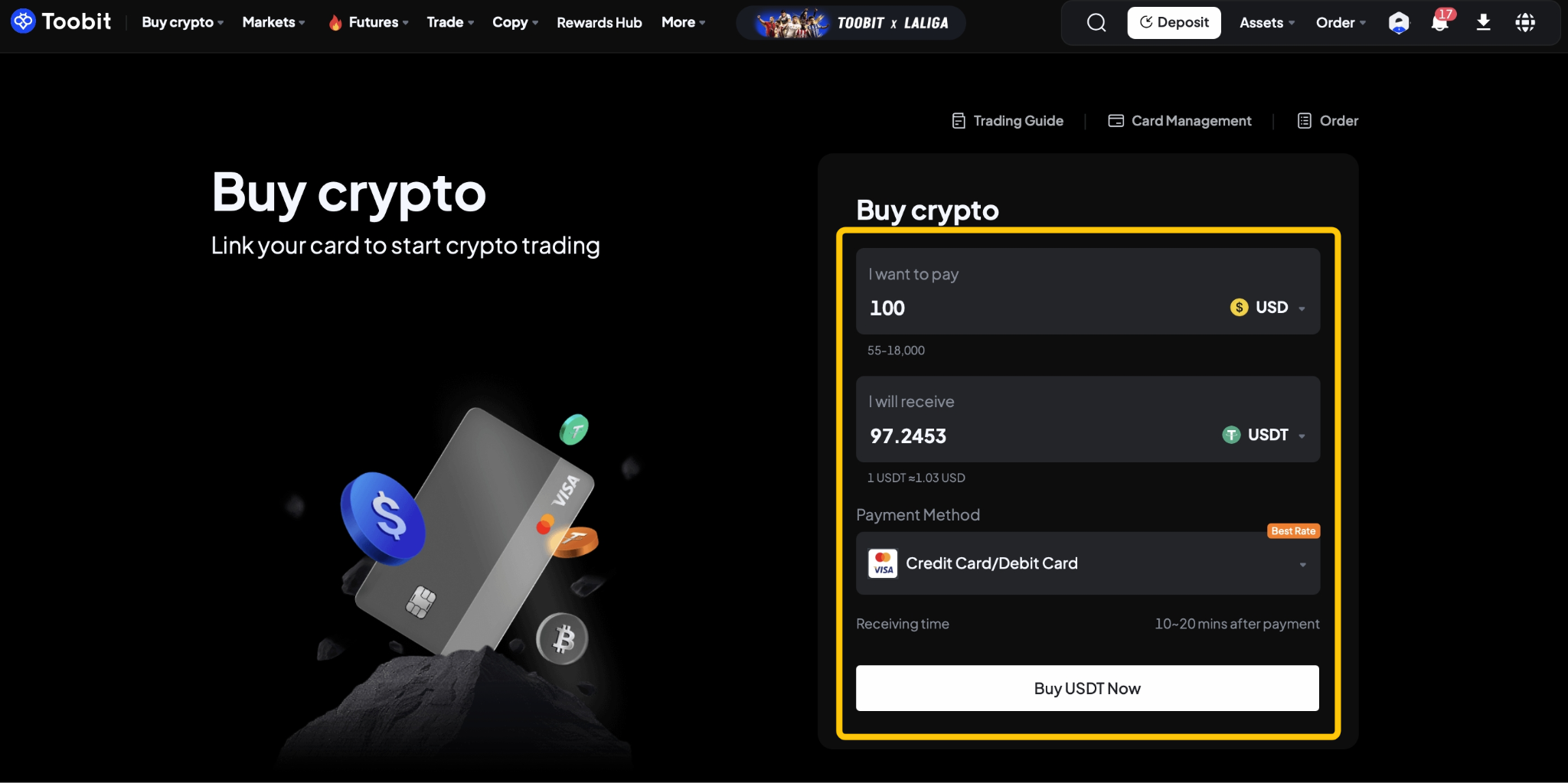
Choose your preferred fiat currency (e.g., USD, EUR) and the cryptocurrency you wish to buy (e.g., USDT, BTC).
-
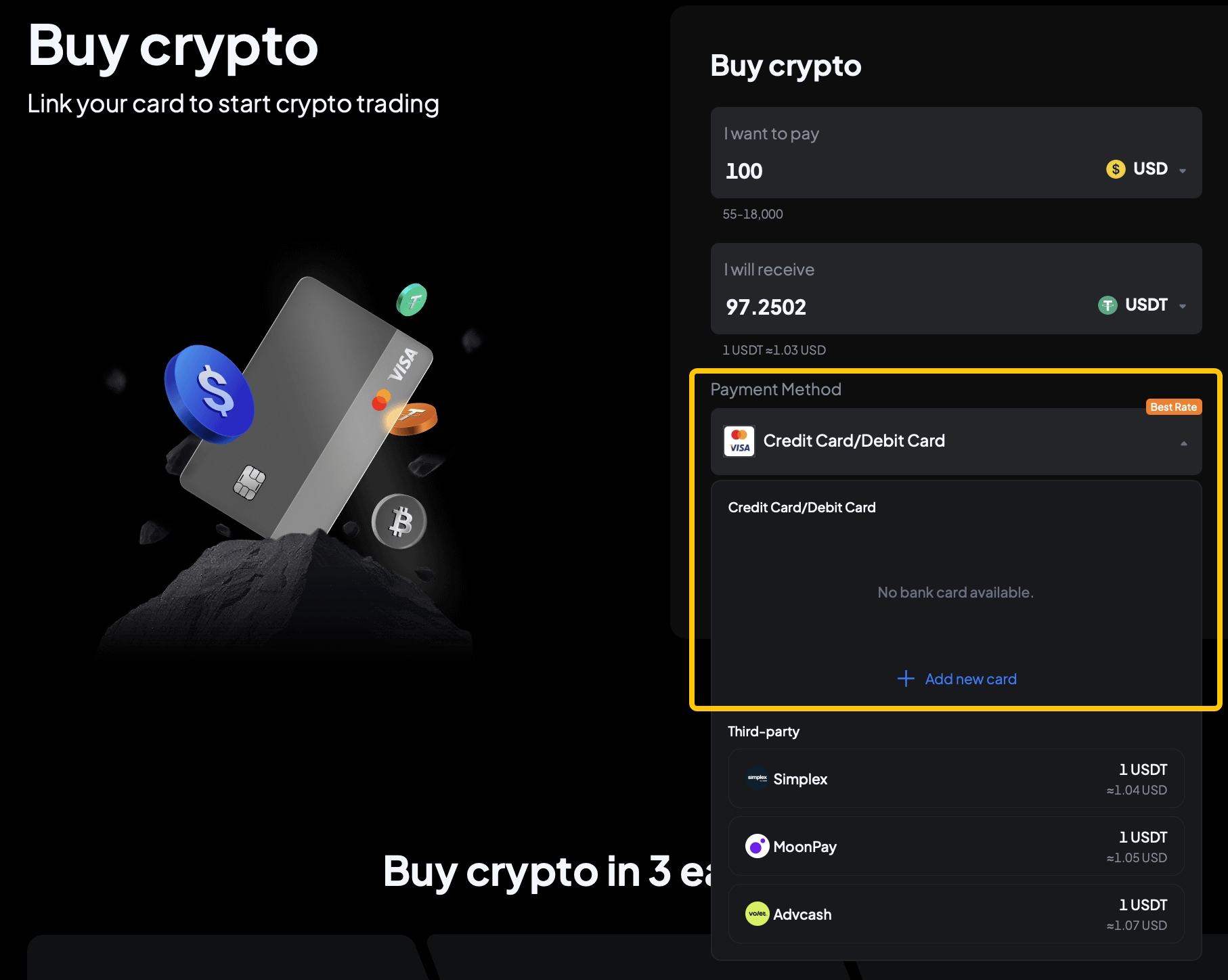
Enter the amount you wish to pay. The system will automatically display the estimated crypto you’ll receive based on the real-time exchange rate (for reference only).
-
Recommended payment method: Credit or debit card.
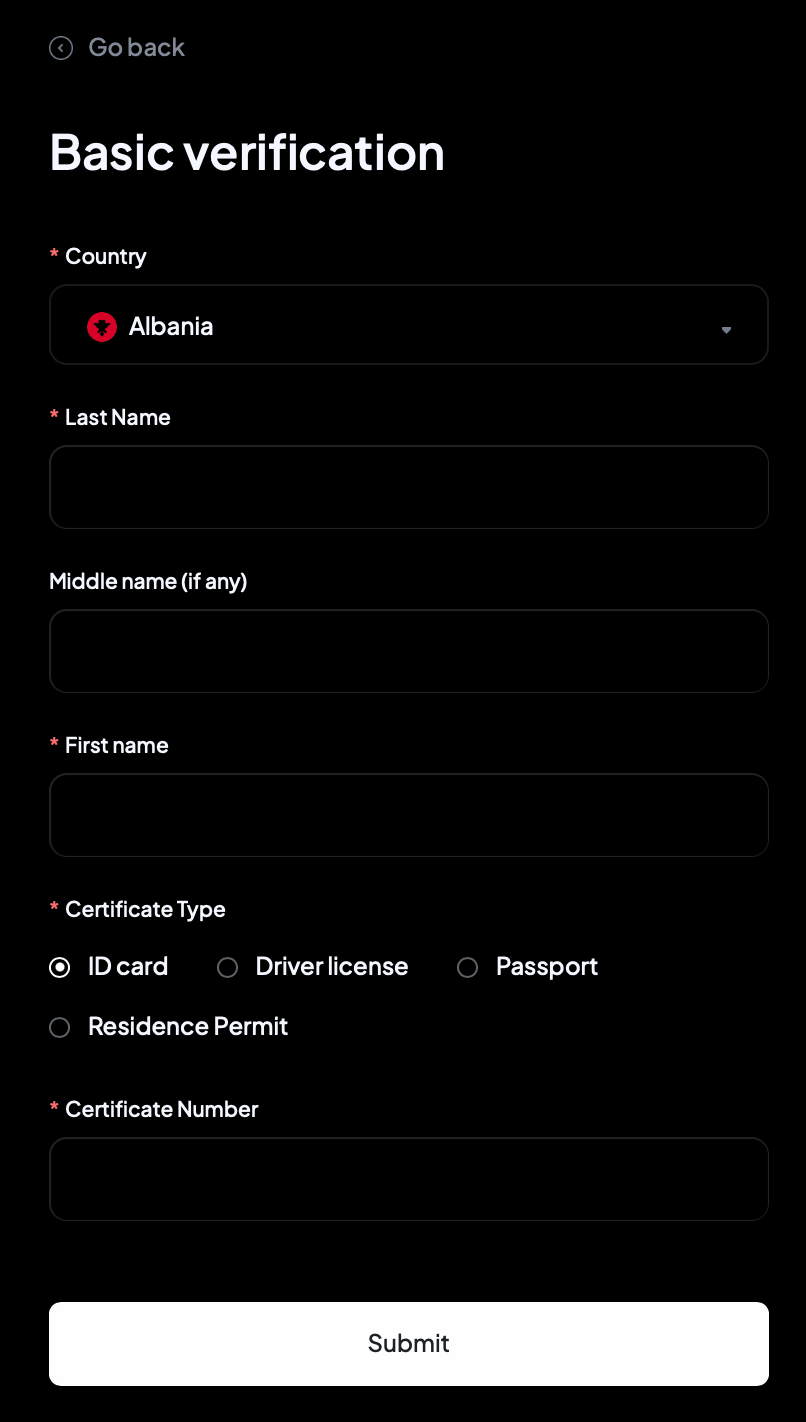
Step 3: Complete personal information (first-time users only)
If this is your first Quick Buy purchase, you’ll be asked to provide the following information:
-
Country/Region of residence, full address, and proof of address.
-
Review and agree to the terms in the Self-Declaration section.
-
Complete Advanced KYC verification (document upload supported).
Step 4: Link your bank card and complete payment
-
On the payment screen, select a previously linked card or click "Add new card".
-
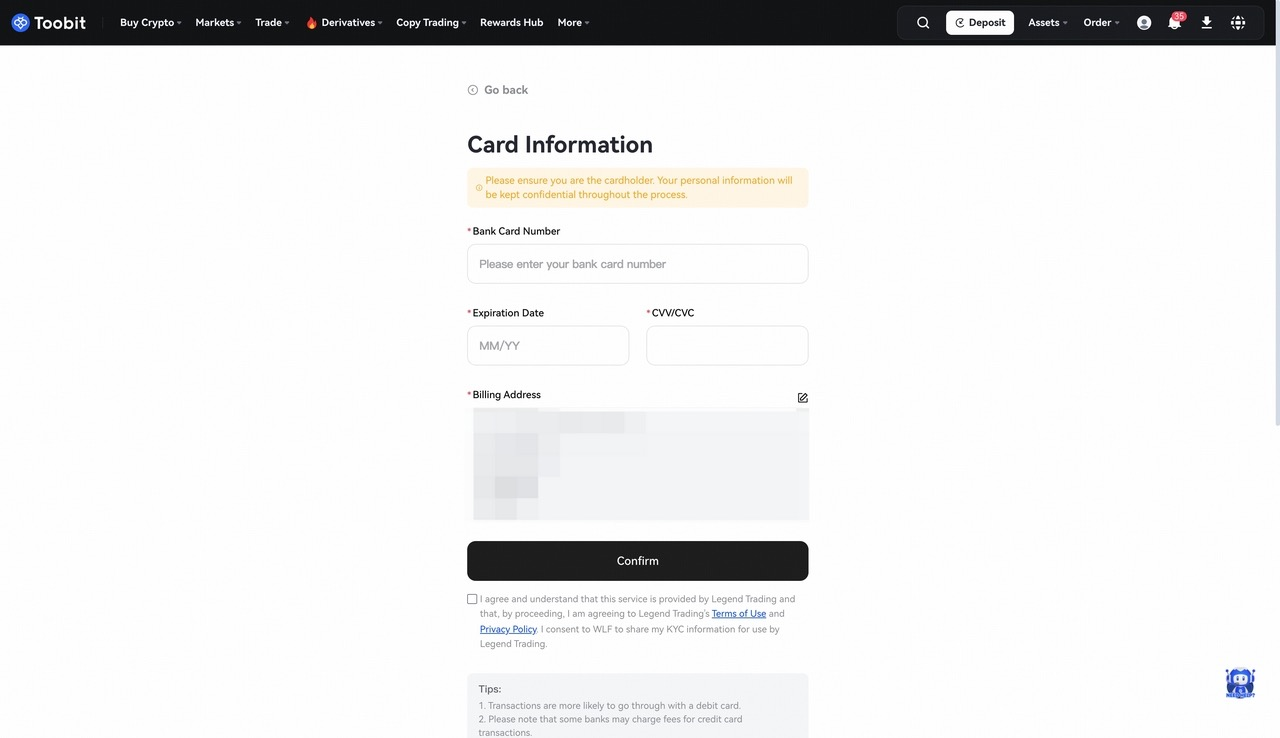
Enter your card number, expiry date, CVV, and other required details.
-
Once confirmed, submit the payment. You will be redirected to the payment provider's page to complete the transaction.
What happens after payment?
-
Once your payment is successful, you’ll receive a Quick Buy notification.
-
Crypto is typically credited to your account within a few minutes. Please wait patiently.
-
You can view your transaction history under Buy Crypto > Orders.
Reminders
-
Please ensure your purchase meets the minimum required amount (refer to the Buy Crypto page for limits).
-
To manage your cards, go to Buy Crypto > Card Management to add or remove cards.
-
After funds are credited, you can choose where the crypto is deposited:
-
- Go to Deposit > Crypto Deposit > View More, and select your preferred destination: Spot Account or USDT-M Futures Account.
Just 4 steps, and you are all set on your crypto trading journey.
Information is updated as of 23 January 2026.


