Dear Toobiters,
Step 1: Go to [Withdraw]
-
Open the Toobit app and log in to your account.
-
Tap [Assets] at the bottom of the screen.
-
Select [Withdraw].

Step 2: Select crypto
-
Use the search bar to find the cryptocurrency you want to withdraw.
-
Choose the currency, then select [On-chain transfer] or [Internal transfer].

Step 3: Example of On-chain transfer
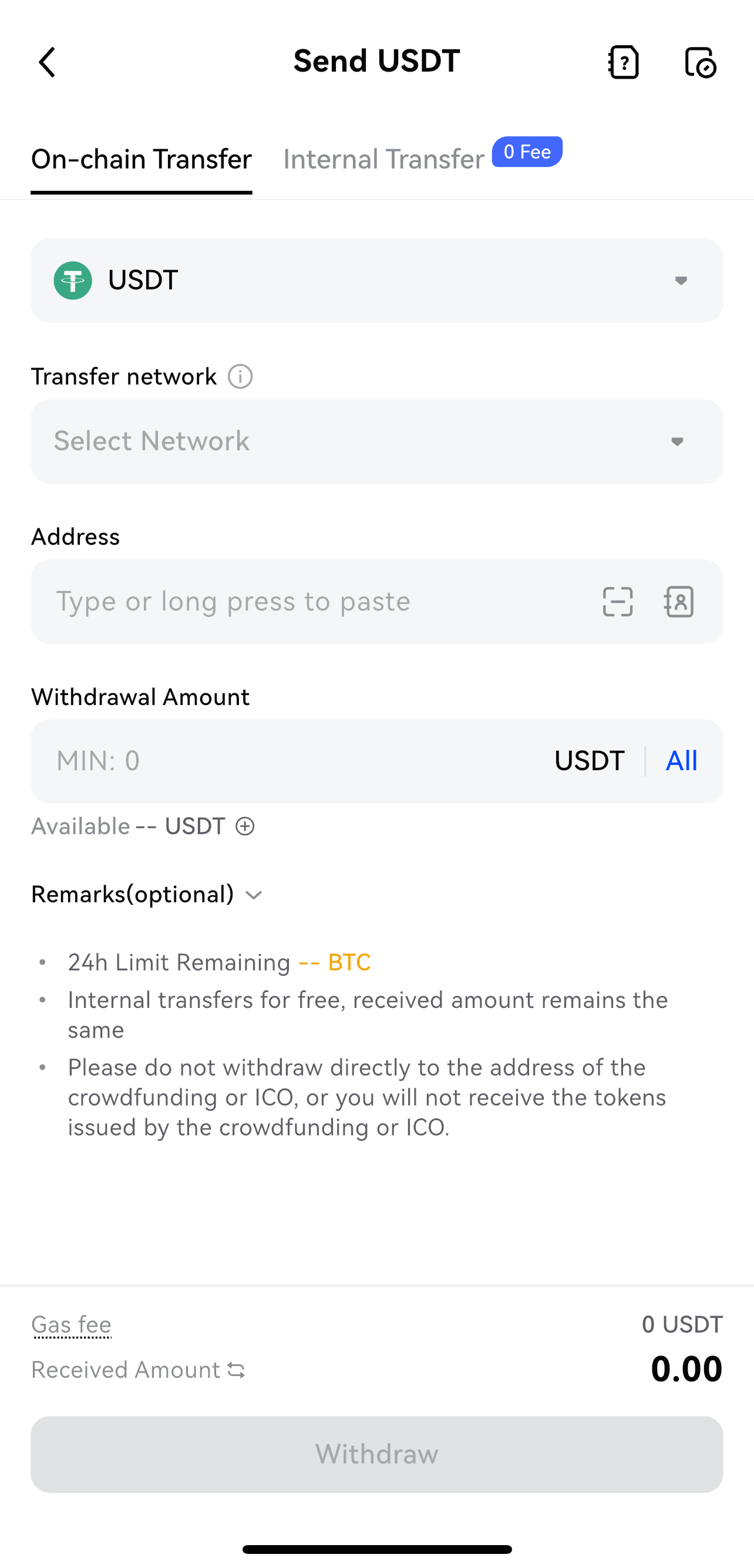
Select the transfer network, enter the withdrawal address, and input the withdrawal amount. Review the net amount and fee, then tap [Withdraw] to submit.
Step 4: Confirm the withdrawal
-
Double-check all details (crypto, wallet address, network, and amount).
-
Complete the security verification, which may include:
-
Email confirmation.
-
Google Authenticator (2FA) code.
-
SMS verification code.
Note:
-
Double-check the withdrawal currency, network, and address. Incorrect details will result in permanent loss of funds.
-
Once submitted, your withdrawal will be processed and confirmed on the blockchain. Confirmation times vary depending on network conditions. Please allow time for the transaction to complete.
-
Always confirm that the withdrawal address matches the correct cryptocurrency for external transfers. If mismatched, the funds cannot be recovered.
-
The withdrawal page shows the minimum withdrawal amount and fees for each cryptocurrency. You can view specific fees directly on the withdrawal interface.
-
For security, Toobit may evaluate your account during withdrawal. If any risks are detected, manual review may be required before processing.
Withdrawal Limits
Withdrawal limits depend on your identity verification status and verification level. Details are provided in the table below:
|
Verification Status |
24h Deposit Limit | 24h Withdraw Limit |
| Unverified | Unlimited | 5 BTC |
| Basic Verification | Unlimited | 5 BTC |
| Advanced Verification | Unlimited | 50 BTC |
We hope this guide helps you withdraw smoothly. For any questions, please feel free to contact our Customer Support.
Toobit Team
2025-09-11