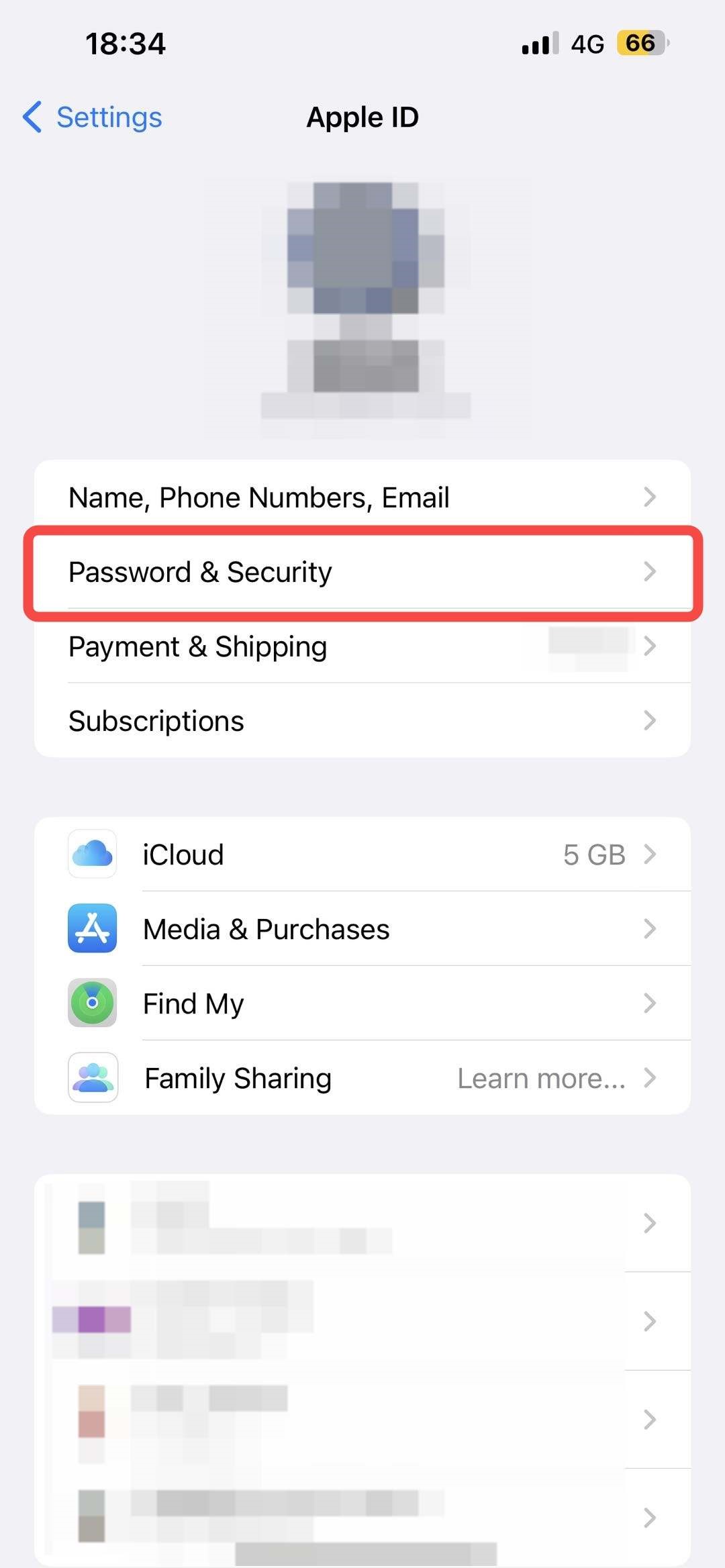
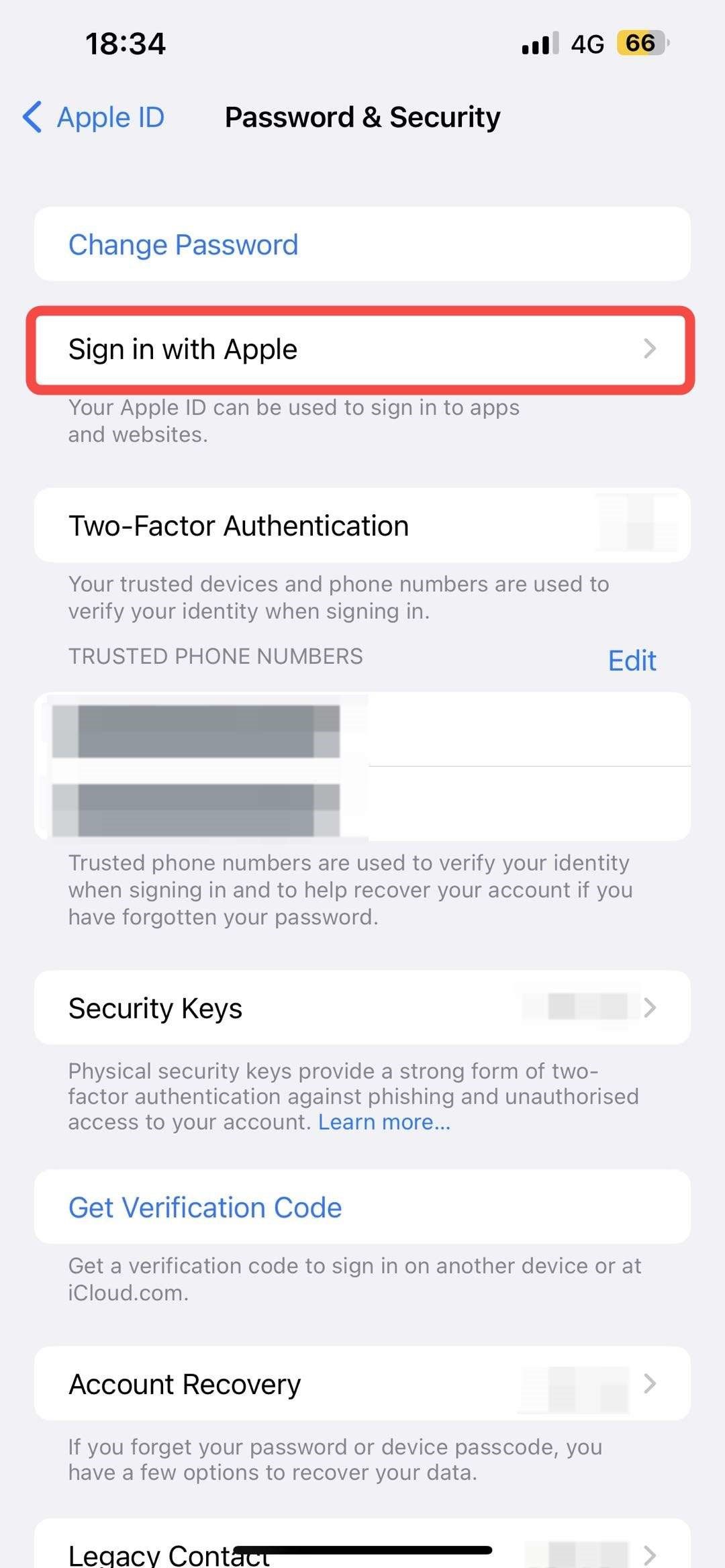
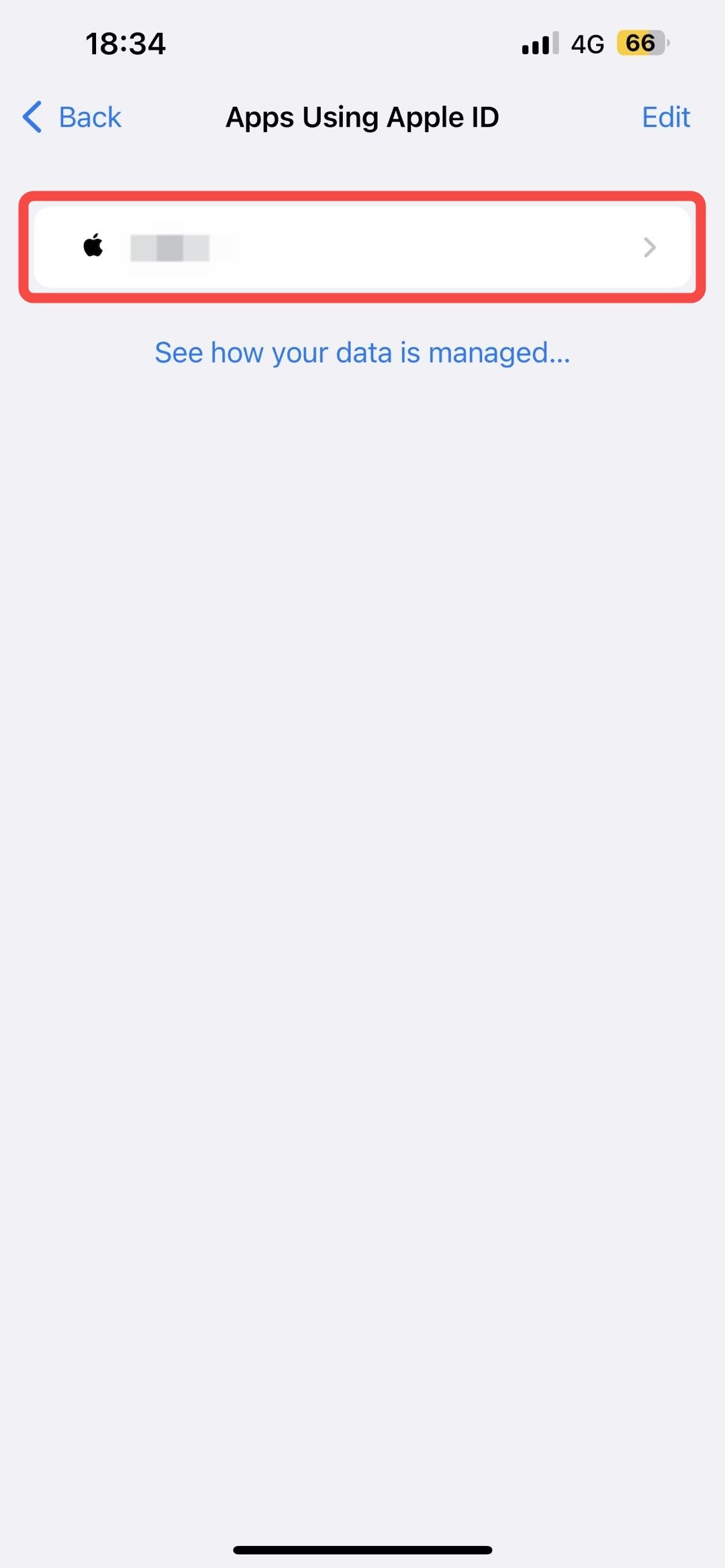
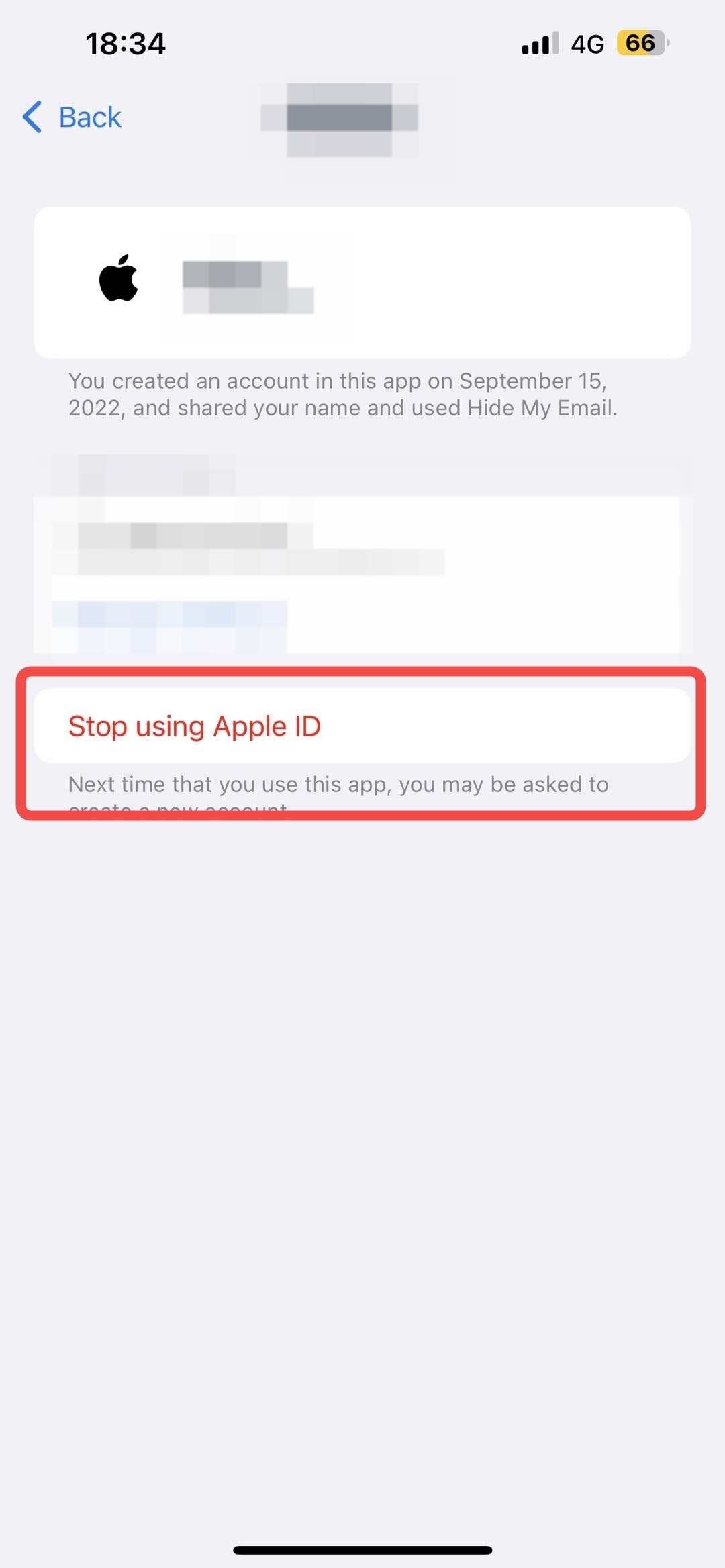
使用蘋果賬號登錄Toobit時如何重置授權?2025-08-01 08:01 1. 打開蘋果設備,找到“設置” - 點擊頂部的“Apple ID” - “密碼與安全性” 2. 找到“通過 Apple 登錄” 3. 點擊進入後可以看到使用 Apple ID 的 App列表 4. 選擇 Toobit,點擊進入後,選擇 “停止使用 Apple ID”,即可重置授權。